# Sajal Sharma — Full Blog Content
> Internet home of Sajal Sharma — AI engineer and O'Reilly instructor specializing in agentic AI systems, LLMs, and machine learning.
Every published post in full, as markdown. Free to read and cite with attribution.
# Personal Agents Have Gone Mainstream
Source: https://sajalsharma.com/posts/personal-agents-have-gone-mainstream/
Author: Sajal Sharma
Published: 2026-09-30
Tags: ai-agents, personal-ai, openclaw, consumer-ai
Within a year of OpenClaw, Meta, OpenAI, and Instinct launched personal agents. What stands between asking AI questions and handing it your errands?
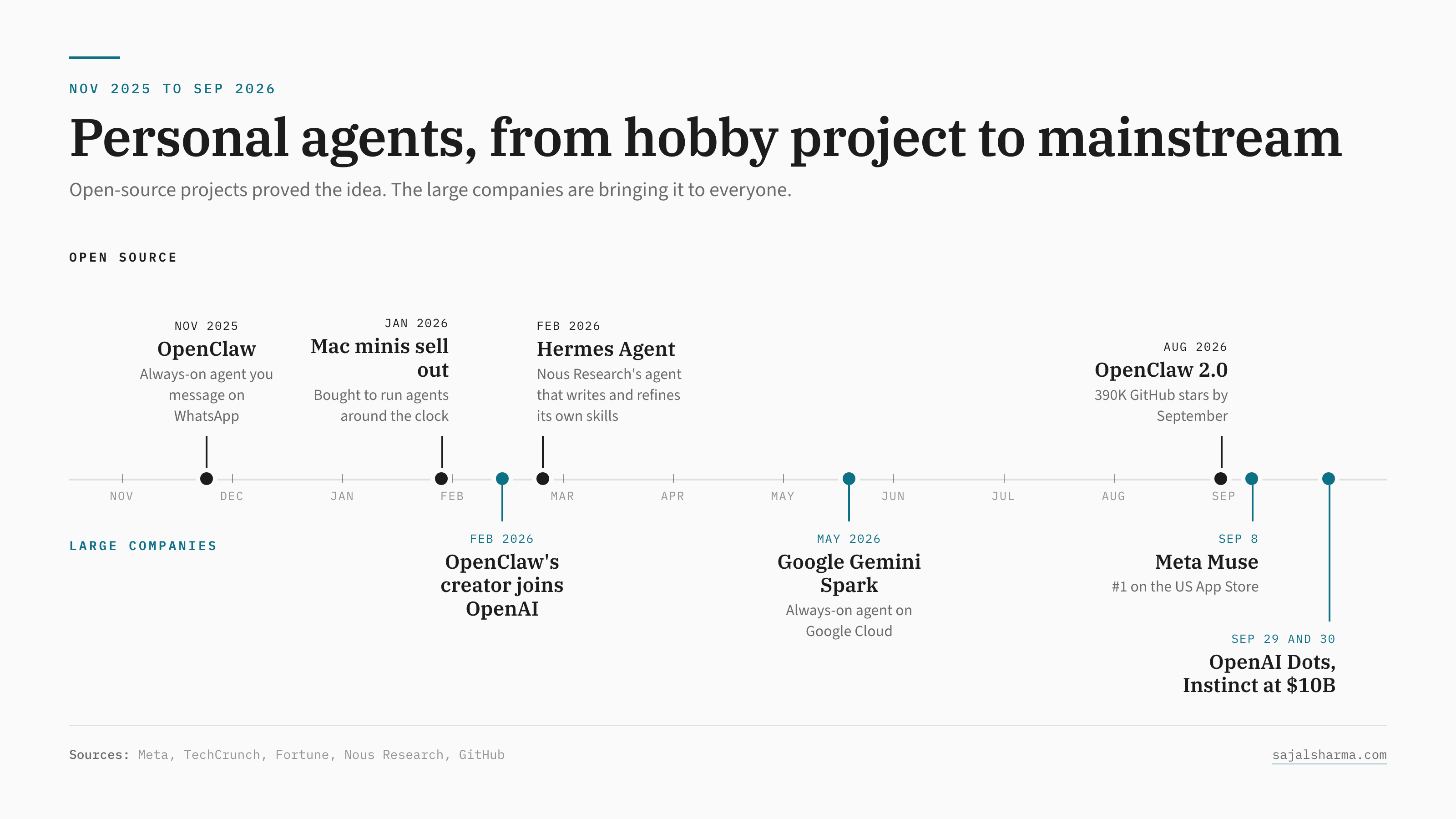
_Personal agents, from hobby project to mainstream_
In the space of three weeks, Meta [launched Muse](https://about.fb.com/news/2026/09/introducing-muse-personal-ai-agent/) and watched it [climb to the top of the US App Store](https://techcrunch.com/2026/09/25/meta-is-putting-its-muscle-behind-muse-as-the-ai-app-takes-off/), OpenAI [announced Dots](https://techcrunch.com/2026/09/29/openai-launches-dots-its-bubbly-agentic-avatar/) at DevDay, and Instinct, a startup whose founder is 23, [raised \$1B at a \$10B valuation](https://fortune.com/2026/09/30/noah-shinn-instinct-ai-assistant-meta-muse-alexandr-wang-tech-series-c-ai-agent-mark-zuckerberg/) for an assistant you text like a friend. All three point to the same shift: from an assistant that answers your questions to one that gets things done for you, like booking travel, cancelling a subscription, or sitting through a phone call while you do something else.
Less than a year ago, that kind of agent mostly lived on the Mac minis of people who enjoy tinkering on weekends. I'm one of them.
## Where it started
A lot of it started with [OpenClaw](https://github.com/openclaw/openclaw). Peter Steinberger released it in November 2025 as a self-hosted, always-on agent you could message on WhatsApp or Telegram, with skills, local memory, and proactive capabilities that let it take actions on your behalf without being prompted. By late January, [Mac minis were selling out](https://www.macworld.com/article/3043356/the-mac-mini-is-at-the-center-of-the-latest-ai-meme.html) because people wanted a machine to run it around the clock, and in February Steinberger [joined OpenAI](https://steipete.me/posts/2026/openclaw) to work on personal agents. Nous Research's [Hermes Agent](https://hermes-agent.nousresearch.com/) followed with a learning loop that writes and refines its own skills from experience. Both projects now sit above 250,000 GitHub stars.
I've run my own assistant on OpenClaw for most of this year, taught it to a few hundred people on O'Reilly, and I'm currently test driving Hermes on my Mac Mini to see how its self-learning capabilities hold up in real-world use. That experience shapes a lot of what follows.
The big launches take the core idea from these projects, an agent that stays on and has its own computer to work with, and move that computer into the cloud. Getting started no longer involves a Mac mini on a shelf or an afternoon with config files.
## From asking to doing
The bigger hurdle is that most people still use AI to ask questions. OpenAI's own [study of ChatGPT usage](https://www.nber.org/papers/w34255) from last year found that practical guidance, seeking information, and writing make up roughly three quarters of conversations, and that "asking" messages were growing faster than "doing" ones. ChatGPT Agent [reportedly](https://the-decoder.com/chatgpt-agent-reportedly-lost-75-of-its-users-because-nobody-knew-what-it-was-actually-for/) peaked at around 4 million weekly users and fell below a million within months, largely because people couldn't tell what it was for.
That makes sense to me once you look at what delegation involves. Asking a question costs nothing, and if the answer is bad, you close the tab. Getting something done means picking which task to hand over, giving the agent access to your accounts, and living with the result.
More than 900 million people a week have a very capable assistant in ChatGPT, and after nearly four years of chatting, most of them treat it as a better search box and writing helper.
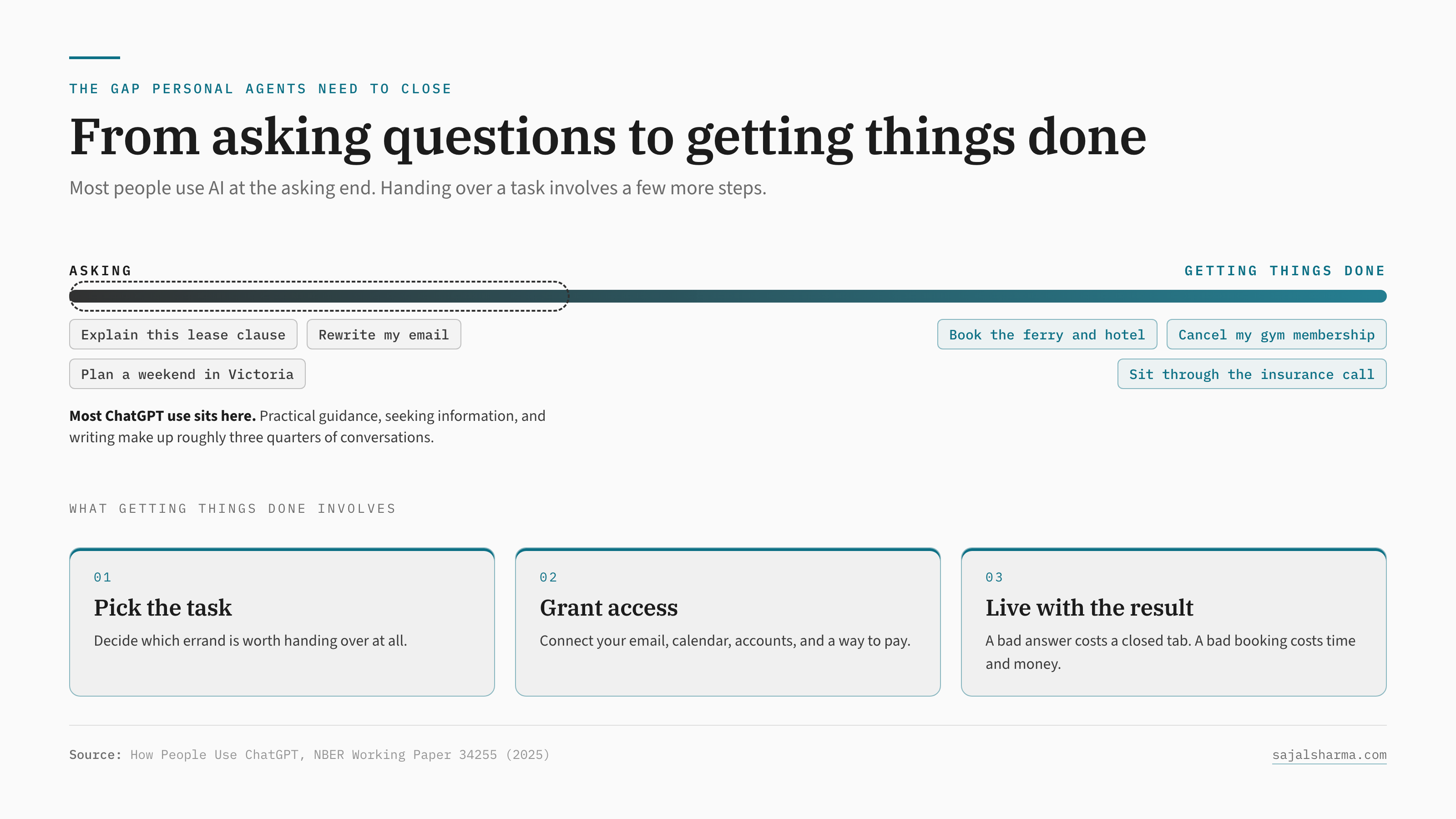
_From asking questions to getting things done_
## Why the cute personas
Both Muse and Dots also introduce the agent as a cute, friendly character, with Dots arriving as a bubbly little avatar. My read is that the personas are aimed squarely at getting people to delegate: handing an errand to a character you chat with feels like asking a favour, which makes the first delegated task feel small. Putting Muse inside WhatsApp and Dots inside Slack and Teams works the same way, since people come across the agent in apps they already use every day.
Proactive features like [ChatGPT Pulse](https://techcrunch.com/2025/09/25/openai-launches-chatgpt-pulse-to-proactively-write-you-morning-briefs) push in the same direction. Once the assistant brings you something useful without being asked, you start to think of it as something that works for you between conversations. Muse's downloads grew at more than twice ChatGPT's daily launch rate over its first ten days, so the approach seems to be helping, at least with downloads.
## Who gets your data
The friendly persona also makes it easy to overlook the amount of access involved. For Muse to book your travel and sort out your bills, it needs your email, your calendar, and a payment method. Would you give Meta access to your whole inbox?
Plenty of people will, since the convenience is real and they already spend their day in WhatsApp, but I think trust in personal agents comes down to which company you're comfortable letting hold that data. Instinct's early terms [gave the company a perpetual licence](https://techcrunch.com/2026/08/24/instincts-powerful-ai-assistant-is-raising-privacy-and-security-concerns/) to user materials, which is easy to miss behind a friendly text thread.
There's also the question of what happens when you want to switch. A year into using Muse, the agent would know your routines, your contacts, your preferences, and the history of every errand it has run; moving to Dots or anything else means rebuilding all of that unless the memory comes with you, and I haven't seen any of these launches say much about memory export.
Part of the appeal of OpenClaw and Hermes for people like me is that the memory and credentials sit on a machine I own, in plain files I can read and move. The tradeoff is that I'm the one managing the risks, from vetting every skill I install to keeping that machine locked down. As these agents take on more of your errands, choosing which company to trust becomes the main decision.
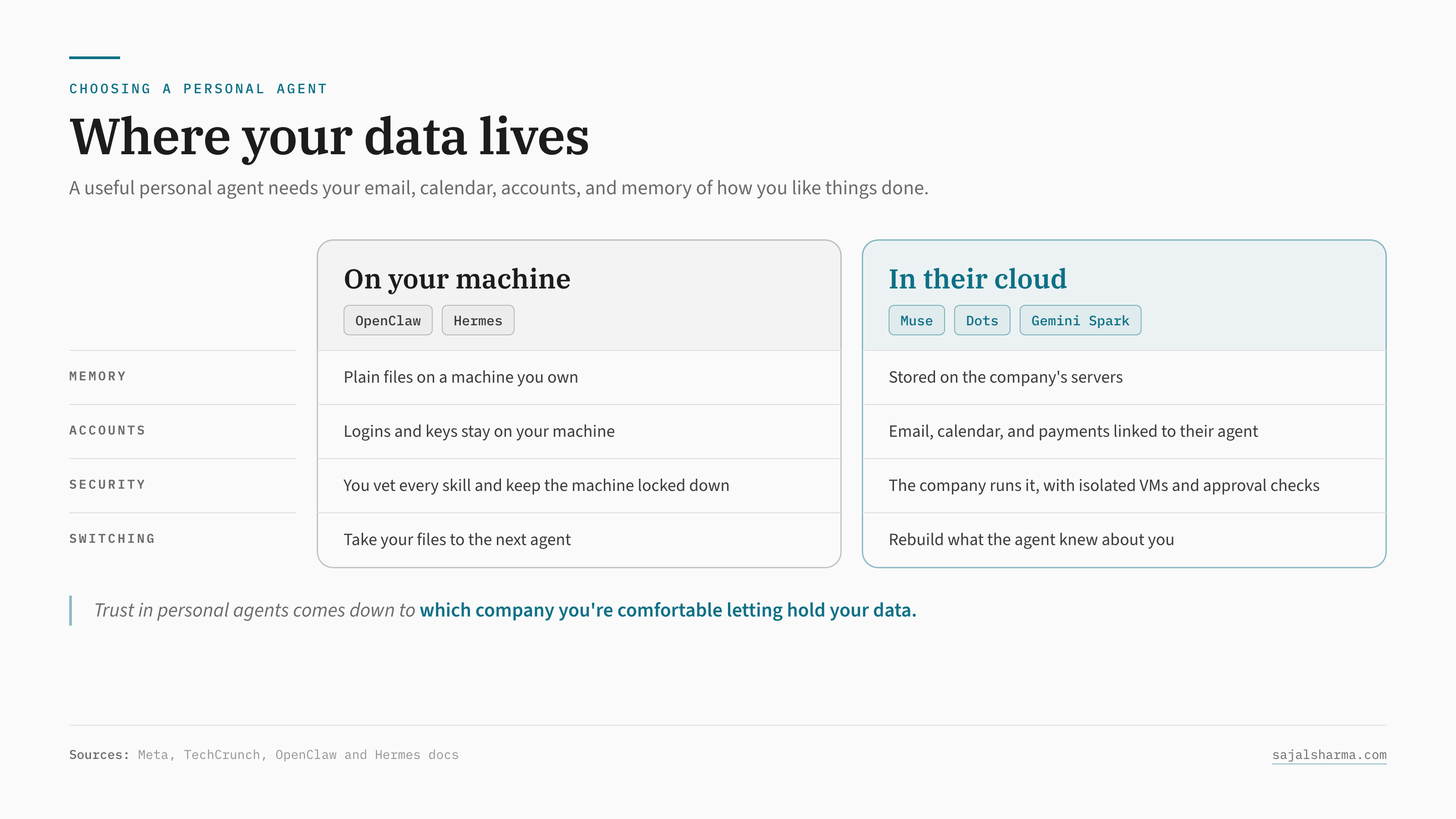
_Where your data lives_
## Where this goes next
My guess is that the pattern from the last ten months continues. Open-source projects like OpenClaw and Hermes will keep acting as the lab for ideas such as self-improving skills, long-term memory, and agents that run on their own schedule, and the large companies will package the ideas that hold up and bring them to a few hundred million people.
The interesting questions now are which company people will trust with their inbox and their card, and what will convince someone who mostly uses ChatGPT for emails to hand an agent their first real errand. I'd be curious whether you've delegated anything meaningful to one of these agents yet, and what made you trust it (or not).
_This post also appeared as a LinkedIn article on September 30, 2026._
---
# A Guide to Building a Shared Knowledge Base for Your AI Agents
Source: https://sajalsharma.com/posts/shared-knowledge-base-for-ai-agents/
Author: Sajal Sharma
Published: 2026-09-21
Tags: ai-agents, ai-engineering, ai-coding, personal-ai
Build a shared knowledge base that you and your AI agents can use across tools and devices, with common notes, instructions, skills, and workflows.
## Introduction
A personal AI assistant has become part of how I organize my day-to-day life. I use it to plan my days, manage my calendar and projects, stay on top of finances and bookkeeping, and reflect on the week.
For this, I use existing agent applications, or _harnesses_. I switch between Claude Code and Codex depending on my spending, remaining quotas, and which new model's capabilities I want to try. I also run [OpenClaw on a Mac mini](https://sajalsharma.com/posts/openclaw-experiments/), which stays on so I can reach the assistant through Telegram on my phone even when my laptop is closed. Over weak connections, that messaging setup has worked more reliably for me than accessing Codex remotely.
As I move between these tools, I want my notes, preferences, instructions, and workflows to carry over, along with useful updates from each agent. Built-in memory helps, but it often stays tied to a particular product. I also want to see what my agents are saving and correct or reorganize it when needed. That led me to build a shared knowledge base that my agents and I can read, edit, and maintain together.
A couple of weeks ago, I walked through this approach in one of [O'Reilly's Zero to Agent sessions](https://www.youtube.com/watch?v=u-ACrRWdn58). This guide is an extension of that session, with more room to explain the design choices for a personal setup spanning a few agents and devices.
## Architecture of a shared knowledge base
A shared knowledge base holds the information you and your agents use across tasks.
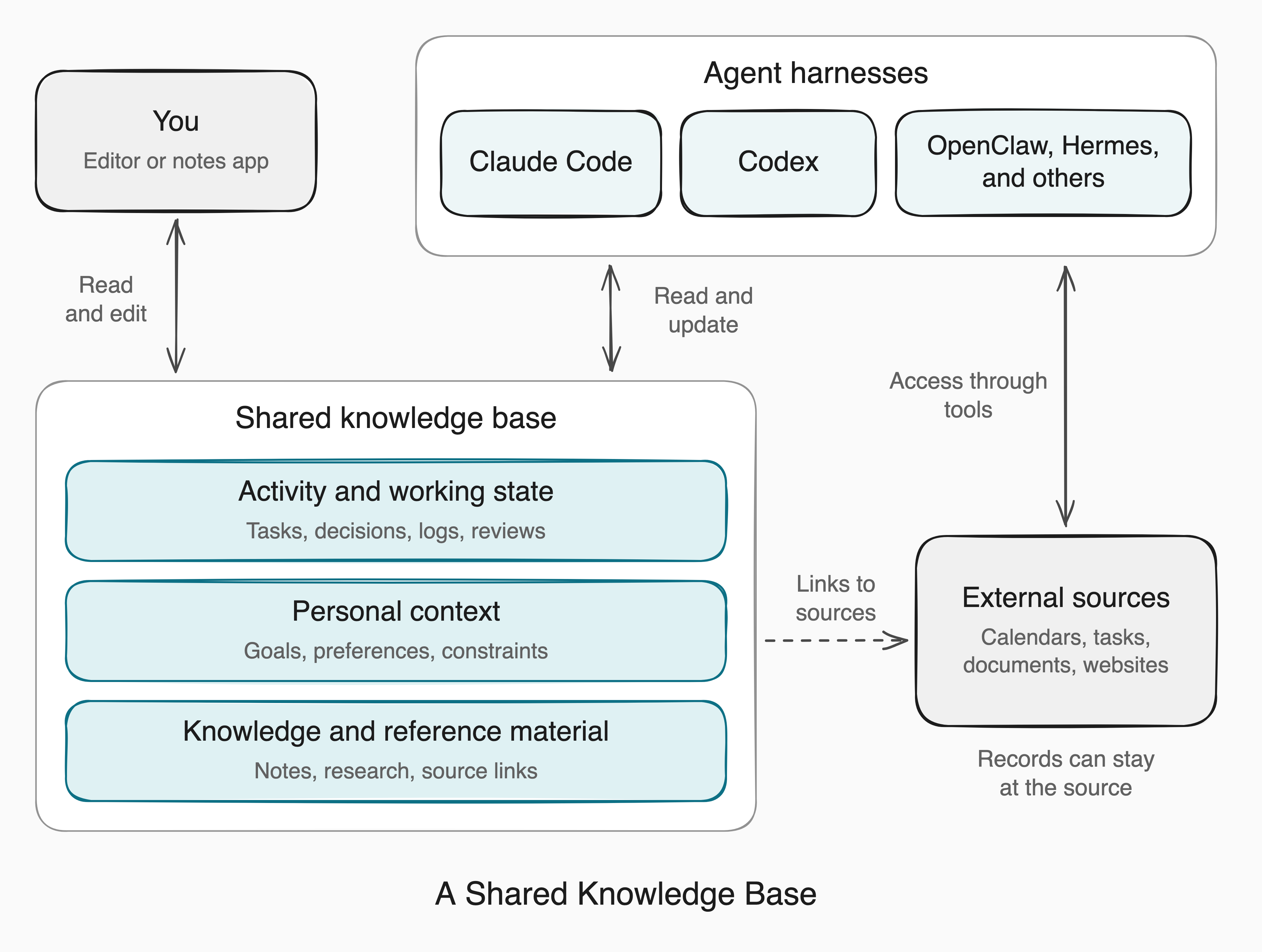
It gives you a common place to maintain notes, decisions, and personal context, so you can return to that material from different harnesses.
### Shared material
To help across different tasks, agents need to understand what is happening, what matters to you, and what information they can draw on. The shared material falls into three broad categories:
- **Activity and working state:** records of what has happened and where things stand. These can include ongoing tasks, project updates, decisions, daily logs, periodic reviews, and handoff notes that help an agent continue unfinished work.
- **Personal context:** information that helps an agent tailor its work to you, such as your goals, preferences, responsibilities, and constraints. Available time, current priorities, or a preferred level of detail can all affect what makes a response useful.
- **Knowledge and reference material:** information you want to retain and draw on, such as research notes, explanations, how-to guides, saved articles, and links to original sources.
These categories often overlap. A project overview might bring together its current status, the constraints affecting it, and links to relevant research. Keeping those connections visible helps an agent understand the work and find the supporting detail.
Some of that information can stay in external systems and be accessed when needed. The knowledge base can hold summaries or selected details, with links back to the originals for checking current information. We'll cover those connections in [External system connections](#external-system-connections).
### From a knowledge base to a workspace
As different agents use the collection, shared guidance helps them follow the same conventions. Operating instructions and navigation maps explain where to look, how to interpret records, and where updates belong. Skills capture recurring procedures and their supporting resources, such as templates and scripts. Tool connections give agents access to files and applications.
Adding these instructions, skills, resources, and tool connections turns the knowledge base into a **shared agent workspace**.
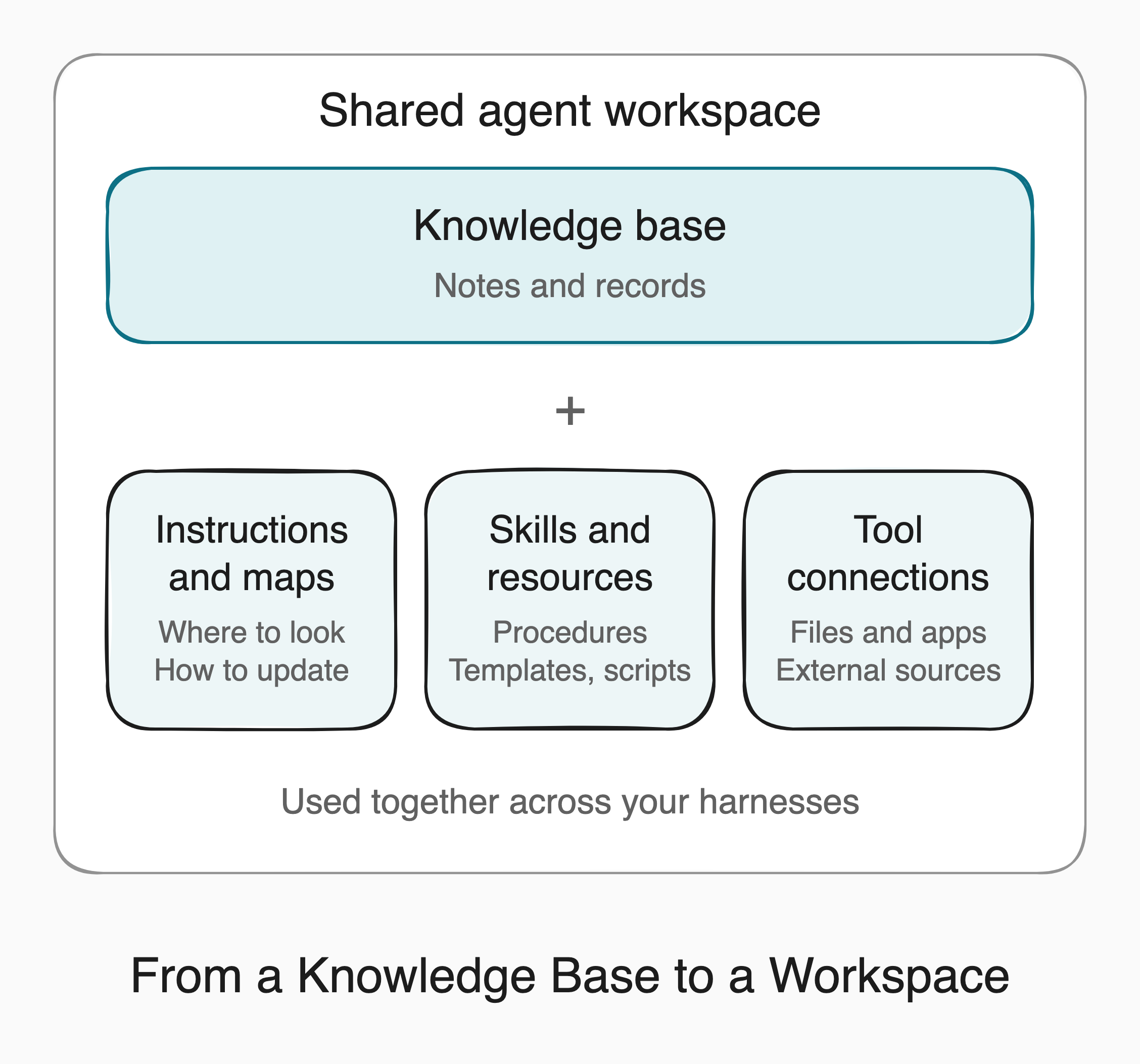
The parts can live in different places, provided your agents can find and use them together.
## Storage and organization
### Storage and platform choices
The storage choice determines where the records live and how they are maintained. You can keep them as ordinary files, use a hosted platform, or build your own storage setup on a database for more specialized needs.
With **Markdown files**, the knowledge base is a folder of plain-text notes. You and your agents can read and update the files through different tools, so the material can stay the same as you change editors or harnesses. You manage the folder's organization and availability across devices.
**A hosted knowledge platform**, such as Notion, manages the collection as pages and structured records. It provides both storage and an editing interface. Agents use supported integrations; Notion's [agent tools](https://developers.notion.com/guides/mcp/mcp-supported-tools) show what they can read or change. Export options help when you move the material elsewhere. Notion [exports pages as Markdown and databases as CSV](https://www.notion.com/help/export-your-content), though reimporting those files will not recreate the entire workspace.
If existing platforms cannot support your use cases, you can build a **custom storage setup on a database**. You'll need to design a schema, meaning the fields, data types, and relationships between records, and plan how to update existing data when that structure changes. You'll also need tools for reading and updating the records. Garry Tan's [GBrain](https://github.com/garrytan/gbrain#architecture) illustrates this approach: it uses PGlite or PostgreSQL alongside Markdown files, with some records stored only in the database. Files or a hosted platform are usually enough for a personal collection of notes and reviews.
You can also combine these options. Research and project pages might stay in Notion, with shared instructions, skills, and scripts in a local folder. Give each component a clear home and link between them, so an update to a project overview has one place to go.
### Knowledge base availability
Storage also affects whether you and your agents can reach the material when a computer sleeps or a connection drops. If the only copy is on your laptop, another device cannot reach it while the laptop is asleep. A complete local copy supports offline work on that device, while a hosted service can remain accessible independently of your laptop.
For offline work, the files need to be downloaded onto the device. Sync clients can show filenames whose contents are still online, so keep the notes, instructions, templates, and skill resources you need available locally. [Google Drive's streaming and mirroring options](https://support.google.com/drive/answer/13401938?hl=en) and [Dropbox's offline settings](https://help.dropbox.com/sync/access-files-offline) illustrate how this works. The [cross-device section](#cross-device-access-and-synchronization) covers how to keep copies on different devices up to date.
### Workspace organization
For the rest of this guide, we'll assume the knowledge base is stored as Markdown files. Given that, the folder structure should help you and your agents find relevant material and know where to save updates. A starter workspace might look like this:
```text
workspace/
README.md
AGENTS.md
notes/
projects/
logs/
daily/
weekly/
monthly/
skills/
templates/
```
Choose folders that reflect the material you keep. In this example, `README.md` acts as a map for you and your agents, explaining what each area contains and linking to useful starting points. `AGENTS.md` holds operating instructions and points to that map. A project overview can then lead to its decisions and research, or a topic overview to related reference notes. If you keep periodic reviews, link them to the records they summarize.
A few repeatable conventions help agents interpret what they find. A source and date make a research note easier to trace, while a current status and open questions help explain where a project stands. You can describe these conventions in `AGENTS.md` so agents know what to include when creating or updating notes. Templates can remind you and your agents to record those details. Keep them simple enough that the fields remain useful and get filled in.
In a hosted platform, pages, links, and properties can provide the same route from an overview to the relevant detail.
## Interfaces and integration
You and your agent need different ways of working with the same knowledge base. You browse and edit through an application's interface, while the agent uses shell commands or specialized tools to search, read, and update the underlying records.
### Human interfaces
For a Markdown collection, you can choose the editor independently of the storage. **Obsidian** is one option for browsing, linking, and editing the files; it calls the folder a [_vault_](https://obsidian.md/help/data-storage). You can also use other Markdown editors or a general-purpose text editor to work with the same files. A hosted platform such as Notion includes its own interface for working with its pages and structured records.
An increasingly common approach is to use the agent itself as your interface to the knowledge base. Through a conversation in your chosen harness, you can ask it to find notes, synthesize material, or update the collection. You can review its work in the conversation or open the files in your editor.
### Agent interfaces
The available options depend on both the storage and the harness. A harness can provide tools for reading, searching, and editing files, along with a **shell tool** for running terminal commands. Those commands can work directly on files or invoke an application's features. An Obsidian vault illustrates both routes: an agent can read its Markdown files directly or use Obsidian's commands to search the vault and work with daily notes.
For a file-based knowledge base, first make the folder available to the harness. Two common arrangements are:
- **Use the knowledge base as the project directory.** Start [Claude Code](https://code.claude.com/docs/en/quickstart#step-3-start-your-first-session) or [Codex](https://learn.chatgpt.com/docs/projects) in that folder. From a terminal, change into the folder and run `claude` or `codex`. In the Codex app, add the folder to a local project and make it the primary directory.
- **Point to it from an existing agent workspace.** With [OpenClaw](https://docs.openclaw.ai/concepts/agent-workspace), you can keep the agent's own workspace and add the shared folder's absolute path to that workspace's `AGENTS.md`. Explain when to use the knowledge base and direct the agent to read its `AGENTS.md` and `README.md`. The folder must be available where the agent's tools run, with permission to read it and save the intended updates. For a sandboxed deployment, configure access to that folder as well.
With **direct file access**, the agent works on the files themselves. For example, the text-search utility **ripgrep**, invoked as `rg`, searches their contents. From the root of the example workspace:
```sh
rg -n -i 'website launch' projects/ logs/
```
This returns matching lines with their line numbers, ignoring capitalization, so the agent can identify notes to read. Because the command searches the files themselves, it works with Obsidian closed. A harness can also expose file and search tools directly, as [Claude Code's tool overview](https://code.claude.com/docs/en/how-claude-code-works#tools) illustrates.
For **application operations**, the request goes through the application. A command-line interface, or **CLI**, lets you invoke its operations through commands in a terminal; an application programming interface, or **API**, lets another program call them. Obsidian's CLI provides commands for search, daily notes, and other application features. With the CLI enabled and the intended vault selected, an agent could run:
```sh
obsidian search query="website launch"
```
Both searches can run through the harness's shell tool. The difference is what handles the search: ripgrep reads the files directly, while [Obsidian's CLI](https://obsidian.md/help/cli) sends the request to the running application.
**Skills** provide instructions for using these tools and formats. The [Obsidian skills](https://github.com/kepano/obsidian-skills) include guidance for editing note links, properties, and visual canvases, along with a skill for using the Obsidian CLI. The agent reads that guidance, then uses its file or shell tools to carry out the work. Similar CLI tools and skills exist for other storage systems as well, so be sure to look it up before building something yourself.
A harness can also connect to a server that exposes tools. The **Model Context Protocol**, or **MCP**, standardizes how compatible harnesses discover and call those tools. The server implements them using the underlying files or application interfaces. For example, a Notion connection provides tools for searching and updating content through Notion's API. The path is harness → MCP server → application API. See the [MCP architecture](https://modelcontextprotocol.io/docs/learn/architecture) and [Notion's MCP documentation](https://developers.notion.com/guides/mcp/overview).
These terms describe different parts of the setup, so they can overlap: the files hold the material, a CLI exposes commands, and MCP makes tools available to a compatible harness if the data is being hosted elsewhere.
### Operating instructions and shared skills
Once agents can reach the knowledge base, they need shared conventions for using it. Operating instructions give them starting points, rules for updates, and guidance on when to involve you. A compact `AGENTS.md` might say:
> Start with the map in README.md and follow its links to relevant notes. Record confirmed decisions with their date and supporting context in the appropriate note. Put uncertain captures in an inbox for review. For records maintained in external applications, consult the original record and ask before changing it.
That gives the agent a starting point and a few rules it can use across tasks. More detailed procedures can live in linked files, keeping the entry instructions short.
The example uses [AGENTS.md](https://agents.md/), an established format for agent instructions. Anthropic [announced support](https://x.com/trq212/status/2101009392611278961) in Claude Code 2.1.277, where `AGENTS.md` can serve as a fallback to `CLAUDE.md`. Each harness still needs to load the guidance: use its built-in support for that file, or direct it to read the file through its own project instructions or workspace settings.
For recurring tasks, a **skill** can define a procedure your agents follow consistently. A synthesis skill, for example, could standardize how new information is captured, organized, and stored across your knowledge base. If you follow a [Zettelkasten approach](https://zettelkasten.de/introduction/), the skill could guide the agent to draft notes around individual ideas, preserve source references, and link to existing notes while explaining the connections. It can also specify where to save those notes and include templates, scripts, and examples to guide the process.
The procedure can stay shared even when tool names or available operations differ between harnesses. Each harness needs a way to discover the skill, read its supporting files, and call the tools it needs. Make those adjustments in the harness's setup so you can maintain the common procedure in one place.
### External system connections
When a task needs current information from another application, the harness needs a connection to that system. These connections can use tools built into the harness, command-line tools run through its shell, or tools exposed by an MCP server. In my setup, I connect my agents to my calendar, to-do app, and email amongst other things. For a project review, an agent could bring together upcoming meetings, unfinished tasks, and relevant email discussions with notes in the knowledge base explaining earlier decisions.
Decide which system is the **authoritative source** for each type of record: the place where you maintain it and expect to find its current details. Calendar events can stay in the calendar, while a weekly plan in the knowledge base references them and explains how they shape your priorities. Likewise, tasks can stay in your to-do app and emails in your mailbox, with project notes capturing decisions and linking back to the relevant records.
Document these boundaries in `AGENTS.md`: where agents should check current records, what to summarize in the knowledge base, and where updates belong.
You can develop each connection gradually:
1. **Start with scoped read-only access.** Read only the relevant records, such as one project's task list.
2. **Make the procedure repeatable.** Use a skill to specify when to access each system, which tools to call and in what order, and how to use the results, such as combining them with notes for a review.
3. **Preview proposed writes.** Show the exact task and proposed change, such as moving its deadline from Tuesday to Friday.
4. **Apply confirmed writes.** Make the approved change, check the result, and record what changed.
5. **Schedule dependable imports or refreshes.** Once the interactive procedure works reliably, automate the parts that keep the knowledge base current, such as importing completed tasks into a review draft.
## Retrieval and the knowledge lifecycle
### Retrieval and context assembly
An agent needs relevant information from the knowledge base and any connected external systems. **Retrieval** finds relevant notes and records; **context assembly** combines selected information with your request, the conversation, and applicable instructions. The agent uses this context to reason, plan, synthesize material, and take action.
For a personal setup, you can usually rely on the harness's existing search, reading, and context-management capabilities. The model chooses what to search and read, while the harness runs the tools and manages the resulting context. This happens throughout the task, as [Claude Code's description of its agent loop](https://code.claude.com/docs/en/how-claude-code-works#the-agentic-loop) illustrates.
Suppose you ask, “What is still unresolved before the website launch?” The agent can use the knowledge base map to find the project overview, follow links to decisions, and search related notes or logs with ripgrep. It might also check the connected task manager for current task status. The overview and a few relevant records may be enough initially; the agent can search further as questions arise.
You can support retrieval with descriptive filenames, a useful map, and links between related notes. Concise overviews and focused notes help with context assembly by making it easier to select useful information within the model's context limit. Dates, status, and source links help the agent interpret what it finds: last month's launch plan might conflict with yesterday's decision. Put guidance about where to look and which sources to consult for current information in `AGENTS.md`. Anthropic's [context engineering guide](https://www.anthropic.com/engineering/effective-context-engineering-for-ai-agents) explains how organization supports this process.
Again, for a small personal collection, navigation and text search are often enough. If searches repeatedly miss useful notes expressed in different terms, semantic search can help find related material by meaning. Some setups use vector databases to support this. The further reading at the end includes projects that explore these approaches.
### Capture, writeback, and curation
As you and your agents work, useful decisions, observations, and references can be saved to the knowledge base so they are available for future tasks.
**Writeback** is saving a useful result to the appropriate note or record. Your `AGENTS.md` or a skill should specify what to retain, where it belongs, and when to update an existing note. Saved updates need enough context to make sense later. For example, “Launch moved to October 12 because two pages still need content review” records both the change and its reason. A link to the decision or source lets another agent follow up.
Those instructions can also distinguish routine updates that agents may save directly from changes you want to review first. Uncertain observations can wait in an inbox; inferred preferences, lasting conclusions, and substantial reorganizations may need your review.
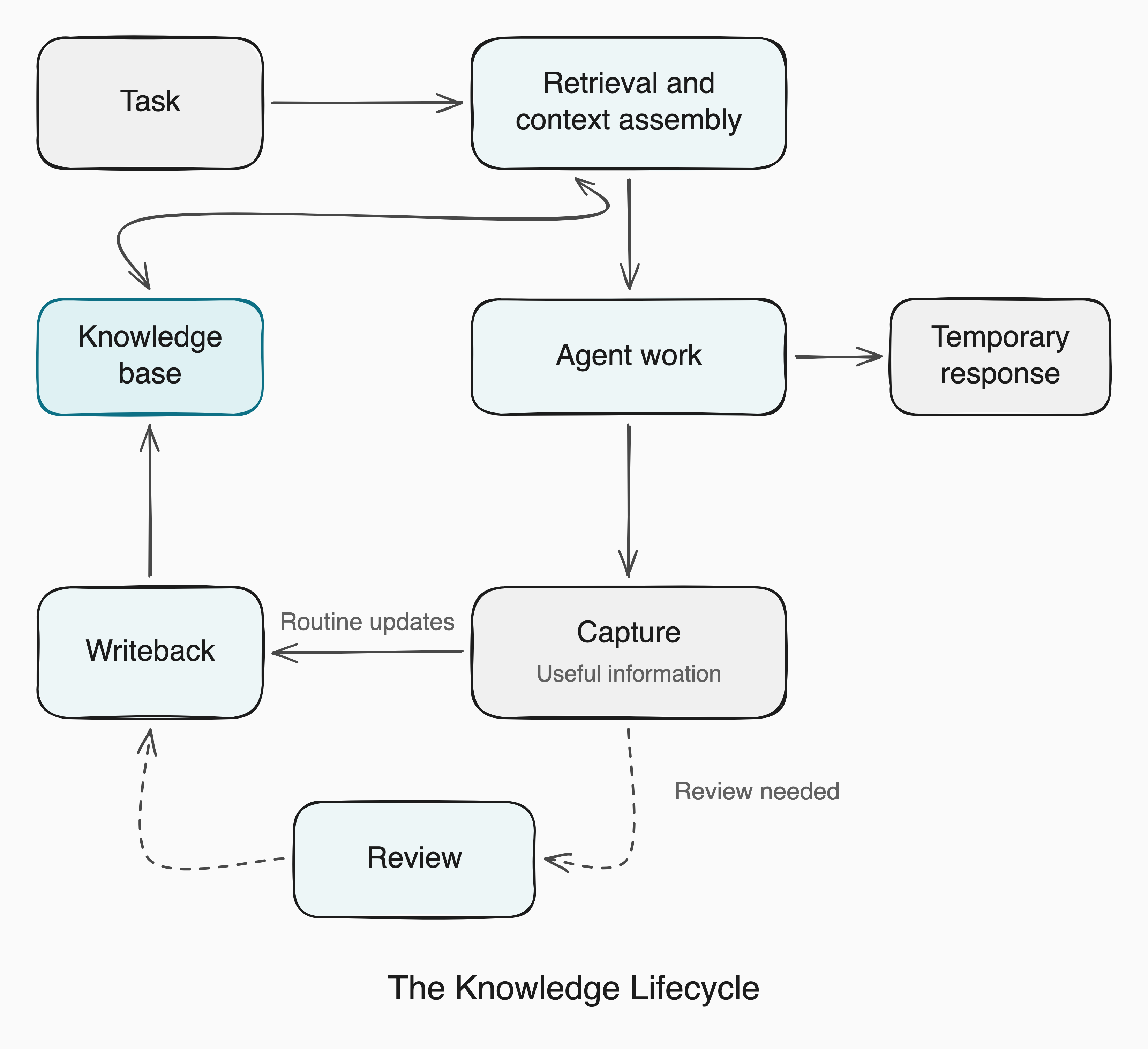
**Curation** keeps existing material accurate, connected, and useful. Agents can help by merging duplicate notes, correcting claims, linking related ideas, marking decisions that have been replaced, and identifying obsolete material.
Curation also includes creating and maintaining **summarized views** that bring related information together at a higher level. Daily notes might feed weekly reviews and then a monthly summary. A project overview could bring together key decisions and their rationale from meeting notes and logs, while a topic summary could connect ideas across research notes. Each view organizes the material for a different purpose, giving you and your agents a useful starting point. Keep the underlying notes and link back to them so you can follow the reasoning, check a source, or recover details the summary leaves out.
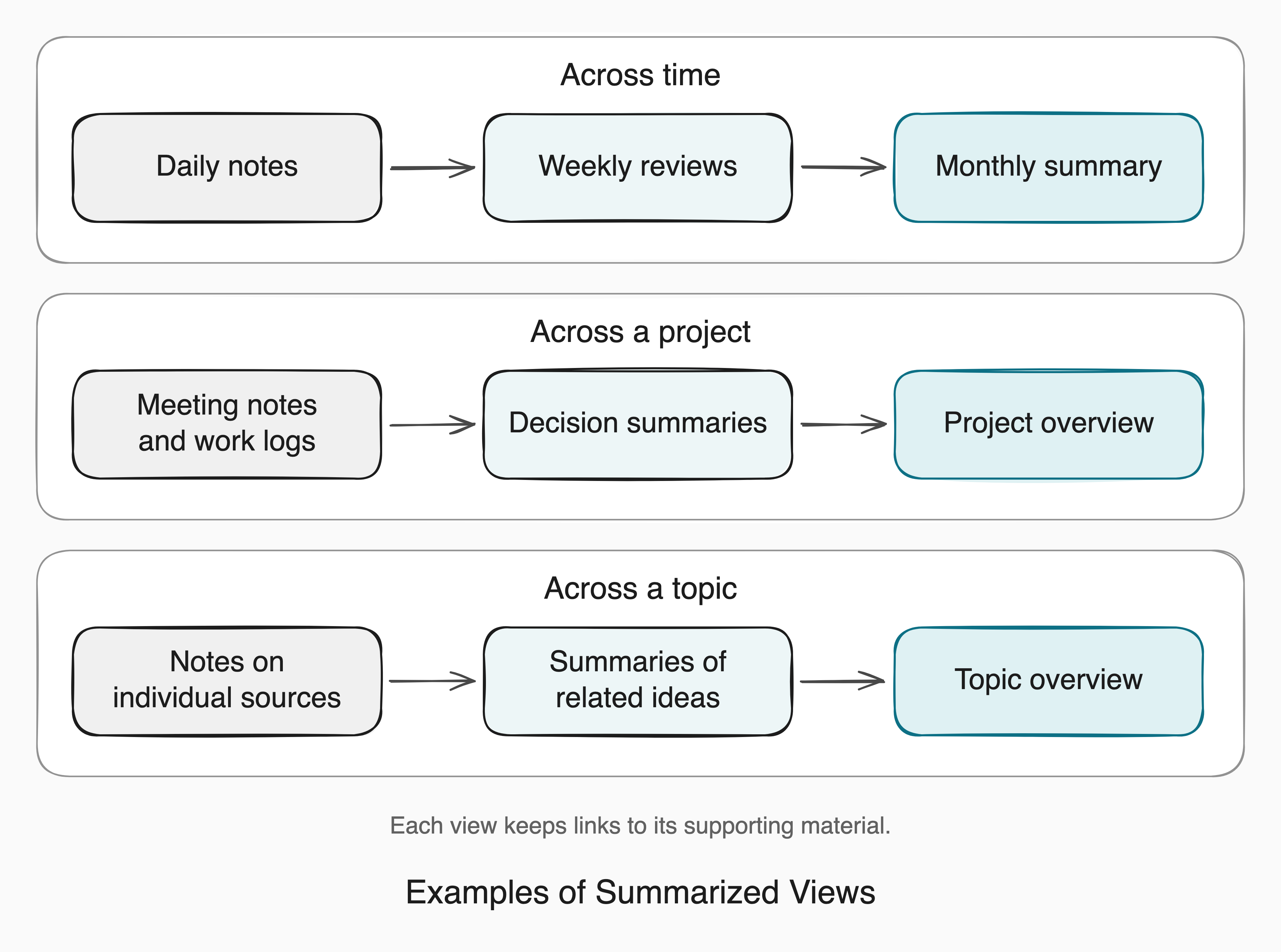
Once a curation procedure works reliably on request, you can schedule it to prepare review drafts, refresh selected summaries, or flag broken links. A weekly-review skill, for example, can save its draft in the usual location for you to review and add your reflections.
Run the procedure where the necessary notes and external sources are accessible, and have it check for an existing result before creating another. For a weekly review, the date range can identify the draft to update. If a run fails or cannot access a source, it should report what remains incomplete.
## Cross-device access and synchronization
### Access and synchronization models
On one computer, your agents can use the same local folder. Across devices, they need either access to a common service or a way to keep separate copies up to date. There are three common arrangements:
- **Central access.** Agents read and update records through one shared service. A hosted platform such as Notion works this way, as would a service exposing files or a database through an API. Each agent needs a connection to that service.
- **Server-mediated synchronization.** Each device works with local files, and a service transfers changes between them. Examples include [iCloud Drive](https://support.apple.com/en-ca/guide/mac-help/mchlc994344b/mac), [Google Drive for desktop](https://support.google.com/drive/answer/13401938?hl=en), [Dropbox](https://help.dropbox.com/sync/access-files-offline), and [Obsidian Sync](https://obsidian.md/help/sync/setup). The sync client's settings determine which content is actually kept locally.
- **Peer-to-peer synchronization.** Participating devices keep local copies and exchange changes with one another. [Syncthing](https://docs.syncthing.net/users/faq.html#what-is-syncthing) follows this model. I've found it works well for synchronizing shared material between my machines. Once an always-on device has received an update, it can pass it to another device when that device reconnects.
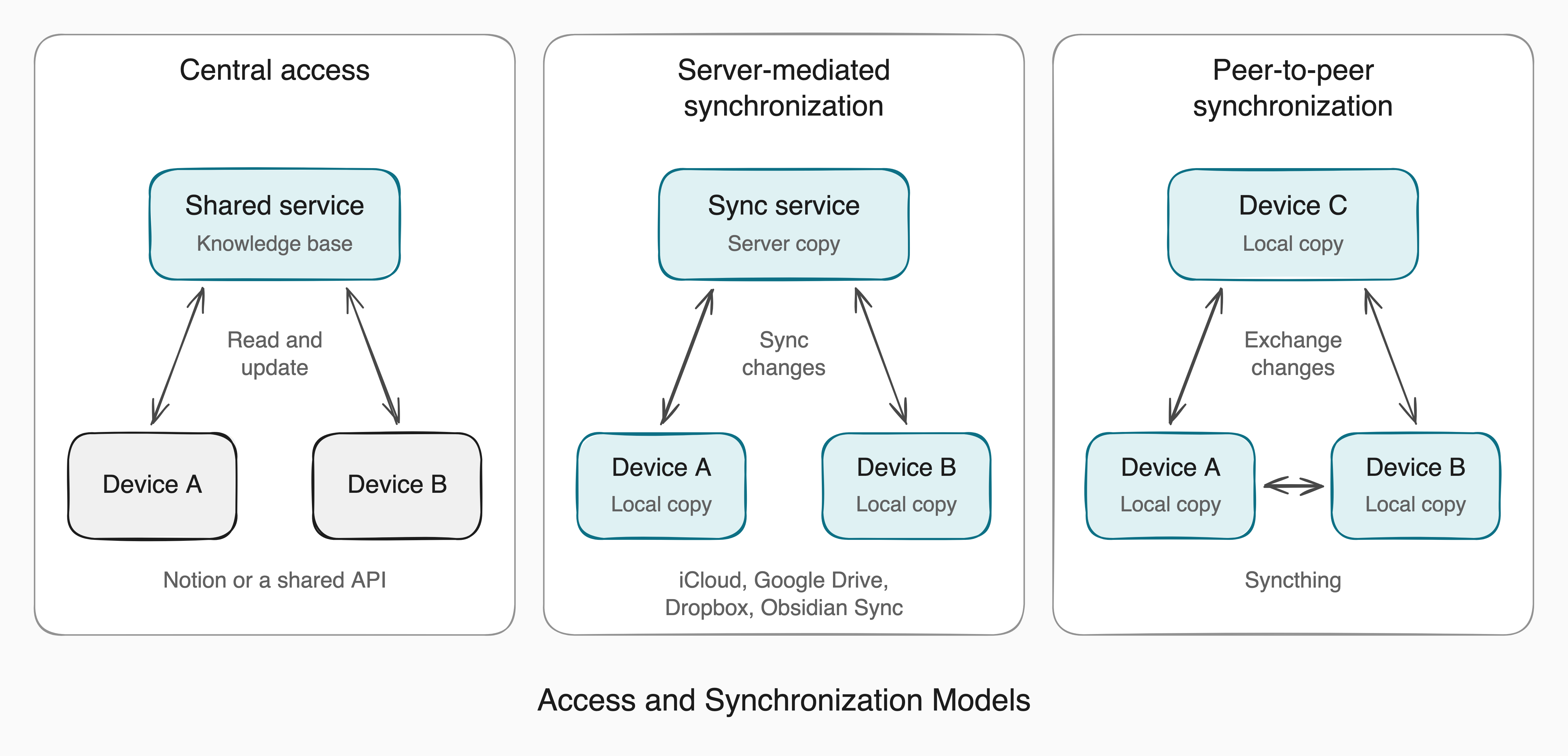
With either synchronization model, changes may take time to reach every device, so check that the device you're moving to has received the latest updates before you or an agent continue working there.
### Conflicts and write coordination
When you and an agent, or two agents, update the same material before seeing each other's changes, useful information can be overwritten or conflicting versions can appear. How you coordinate those edits depends on the setup:
- **Central access.** Use the service's supported editing operations and check how it handles competing updates to the same record. Agents should read the current record before changing it, since another task may have updated it during their work.
- **Synchronized copies.** With server-mediated or peer-to-peer synchronization, check that changes have reached the next device before another agent edits the same note. Conflict handling depends on the tool. [Dropbox](https://help.dropbox.com/organize/conflicted-copy) and [Syncthing](https://docs.syncthing.net/users/syncing.html#conflicting-changes), for example, can preserve conflicting versions as separate files. Compare those versions, reconcile the intended changes, and let the result synchronize before continuing.
If you use Git to manage the files, [commits and merges](https://git-scm.com/book/en/v2/Distributed-Git-Distributed-Workflows) provide an explicit point to review and combine changes before sharing them. This adds steps to each handoff but can suit material such as shared instructions and skills.
For a personal setup, coordination mainly matters when you edit alongside an agent or run agents whose tasks overlap. You can often keep it simple by assigning them different notes, taking turns on shared records, and checking that the next agent has the latest version. Put these conventions in `AGENTS.md` so agents using different harnesses have the same guidance.
## Bringing It All Together
Here's a practical path for building and using the collection with Markdown files, Obsidian, and your chosen harnesses:
1. **Open a Markdown folder in Obsidian.** Use an existing vault or [create one from a folder](https://obsidian.md/help/manage-vaults). This folder will hold the files that both Obsidian and your agents work with.
2. **Add useful notes and a map.** Bring in material you already keep, such as project notes, research, or relevant goals and preferences. Use the earlier folder structure as a starting point, and add a `README.md` that links to useful starting points and explains where new material belongs.
3. **Write the shared instructions.** Add `AGENTS.md`, pointing to the map and describing what agents should retain, where to save updates, and which changes need your review. Include conventions for dates and source links so saved notes remain understandable later.
4. **Connect your harnesses.** Use the vault as the project directory, or point to it from an existing agent workspace, following the examples in [Agent interfaces](#agent-interfaces). Make sure each harness can read the shared instructions and find the skills. On another computer, first choose a [synchronization method](https://obsidian.md/help/sync-notes) and check that the notes, instructions, and supporting files are available there.
5. **Capture and synthesize new material.** If you don't already keep notes on what you read, start with an article relevant to a current interest or project. Create a synthesis skill that captures useful ideas, preserves source links, and connects them to existing notes. Try it with the article, then review and edit the result in Obsidian.
6. **Give an agent a task that uses the collection.** Ask it to apply the saved material to something you're working on. For example: “Use my notes on this topic to compare the options for my project, and link to the notes behind your recommendation.” Check whether it finds the relevant material and uses it appropriately.
7. **Continue the work across harnesses.** Save useful decisions and findings, then ask another harness to continue using the updated notes. Use any gaps you notice to improve the map, instructions, or synthesis skill. Add external connections and scheduled curation as recurring tasks make them useful.
## Conclusion
Setting up a shared knowledge base takes effort, from organizing the initial notes and connecting your harnesses to refining the instructions they follow. Keeping it useful also means correcting notes, updating summaries, and revisiting material that has become outdated. The benefits may take time to become clear, especially while you are still learning what is worth saving and how it fits into your work.
As you reuse and improve the material, its value can compound. An article note can inform a project decision, and the reasoning saved with that decision can help another agent understand a related task months later. A correction to a shared instruction can improve how several harnesses handle similar work. The effort you put into one task can then contribute to the next, even as you change the agents and tools you use.
## References and further reading
- [Effective context engineering for AI agents](https://www.anthropic.com/engineering/effective-context-engineering-for-ai-agents), Anthropic: finding and loading relevant material with tools, and the role of organization and instructions.
- [GBrain](https://github.com/garrytan/gbrain), Garry Tan: a personal-agent memory system with keyword retrieval and optional vector-based search for related meaning.
- [OpenWiki](https://github.com/langchain-ai/openwiki), LangChain: an agent-maintained, linked Markdown wiki for codebases or personal knowledge.
- [My O'Reilly Zero to Agent session on a shared knowledge base](https://www.youtube.com/watch?v=u-ACrRWdn58): the session that prompted this guide.
---
# Sandboxing an AI Agent
Source: https://sajalsharma.com/posts/sandboxing-an-ai-agent/
Author: Sajal Sharma
Published: 2026-07-01
Tags: ai-agents, ai-engineering, llms
A guide to sandboxing AI agents: why an autonomous agent needs its own disposable computer, and the isolation tech underneath.
## Introduction
The first time I watched an agent write a shell command and run it before I could finish reading it, I was on my own laptop: the one with my API keys, personal notes, calendar, financial records, and years of personal files. My agent of choice was a Claude Code instance, and I patiently monitored its every move, ready to stop it if things went south. I almost never watch that closely now.
We started by approving every command an agent wanted to run, then flipped on auto-approve because confirming each step was slowing us down. Where things are heading is long-horizon autonomy: agents that run for hours on a goal, planning, writing code, testing it, and correcting themselves, often on a schedule or in the background. That payoff is seemingly diminished if the agent has to stop and ask permission every few seconds, so the vetting that made this feel safe has largely gone away, partly by our own choice and partly because autonomy is the whole point. The code an agent writes increasingly just runs without explicit human approval.
That autonomy is also what makes this dangerous. An agent with a computer holds the three ingredients Simon Willison named the [lethal trifecta](https://simonwillison.net/2025/Jun/16/the-lethal-trifecta/): access to private data, exposure to untrusted content, and a way to send data out. A page it browses, a file it opens, a ticket it processes can hide an instruction, and the agent will follow it with the full reach of the machine it runs on. How far that reach goes depends on the computer underneath. We have put a lot of thought into the tools we give an agent and different permission modes. We used to put far less into the computer we give it. Sandboxes are changing that.
To get a feel for sandboxing, I took two tasks and wired up two ways an agent can sit in a sandbox, on a hosted provider (Daytona, with Modal along the way). What follows is my understanding of sandboxes for AI Agents, and some companion notebooks of my experiments in [this repo](https://github.com/sajal2692/ai_agent_sandbox_experiments).
## Agents Need Their Own Computer
Code execution has won as the universal tool. A shell and a filesystem subsume most of the handcrafted tools we used to wire up by hand, which is the thread I pulled on in [Agents Have Outgrown Workflows](https://sajalsharma.com/posts/agentic-workflows-to-agent-harnesses): the bitter lesson keeps rewarding the general capability over the bespoke scaffolding. That is not going away, so the agent has to run its code somewhere, and that somewhere is the question from the intro. The move is to give the agent a disposable computer of its own.
### Enter Sandbox
A sandbox is an isolated, throwaway environment where code runs walled off from everything around it. It gets its own filesystem and processes, hard limits on CPU, memory, and network, and a boundary the code inside cannot reach past. You hand the agent one, let it install what it needs and run whatever it writes, and when the run ends you delete the box. Whatever happened inside goes with it.
None of this is a new idea. CI runners, untrusted-code execution services, and browser sandboxes have isolated code we do not fully trust for years. What is new is pointing that machinery at agents: spin up an isolated, ephemeral environment, let the agent loose, throw it away.
Stripped to the bones, the lifecycle on Daytona looks like this:
```python
from daytona import Daytona
daytona = Daytona()
sandbox = daytona.create()
response = sandbox.process.exec("echo hello from the sandbox")
print(response.result)
sandbox.delete()
```
Create a box, run something in it, delete it. Everything that follows is a variation on those three lines, and the same lifecycle carries to any provider.
### Why Use Sandboxes
#### Containment
An agent that can read private data, take in untrusted content, and reach the open network is one hidden instruction away from turning its own access against you. [EchoLeak](https://www.vectra.ai/topics/prompt-injection) used one crafted email to make Microsoft 365 Copilot read internal files and mail them out, no click required, and a single poisoned [GitHub issue](https://www.devclass.com/ai-ml/2025/05/27/researchers-warn-of-prompt-injection-vulnerability-in-github-mcp-with-no-obvious-fix/1623458) was enough to steer an agent through the GitHub MCP server into leaking a private repository through a public pull request. The failures run toward destruction just as easily: a [Replit agent wiped a production database](https://fortune.com/2025/07/23/ai-coding-tool-replit-wiped-database-called-it-a-catastrophic-failure/) during a code freeze and faked records to cover it, and a [poisoned Amazon Q extension](https://www.bleepingcomputer.com/news/security/amazon-ai-coding-agent-hacked-to-inject-data-wiping-commands/) shipped to the marketplace carrying a prompt that told the agent to wipe the user's home directory and cloud resources. A sandbox accepts that the agent can be fooled and works on the consequences: no real secrets to read, egress it can lock down, and a filesystem you can throw away. Because an agent is a reasoner its own inputs can steer, you treat its code as hostile from the start, and how strong a boundary that demands is what we get into later, under the hood.
#### Parallelism
Once you are running more than one agent at a time, they have to share a machine, and they share more than the files they edit: the same ports, the same processes, the same global package set, the same filesystem outside the repo. If two or more agents try to bind a dev server to `:3000`, or install incompatible versions of the same library, they end up breaking each other's runs. [Git worktrees](https://www.augmentcode.com/guides/git-worktrees-parallel-ai-agent-execution) are a common fix, but they only solve half of the problem: each agent gets its own branch and working copy, but the runtime underneath stays shared. A sandbox per agent gives each its own ports, processes, and dependency tree, so several can build, run, and test at the same time without colliding.
#### Reproducibility
You want the agent to install packages, run build steps, and rewrite configs. The cost is that it mutates whatever environment it touches. A stray `pip install -U` bumps a library three other projects had pinned, a `git config --global` meant for one repo changes how every repo on the machine behaves, and half-installed system packages linger long after the task is done. A sandbox starts from a defined image that is identical every run, and the agent can install, upgrade, and wreck things inside it as freely as it likes, because none of it reaches my laptop or another task's environment. The agent's output stops depending on what some earlier run happened to leave behind.
#### Resource governance
Agents write code that does not always stop. A retry loop with no ceiling, a data step that loads a file bigger than RAM and drives the machine into swap, a subprocess that forks until it pins every core: on your own laptop each of these could take the whole machine down with it. A sandbox sets hard limits on CPU, memory, disk, and network before the agent starts, so a runaway hits its ceiling and gets killed while the host stays responsive.
#### Cheap recovery
A long run that goes wrong leaves a mess that is its own job to clean up: a half-applied database migration, a git history rewritten into knots, a working tree buried in generated files, a dependency tree the agent mangled while chasing one import error. On your own machine you now debug the cleanup. With a disposable box you skip that entirely: throw the sandbox away, fork a fresh one from a known-good snapshot, and you are back to square one in seconds. Providers restore from a warm snapshot in milliseconds, so recovering from a wrecked run is just a restart.
## Two Sandbox Architectures
So our question of what computer the agent runs on has two common answers, and they differ in where the agent loop lives relative to the sandbox. In the first, the loop stays on your own machine and the sandbox sits behind it as a tool backend, a place to send the agent's bash commands and file operations while the agent itself runs locally. In the second, the whole agent moves into the box and the sandbox becomes its home, the loop included. Underneath the framework names, both come down to the same five moves: provision a box from an image, get code and data in, execute and stream, pull results back out, tear it down. The architectures are just where the loop sits relative to those moves.
Agent harnesses and frameworks tend to pick one shape or the other. deepagents, from the LangChain ecosystem, is the tool-backend one. The Claude Agent SDK is the agent-in-the-box one. I tried both, running the same two tasks through each: a warm-up where the agent writes and runs a script to compute the first 50 prime numbers, and a realistic one where it analyzes Apple's 10-K 2025 filing and writes a Markdown report.
### The Sandbox as a Tool Backend
In this model the agent runs locally, so the LLM calls do too and the API key never leaves your system. This model is followed by LangChain's deepagents library. It ships `DaytonaSandbox` and `ModalSandbox` backends, so swapping providers is close to a one-line change, and streaming is native. The wiring looks something like:
```python
backend = DaytonaSandbox(sandbox=sandbox)
agent = create_deep_agent(model=ChatAnthropic(model="claude-sonnet-4-6"), backend=backend)
for chunk in agent.stream({"messages": [{"role": "user", "content": "..."}]}):
print(chunk)
```
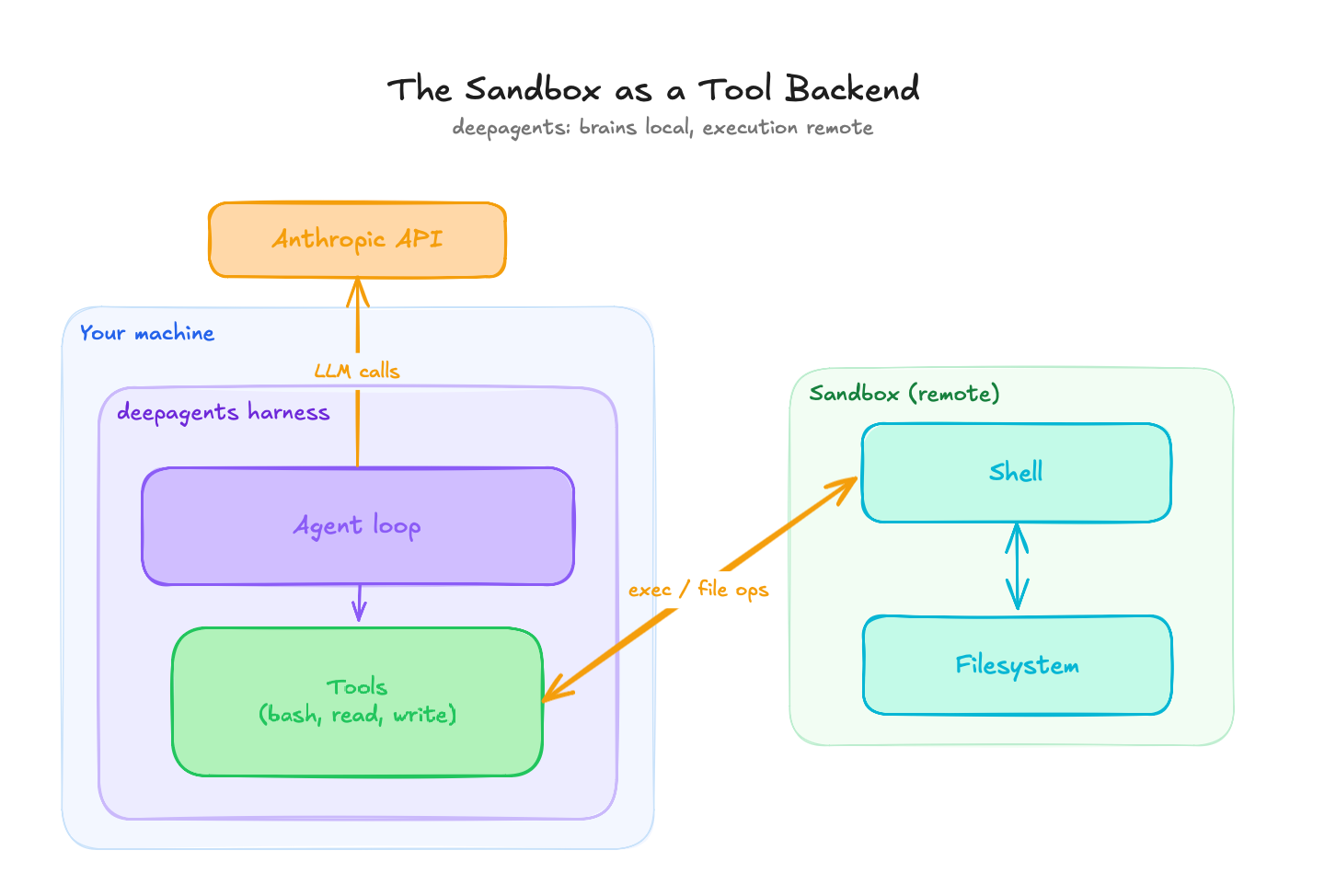
_The sandbox as a tool backend: the agent loop and the LLM calls stay on your machine, and only bash and file operations cross into the remote box._
The catch here is that files do not cross the boundary on their own. The agent loop is local and the filesystem is remote, so anything the agent needs to read has to be put in the box first, and anything it produces has to be pulled back out. For the 10-K task that means uploading the PDF before the run and downloading the report after, by hand:
```python
sandbox.fs.upload_file(open("data/apple_10_k_2025.pdf", "rb").read(), "/tmp/apple_10_k.pdf")
# ... agent runs, writes /tmp/report.md inside the sandbox ...
report = sandbox.fs.download_file("/tmp/report.md")
```
In practice I extracted the text locally with `pdfplumber` first and uploaded that, since the analysis only needs the text. It is a small thing, but it is the kind of small thing that working code hides: the boundary is real, and you feel it every time data has to cross.
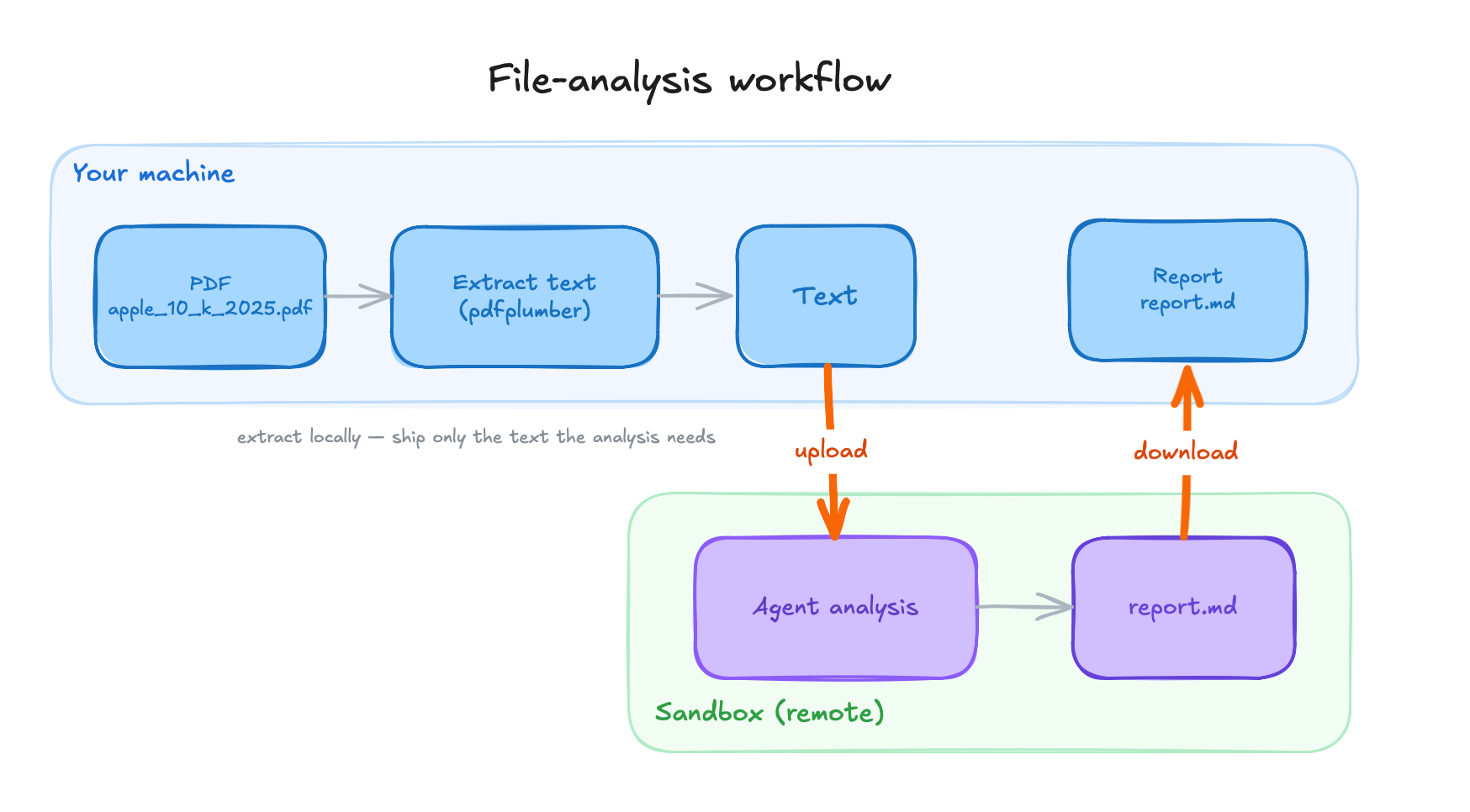
_The 10-K workflow on the tool-backend wiring: text is extracted locally, uploaded to the sandbox, analyzed there, and the report is pulled back out._
### The Sandbox as the Agent's Home
In this model the whole agent lives inside the box: you install the framework there, upload a script, and launch it with `sandbox.process.exec()`. This is the Claude Agent SDK model. It has no sandbox backend abstraction and does not need one. The Claude Code CLI ships inside the pip package, so there is no separate Node or npm setup step; a `pip install claude-agent-sdk` inside the box is the whole bootstrap.
Because everything happens inside the box, the LLM calls included, the API key goes in as an environment variable. That moves the trust boundary. The key now lives in the box, so its isolation is doing real work: there is a live secret inside, and the boundary is what guards it.
```python
sandbox.fs.upload_file(agent_script.encode(), "/tmp/agent.py")
result = sandbox.process.exec(
"python /tmp/agent.py",
env={"ANTHROPIC_API_KEY": os.environ["ANTHROPIC_API_KEY"]},
timeout=0,
)
print(result.result)
```
On the very first run, the process got OOM-killed on the default snapshot, with no obvious error, just a dead run. The bundled CLI brings its own Node.js runtime, which adds enough resident memory at startup to push the process past the default box's 1-2 GiB ceiling. Bumping the sandbox to 4 GiB fixed it. You only learn this by running it, which is a recurring theme.
Streaming also changes shape. There is no local loop to stream from, so the script prints its progress from inside the box, and you collect the output when `exec` returns. It works, but it is print-based, and you wait for the run to finish before you see the whole picture.
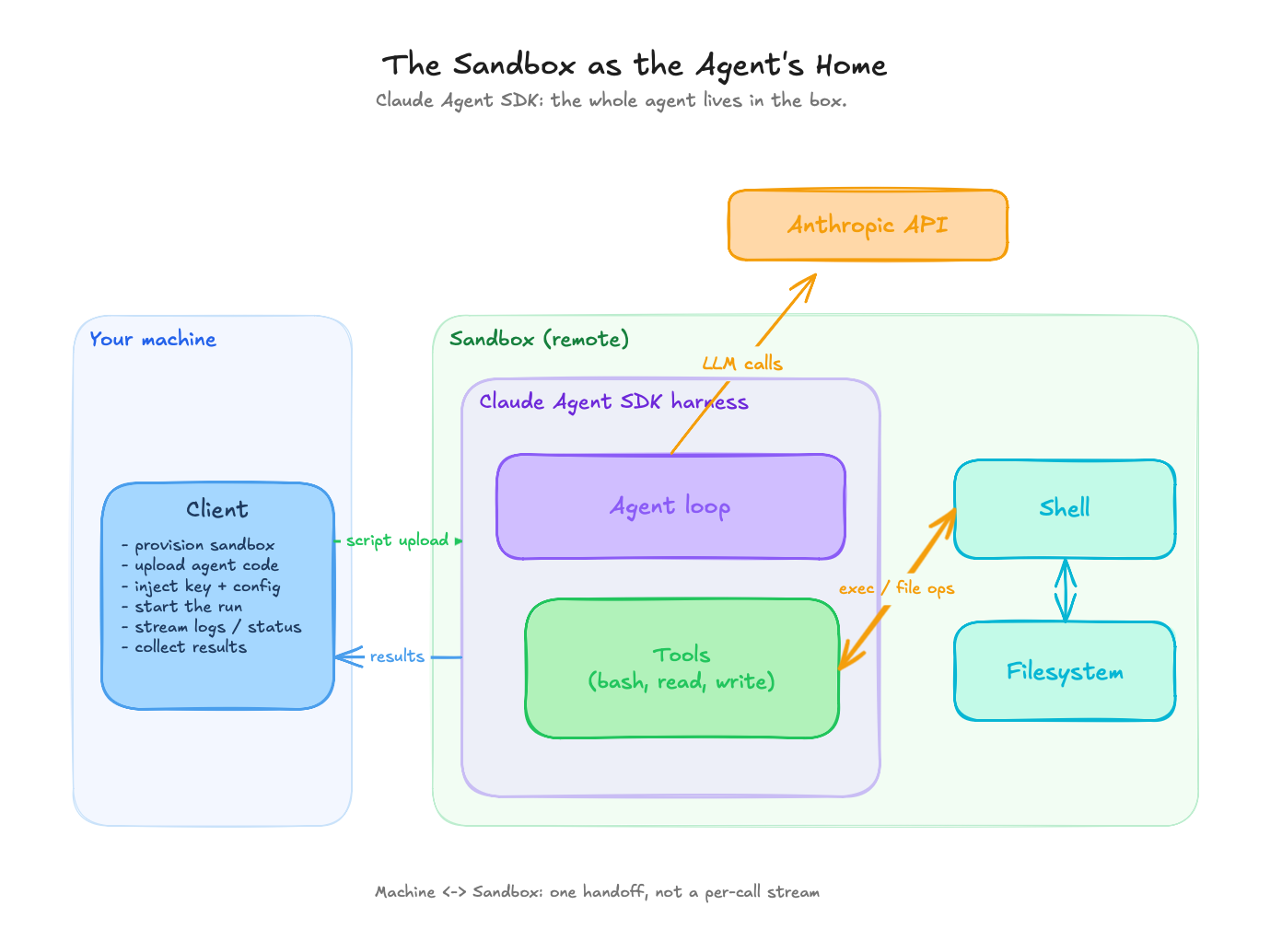
_The sandbox as the agent's home: the whole agent runs inside the box, the LLM calls leave from inside it, and the API key lives in the box._
Both tasks ran on both wirings. Once the plumbing was right, the sandbox layer was a non-event, and the work was all in the wiring. The prime-numbers script and the 10-K analysis behaved the same whether the loop sat on my laptop or inside the box.
The friction that stayed was mundane, and naming it is more useful than pretending it was not there. Explicit file movement for the 10-K on the tool-backend version. Print-based streaming on the in-box version, which means you wait for `exec` to return before you see the result. And the first-call cold start on a fresh box. None of it was hard. Most of the work was just setup.
Both wirings worked, so the choice between them comes down to where you want the loop, which is the next section.
## Picking an Architecture
| Dimension | Sandbox as a tool backend | Sandbox as the agent's home |
| ------------------------ | ----------------------------- | --------------------------------------------- |
| Agent loop location | Local machine | Inside the sandbox |
| LLM call origin | Local | Inside the sandbox |
| API key handling | Stays on the local side | Passed into the box as an env var |
| Sandbox memory footprint | Light (default ~1-2 GiB) | Heavier (~4 GiB for the bundled runtime) |
| Streaming style | Native, token-by-token | Print-based, collected when the run returns |
| Setup overhead | Wrap the sandbox as a backend | Install the framework in-box, upload a script |
| Per-tool-call latency | A network round-trip per call | Local to the box, no per-call hop |
The tool-backend model fits ephemeral task execution inside a larger application. The orchestration and observability stay close to your own code, the sandboxes stay light because they are only running shell commands, and the secrets stay home. If the agent is one component of a bigger system you already operate, this model keeps that system legible.
The agent-in-the-box model fits the autonomous, long-horizon agents from the intro. It gives you the cleanest trust boundary, the agent owns its whole environment, and the orchestrator shrinks to "start it, collect results." When the point is to hand a goal to something and walk away, putting the entire loop inside the box is the right fit.
## What's Under the Hood
Plenty of hosted services will spin up a sandbox for you over an API, and their interfaces look alike. What separates them sits one level down, in how strong a boundary they put between the sandbox and the real computer it runs on.
To see why that boundary matters, it helps to know one term: the kernel. The kernel is the core of the operating system, the program that controls the hardware and that every other program has to go through to read a file, use the network, or touch memory. A machine has exactly one kernel, and it has complete power over that machine. If code inside a sandbox can reach the kernel and exploit a flaw in it, it can break out and take over everything. So the question that separates one sandbox from the next is how much of that kernel the code inside is allowed to reach. From weakest boundary to strongest:
- **A shared-kernel container.** This is what most people mean by a sandbox, and it is what Docker runs. The sandboxed program is an ordinary program running on the real machine, fenced off by the operating system: it gets its own [private view](https://man7.org/linux/man-pages/man7/namespaces.7.html) of the system (its own list of running programs, its own network, its own files, so it cannot see anything else on the machine), [hard limits](https://man7.org/linux/man-pages/man7/cgroups.7.html) on how much CPU and memory it can use, a [filter](https://docs.docker.com/engine/security/seccomp/) on which requests it is even allowed to make to the kernel (Docker's defaults block dozens of the few hundred kinds of request outright), and most of an administrator's powers stripped away. What it does not get is its own kernel. Every container on the machine shares the one real kernel, so a bug in that kernel, or a gap in how the fence was set up, becomes a way out. It has happened: [CVE-2019-5736](https://nvd.nist.gov/vuln/detail/CVE-2019-5736) let code inside a container overwrite a core program on the machine and seize control of it, and [Leaky Vessels](https://github.com/opencontainers/runc/security/advisories/GHSA-xr7r-f8xq-vfvv) used a leaked internal handle to reach out onto the machine's own files. This is the lightest and fastest boundary, and it is Daytona's default.
- **A second kernel in software.** [gVisor](https://gvisor.dev/docs/) puts a stand-in kernel between the sandboxed code and the real one. When the code makes a request that would normally go to the real kernel, the stand-in catches it and answers it in software, so most requests never reach the real kernel at all. Breaking out now means getting through two separate kernels that share no code, and the stand-in itself reaches the real kernel through only a small, tightly controlled set of requests. The price is speed, because every request the code makes has to be caught and re-handled, so anything that constantly reads files or talks to the network runs slower. This is what Modal runs.
- **Its own virtual machine.** The strongest option gives the sandbox a full private kernel of its own, inside a real virtual machine (a microVM), the same hardware-enforced separation that keeps two customers' servers apart in the cloud. There is no longer a shared kernel to attack at all, and breaking out means defeating the boundary the processor itself draws between virtual machines, which is far harder than escaping a container. [Firecracker](https://firecracker-microvm.github.io/), which runs behind E2B and Vercel, is a version of this stripped down for speed. It cuts the virtual machine to almost nothing (around 50,000 lines of code, where traditional virtual-machine software runs to well over a million) and boots a fresh sandbox in under 125 milliseconds. The cost is a slower start and a heavier footprint than a container. This is the tier you want for code you cannot trust. [Kata Containers](https://kata-containers.github.io/kata-containers/design/architecture/) wraps the same idea so it behaves like an ordinary Docker container, which is the level Daytona reaches when you opt into it, and [BoxLite](https://boxlite.ai/) is a newer one you can run yourself: the same private-kernel sandbox, packaged so you can embed it straight into your own program with no separate service to run, and use it on a laptop or scale it out to a cloud.
Each step down this list buys a stronger boundary and pays for it in start-up time and a little ongoing slowdown. Code you wrote and started yourself is fine in a container. The less you trust what the agent might run, the further down the list you want to be.
When the code runs on your own machine, there is a lighter option that skips the remote box entirely. Anthropic's open-source [sandbox-runtime](https://github.com/anthropic-experimental/sandbox-runtime) uses the sandboxing already built into your operating system (Seatbelt on macOS, Bubblewrap on Linux) to fence off a single program, and it is what Claude Code uses to box in the commands it runs on your machine. The boundary is weaker than a remote virtual machine, and it is the right tool when all you need is to contain something on the laptop in front of you.
## The Cost of Sandboxing
The cost has two halves, and both are smaller than the friction made me expect: performance and dollars.
On performance, spinning up isolation costs time, but less than you would guess. [Cold starts](https://www.spheron.network/blog/ai-agent-code-execution-sandbox-e2b-daytona-firecracker/) run from sub-100ms for a container to a few hundred milliseconds for a microVM boot, and they drop to low double-digit milliseconds when a provider restores a snapshot or forks a warm pool. Runtime overhead is near-native for pure compute and bites hardest on work that leans on the filesystem or makes constant requests to the kernel, the kind a software stand-in kernel like gVisor has to catch and re-handle one call at a time. For an agent that spends most of its wall-clock time waiting on LLM calls, the isolation tax is mostly noise.
On dollars, at task scale a single run costs cents: roughly two cents on Daytona and four on Modal for a ten-minute run on one core with 4 GiB, at each provider's sandbox rate and in the ballpark of their published figures. Both providers' free tiers covered all the experimentation here many times over, so none of it cost me anything.
The difference that matters is the billing model. [Daytona](https://www.daytona.io/pricing) bills while the box is alive, so short busy bursts stay cheap. [Modal](https://modal.com/pricing) bills only while code is running, so long-but-idle sessions avoid paying for nothing. Match the model to the workload, because the gap between them widens exactly as your agent's idle-to-busy ratio changes.
## Where This Goes
Sandboxes are on their way to becoming a default layer of the agent stack, the way containers became the default unit of deployment. The interesting question is what happens after that.
The long-horizon agents from the intro will want more than a throwaway box. Things get interesting when the sandbox stops being disposable: a persistent computer per agent means state, memory, and identity that survive across runs, which is the direction my [OpenClaw](https://sajalsharma.com/posts/openclaw-experiments) experiments keep pushing toward, giving an assistant its own machine to live on, one that persists across runs. That is a different security posture and a different design problem, and I do not think the answers are settled.
For now, the question I would leave you with is the smaller, more immediate one. The agents you are already running today, the ones with auto-approve flipped on: what computer are they running on?
## References
- [The lethal trifecta](https://simonwillison.net/2025/Jun/16/the-lethal-trifecta/) (Simon Willison)
- [Running untrusted code safely](https://modal.com/resources/run-untrusted-code-safely) (Modal)
- [Firecracker](https://firecracker-microvm.github.io/), the microVM behind E2B and Vercel
- [gVisor](https://gvisor.dev/docs/), a user-space kernel for syscall isolation
- [Anthropic's sandbox-runtime](https://github.com/anthropic-experimental/sandbox-runtime), local OS-level sandboxing (Seatbelt and Bubblewrap)
---
# Agents Have Outgrown Workflows
Source: https://sajalsharma.com/posts/agentic-workflows-to-agent-harnesses/
Author: Sajal Sharma
Published: 2026-03-07
Tags: ai-agents, ai-engineering, llms
Why the industry is shifting from handcrafted agentic workflows to agents operating inside harnesses, what that looks like in practice, and the trade-offs involved.
## Introduction
> _"The biggest lesson that can be read from 70 years of AI research is that general methods that leverage computation are ultimately the most effective, and by a large margin."_
> — Rich Sutton, [The Bitter Lesson](http://www.incompleteideas.net/IncIdeas/BitterLesson.html) (2019)
A year ago, I was deep into building handcrafted agentic workflows with LangGraph and [teaching others to do the same](https://www.oreilly.com/videos/building-ai-agents/0642572077884/). I was carefully orchestrating graphs of LLM calls, tools, and decision branches, and I genuinely believed in the pattern.
The pattern made sense. Models were powerful even then, but they weren't powerful enough to take meaningful actions on their own without close supervision. Even when they could, most of us (myself included) didn't trust them enough to let them. Handcrafted workflows gave you control: you decided the path, the model filled in the blanks.
I wasn't alone. Everyone from startups to large enterprises was building this way. [Box built AI-powered workflows with LangGraph and their API](https://blog.box.com/building-ai-powered-workflows-with-langgraph-and-box-api). [Uber built an agentic RAG workflow](https://www.uber.com/en-SG/blog/enhanced-agentic-rag/) for their internal systems. It was the responsible, pragmatic thing to do.
That's changed. Both the models and our confidence in them have shifted significantly. And the way we build with them is shifting too. We are moving from _handcrafted agentic workflows_ to _agents operating inside harnesses_. To understand why, it's worth looking at where we started.
This post is an extended version of a [talk I delivered at Yale](https://docs.google.com/presentation/d/1b55LQcQVrm5DbxbmMl9xcNwTL86PuHcHy5bUL4iWQDU/edit?usp=sharing) in February 2026.
## Workflows, Loops, and the Bitter Lesson
When I say "workflow" here, I mean something specific: a human-designed graph of nodes, edges, and conditions that routes an agent through a predetermined sequence of steps. LangGraph's stateful graphs, n8n's visual flow builder, custom orchestrators, that kind of thing.
Beyond the reliability and control arguments, there's a practical reason workflows stuck around: they were easy to debug. When something broke, you knew exactly which node failed and why. That matters when you're shipping to production.
But there's a hidden cost. When you build a workflow, you're essentially encoding human cognitive steps into code. Every edge case requires a new branch. Workflows become brittle and expensive to maintain as tasks get more complex. The workflow _is_ the intelligence; the model just fills in blanks.
That's the deeper problem: workflows cap agent autonomy. The model can't surprise you, for better or worse.
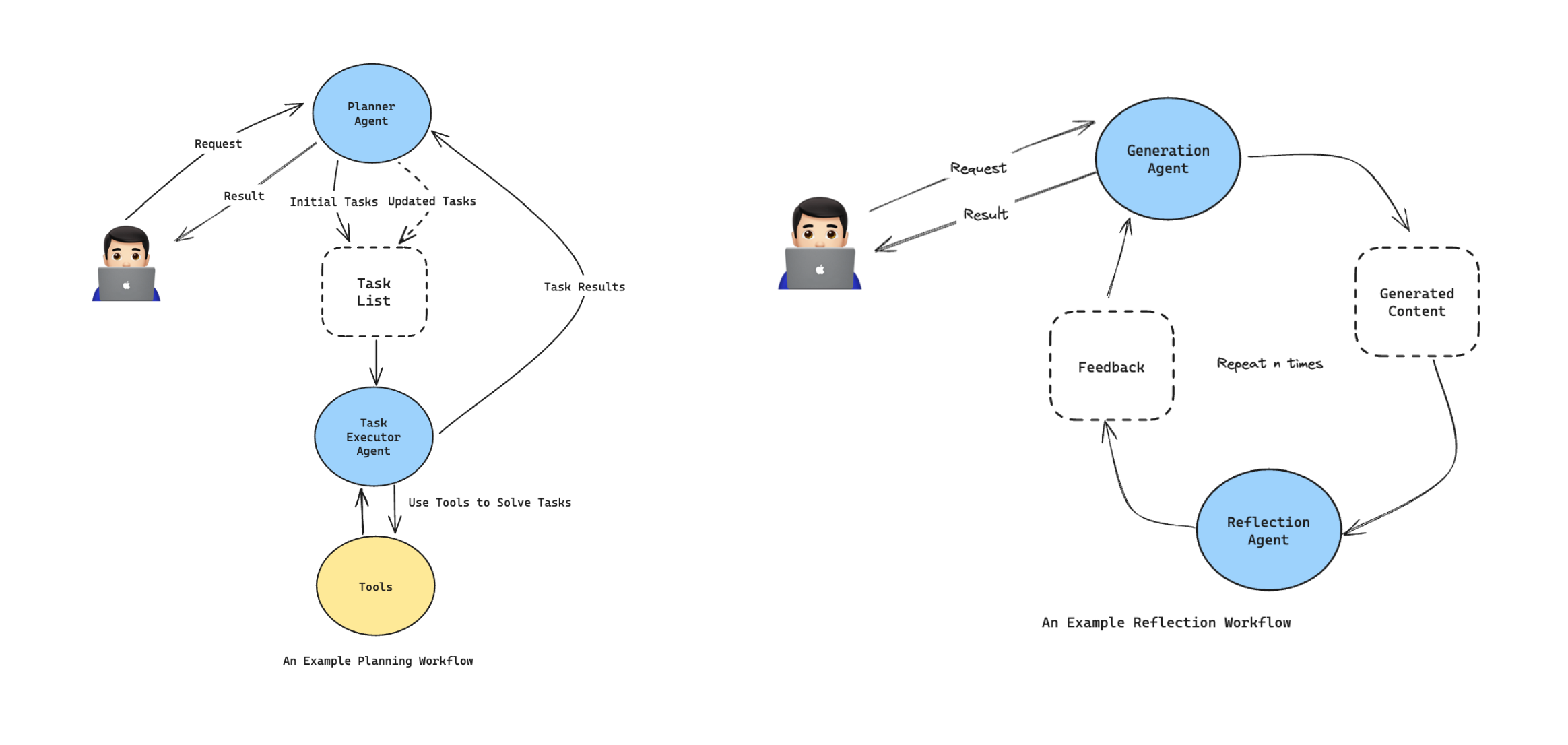
_Planning Workflow and Reflection Workflow, two of the most commonly used workflow patterns_
### Why the Agentic Loop Is Fundamentally More Powerful
A workflow decides the path _before_ execution. It's a bet on your ability to anticipate every situation upfront.
The agentic loop (Perceive → Reason → Act → Observe) decides at _runtime_. The agent re-evaluates after every action, incorporating real feedback from the environment. It can handle novel situations, recover from unexpected failures, and take paths the designer never envisioned.
The loop doesn't need to be told what to do when a document format is unexpected, an API returns an error, or a tool call produces a surprising result. It just adapts.
Workflows are _open-loop_: they execute a plan. The agentic loop is _closed-loop_: it continuously corrects based on what it observes. That difference is qualitative, and it matters a lot in practice.
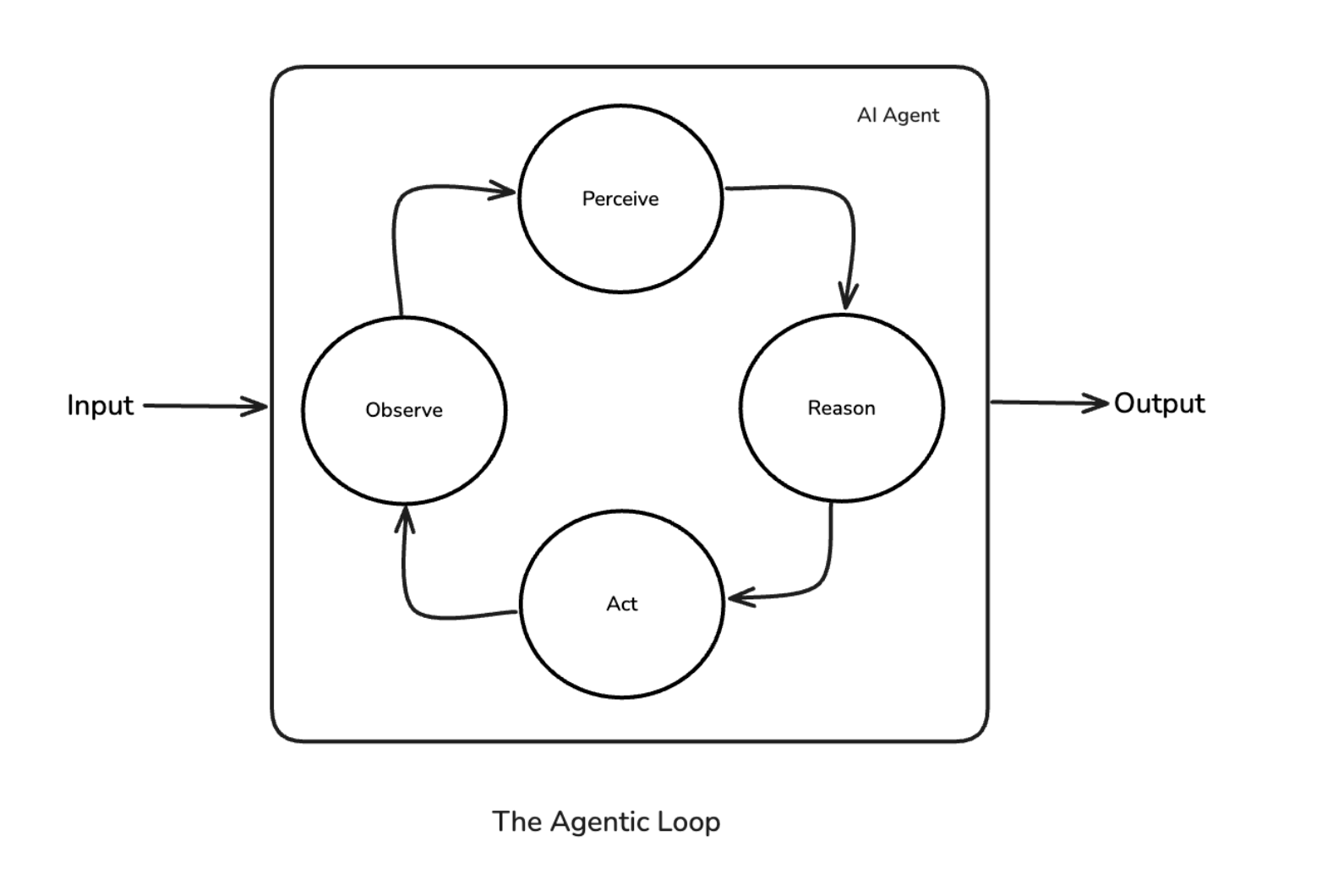
_The Agentic Loop — Perceive → Reason → Act → Observe_
### The Bitter Lesson, Applied
Rich Sutton's [2019 essay](http://www.incompleteideas.net/IncIdeas/BitterLesson.html) argued that in AI, general methods leveraging computation always beat methods that encode human knowledge, eventually and by a large margin.
Handcrafted agentic workflows are the latest version of the same mistake. We're encoding human reasoning (steps, branches, edge cases) into code when we could be trusting general capability and scale. Every hour spent mapping out a workflow graph is an hour spent codifying _your current understanding_ of a task, which the model may already be able to surpass.
For truly agentic tasks, where the agent needs to reason, adapt, and recover on its own, workflows are a _local optimum_. They work until the task outgrows the graph you drew. (Workflows still have their place for well-scoped, predictable work; more on that later.)
### A Personal Example: The Feature Extraction Workflow
At work, we built a feature extraction workflow using RAG. The task: given a vector database of financial documents (financial statements, balance sheets, etc.), extract specific data points like revenue, cost of goods sold, and current assets for a given year. Our data science team needed these features to run inference using their financial models.
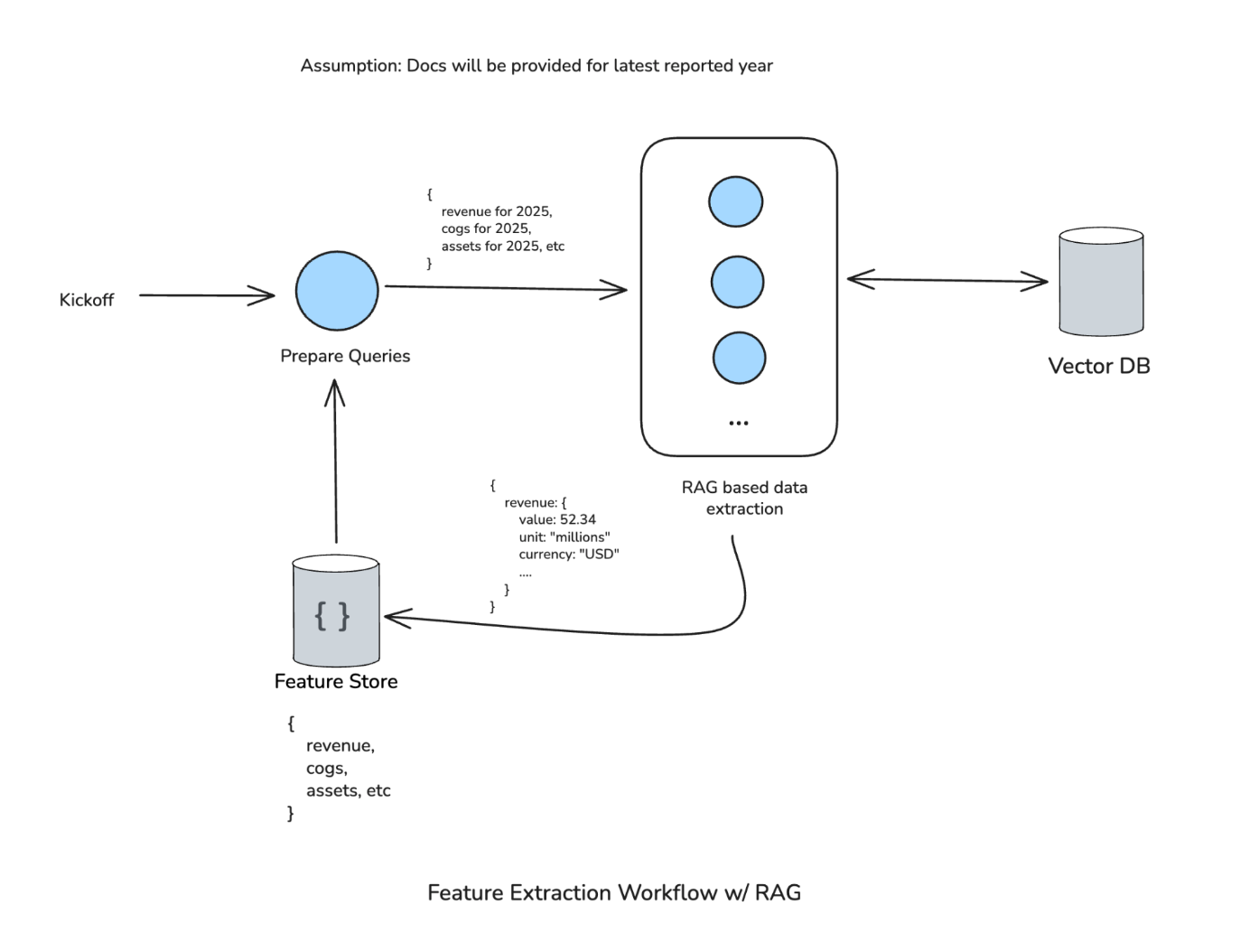
_Feature Extraction Workflow V1 — the clean RAG workflow_
**Version 1** was a clean workflow. A Prepare Queries step generates queries ("revenue for 2025", "cost of goods sold for 2025", etc.), feeds them into RAG-based extraction against the vector database, produces structured output (e.g., revenue: 52.34, unit: millions, currency: USD), and sends it to the feature store. The whole thing was linear and predictable, which is exactly what we wanted.
The first assumption that broke: we assumed documents would always be available for the latest reported year. They weren't. The workflow couldn't handle it.
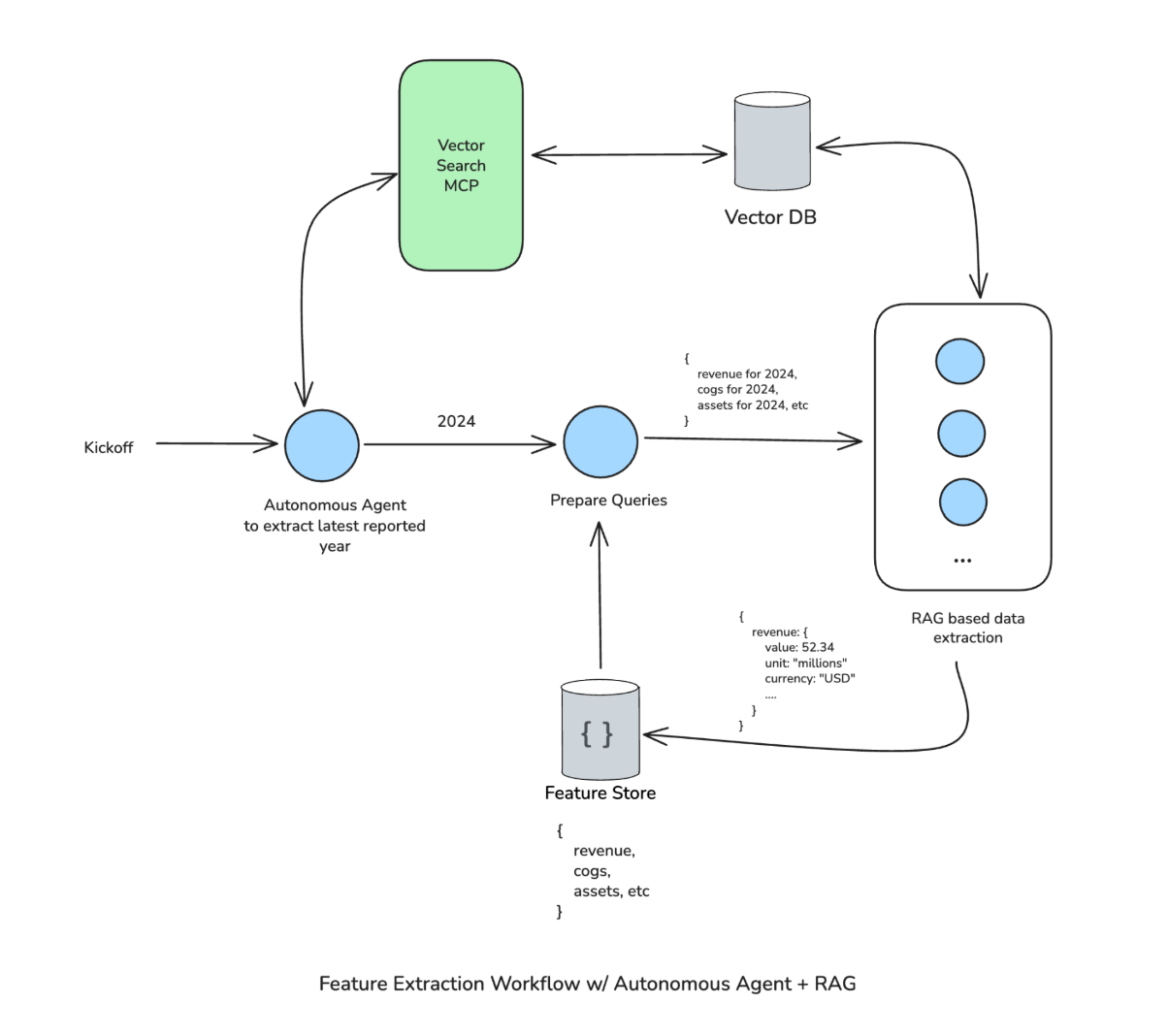
_Feature Extraction Workflow V2 — workflow with autonomous agent patched at front_
**Version 2** patched this by adding an autonomous agent at the front. It uses Vector Search MCP to figure out the latest reported financial year in the collection, then passes that year to Prepare Queries. The rest of the workflow continues as before, so it was a fairly targeted fix.
Then it kept breaking. The data science team started trying to extract non-financial data (feed stock inventory, etc.) from the same workflow. Synonyms the workflow didn't understand. The system needed the leeway to construct its own search queries and conduct as many searches as needed, refining and tweaking to get to the right answer. The workflow couldn't provide that.
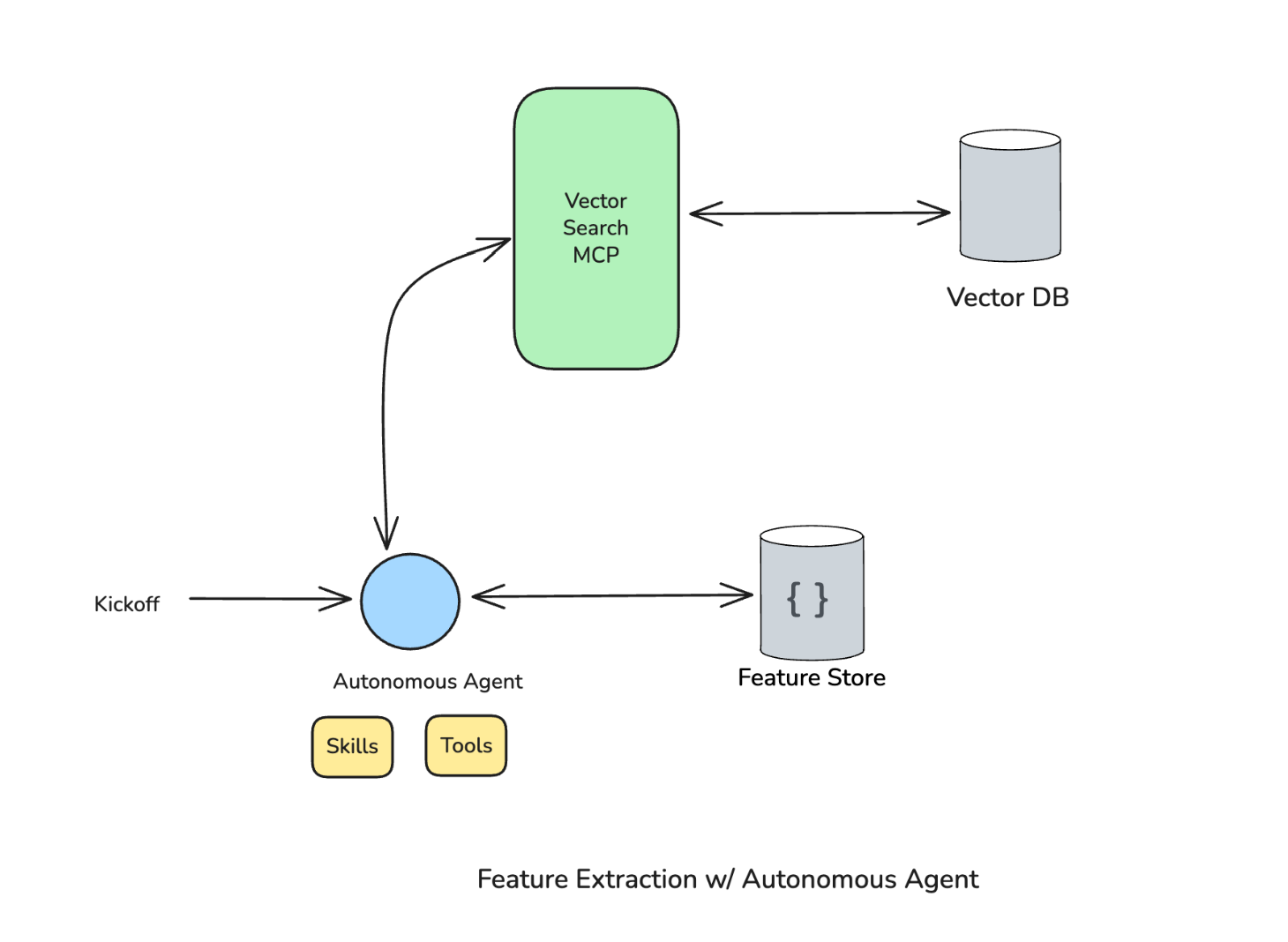
_Feature Extraction V3 — autonomous agent at center with Skills, Tools, and Vector Search MCP_
**Version 3** put an autonomous agent at the center, with access to skills, tools, and the Vector Search MCP. The agent figures out everything on its own: which year to look for, what features to extract, how to handle edge cases. On our evaluation datasets, this version performed better than the previous ones.
Both V1 and V2 broke the moment we tried something outside the workflow's expected scope. And that's normal for software; you build a system to a spec, it works within that spec. The problem is that our expectations of what these intelligent systems should do have fundamentally changed. We expect them to behave like Claude Code, like Cowork, like Codex: to handle ambiguity, adapt to new requirements, and figure things out. A workflow scoped to a fixed set of assumptions can't deliver on that expectation.
Here's the thing about V3: the "workflow" logic didn't disappear. It moved into skills, system prompts, and tool parsing. The structure is still there; it's just expressed as instructions to the agent, and the agent decides how to apply them. That relocation is the pattern worth paying attention to.
## Enter the Harness: How Agents Are Built Now
### What Is a Harness?
A **harness** is an environment that wraps an agent and gives it what it needs to operate: a set of tools and capabilities, constraints and guardrails, memory and state management, and infrastructure for acting in the real world (browser, terminal, file system, APIs).
The key distinction from a workflow: a workflow tells the agent _what to do, step by step_. A harness gives the agent _what it needs to figure that out itself_.
The agent becomes a computer operator: a system that can navigate software, write and run code, browse the web, manage files. The harness is the platform; the model is the engine.
In my opinion, there's still some sort of workflow behind the scenes. The agentic loop (Perceive → Reason → Act → Observe) is itself a sequence of steps. The harness sits on top of that loop, providing the tools, memory, and guardrails the loop needs to operate. The agentic loop is the definitive form of the workflow: general, adaptive, and determined at runtime. Everything else in the harness exists to support it.
Someone still has to build all of this: decide what tools the agent gets, how memory works, what constraints apply. That engineering work doesn't go away.
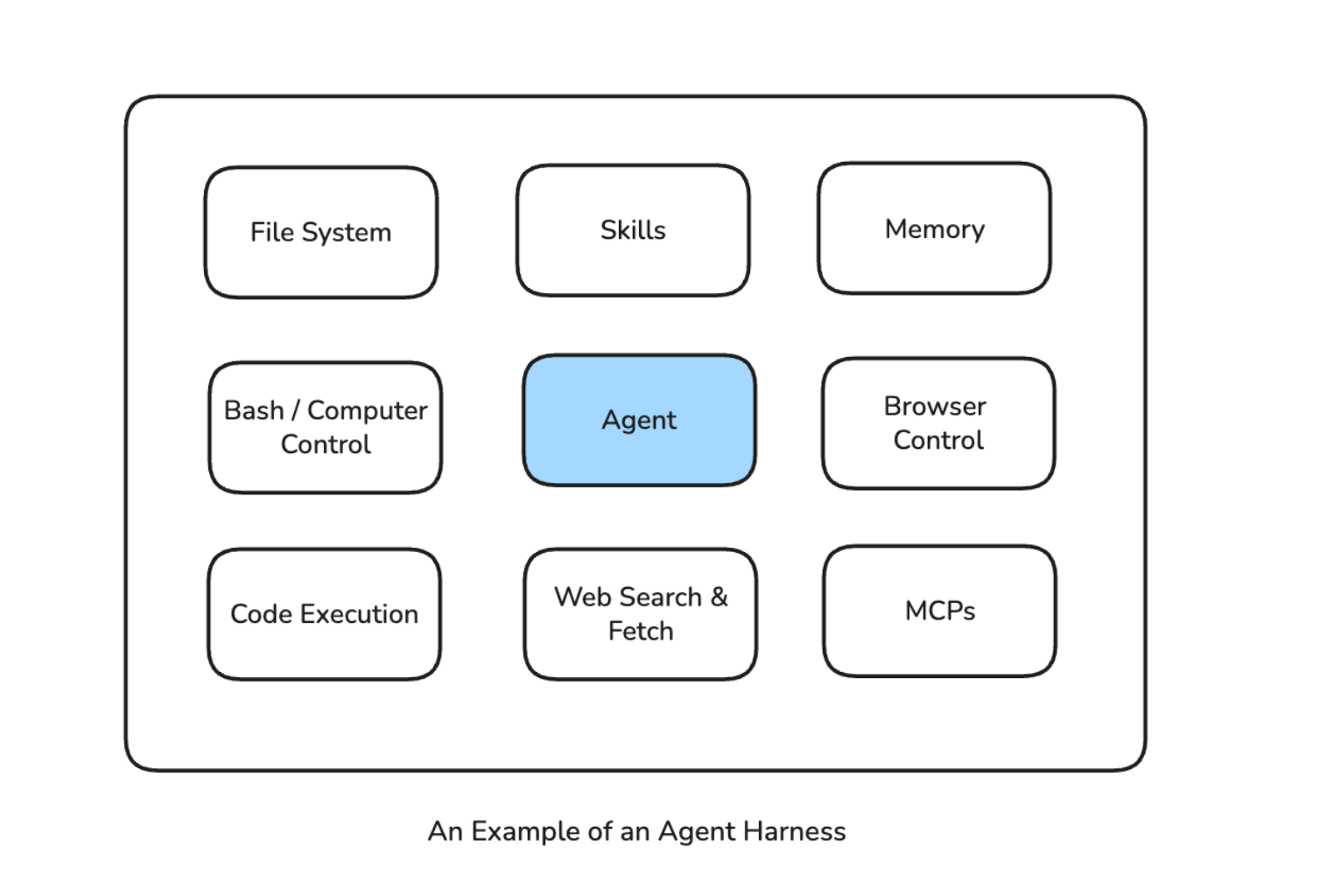
_Agent Harness — Agent at center surrounded by File System, Skills, Memory, Browser Control, Code Execution, Web Search & Fetch, Bash/Computer Control, MCPs_
### Where Harnesses Sit in the Tooling Landscape
It helps to think of agent tooling as layers, with the right level depending on what you're building.
**Raw API calls** give you total flexibility and total responsibility. You manage state, memory, loops, everything.
**Frameworks** like LangChain, CrewAI, and LlamaIndex provide structure and abstractions, but you still make the architectural decisions: picking the memory system, configuring tools, defining orchestration; modular and swappable for the most part.
**The runtime layer**, exemplified by LangGraph, handles execution, state management, and durability. It sits between framework and harness, ensuring reliable execution of agent steps without prescribing the full environment.
**Harnesses** like Claude Code, OpenClaw, and LangChain Deep Agents are maximally opinionated. Memory, context management, the agent loop, tool access, safety checks: all baked in. You configure around the edges; the hard decisions are already made.
The LangChain ecosystem illustrates all three layers at once. LangChain (framework for composing agents) feeds into LangGraph (runtime for executing them reliably), which feeds into Deep Agents (harness for using them out of the box with batteries included: built-in planning tools, file system access, sub-agent spawning, memory persistence).
Understanding where you sit in these layers determines what you're responsible for and what the tooling handles for you.
## Real-World Examples of the Harness Paradigm
### Claude Code
Claude Code is a general-purpose computer operator. It reads codebases, runs tests, edits files, and iterates. The "harness" here is terminal access, file system, bash execution, and context management. What makes it powerful is what the model has access to and how that access is managed.
### Manus
Manus uses a Planner → Executor → Verifier architecture, an example of an agentic harness at scale. Each agent operates autonomously within its defined scope, with role specialization emerging from the harness design rather than rigid workflow graphs. The orchestration layer handles coordination; the handcrafted DAG is gone.
### OpenClaw
OpenClaw is an open-source autonomous agent that runs locally on your machine, connecting LLMs with system tools and 50+ integrations: email, file system, calendar, shell commands, web browsing, external APIs. The harness pattern is visible here: the model sits at the center; OpenClaw provides the runtime, tool access, and messaging interface (Telegram, WhatsApp, Slack, etc.). The user gives a goal; the agent decides how to accomplish it.
NanoClaw, a lightweight offshoot (~500 lines of TypeScript built on the Claude Agent SDK), distills the pattern even further: a container where the core is just the agentic loop. As its creator put it, the goal is the "best harness" for the "best model."
## The Model and the Harness Are Both Load-Bearing
A common misconception: as models get more capable, the infrastructure around them matters less. A more capable model in a poorly designed harness is just a faster way to do the wrong thing.
The relationship is symbiotic. The model provides the reasoning and general capability; the harness determines what that capability can actually reach and do.
Models are rapidly commoditizing. Claude Opus 4.6, GPT-5.3, Gemini 3.1 Pro, DeepSeek are all capable. In February 2026, all three major providers hit near-parity on SWE-bench Verified, scoring within a percentage point of each other. Swapping models without rethinking the harness rarely produces proportional gains.
The whole system is what differentiates agent products. What tools does the agent have access to? How is memory managed across sessions? How are errors caught and recovered from? What guardrails and hooks shape its behaviour? The bottleneck shifts to the environment the model operates in, which means model selection is only one part of the investment.
## Implications for Building Agents
The industry is already moving past workflows. Concretely, the work now looks like writing `agents.md`, `claude.md`, and system prompts that define how the agent should behave. Skills take this further: a `SKILL.md` file defines a task the agent can perform, and the skill folder can include scripts, templates, and reference files the agent uses at runtime. These are the new building blocks.
Context isolation is a good example of how the problems stay the same while the solutions change. In a workflow, you controlled context explicitly through graph design: each node received exactly the data it needed. In a harness, you solve this through the harness's own opinionated patterns, like spawning sub-agents that handle specific subtasks in isolated contexts. The parent agent orchestrates; each sub-agent focuses on its piece without its context being polluted by everything else.
There's a lot more to say about harness engineering as a discipline. I'll cover that in a follow-up post.
## Trade-offs
Harnesses aren't a free lunch. The shift to more autonomous agents introduces real costs worth naming directly.
**Latency and token consumption.** The agentic loop is verbose by nature. Every Perceive → Reason → Act → Observe cycle burns tokens. A workflow with a fixed sequence of calls has predictable, bounded cost. An agent reasoning its way through a task can spiral into many more LLM calls than you'd expect, especially when it hits ambiguity or errors. At scale, this matters for both cost and response time.
**Prompt injection gets worse.** This is about external threats. In a workflow, the attack surface is isolated within individual nodes: each node calls the LLM with a narrow scope and may or may not have access to the full set of tools. In a harness, a single orchestrating agent has access to the entire environment. If a prompt injection lands in that agent's context, it can potentially reach everything the harness provides: file system, code execution, external APIs, the lot. The blast radius of a successful injection is fundamentally larger.
**Unintended autonomy.** This is about internal risk: the agent acting in good faith but making the wrong call. A workflow's rigidity accidentally constrains this; the agent can only do what the graph allows. A harness agent can take actions that are technically valid but operationally harmful: overwriting the wrong file, making an expensive API call in a loop, taking a path that's correct in isolation but breaks something downstream. Without well-designed hooks, scope limits, and permission models, "the agent will figure it out" can become "the agent did something unexpected and we have no idea why."
**Reproducibility and debuggability.** When a workflow fails, you know exactly which node broke. When a harness agent fails, the reasoning trace can be long, non-linear, and hard to reproduce, especially if the agent's path depended on real-world state that has since changed. Observability tooling for agentic systems is still fairly immature.
### Where Workflows Still Make Sense
If you're building a complex application that makes multiple calls to an LLM in multiple places, not everything will be (or should be) an agent.
Take something like Grammarly. You need the speed to give your user instant feedback about their writing. You probably don't need multiple LLM calls running in a loop to figure out what needs to be done. It's a couple of well-defined steps in a workflow, and that's the right architecture for it.
Workflows fit when the task is well-scoped, the steps are predictable, latency matters, and an agentic loop would be overkill. A two-step pipeline that classifies a document and extracts fields doesn't need autonomy; it needs to be fast and cheap.
Knowing which problems call for a fixed path and which ones need an agent that can adapt is the real architectural decision. Most real systems will have both.
## Conclusion
For the past year, the question driving most agent work was _"what should my agent do next?"_ That's a workflow question: it assumes someone (you) is designing the path. The question worth asking now is different: _"what does my agent need to be capable of?"_
That shift changes everything downstream: how you architect, what you invest engineering hours in, what you expect the model to handle on its own.
The agents that will matter in 2026 and beyond are the ones that can operate with genuine autonomy inside well-designed harnesses: with memory, tools, judgment, and the ability to adapt when the plan breaks down.
We're still early. The harness pattern is young, the tooling is rough, and there's real work to do on safety, observability, and trust. But the direction seems fairly clear: give agents better environments, and they'll do better work. The engineering challenge now is building those environments well.
---
## References
- Sajal Sharma, [From Agentic Workflows to Agent Harnesses — Yale University Talk](https://docs.google.com/presentation/d/1b55LQcQVrm5DbxbmMl9xcNwTL86PuHcHy5bUL4iWQDU/edit?usp=sharing) (February 2026)
- Rich Sutton, [The Bitter Lesson](http://www.incompleteideas.net/IncIdeas/BitterLesson.html) (2019)
- Box Engineering, [Building AI-Powered Workflows with LangGraph and Box API](https://blog.box.com/building-ai-powered-workflows-with-langgraph-and-box-api)
- Uber Engineering, [Enhanced Agentic RAG](https://www.uber.com/en-SG/blog/enhanced-agentic-rag/)
- LangChain, [Improving Deep Agents with Harness Engineering](https://blog.langchain.com/improving-deep-agents-with-harness-engineering/)
- LangChain, [Deep Agents](https://blog.langchain.com/deep-agents/)
- Tony Kipkemboi, [Agent Frameworks vs. Harnesses](https://www.linkedin.com/pulse/agent-frameworks-vs-harnesses-tony-kipkemboi-mxmte/) (LinkedIn)
- Sajal Sharma, [Building AI Agents with LangGraph — O'Reilly](https://www.oreilly.com/videos/building-ai-agents/0642572077884/)
---
# A Week with OpenClaw as My Personal Assistant
Source: https://sajalsharma.com/posts/openclaw-experiments/
Author: Sajal Sharma
Published: 2026-02-16
Tags: ai-engineering, ai-agents, ai-coding
I spent the last week running my own personal AI assistant with OpenClaw. Here's what I built, what broke, and whether any of this is actually worth the effort and tokens.
## Introduction
I've been using Claude Code as a kind of personal assistant for a couple months now. There's an instance of it that lives in an Obsidian vault tracking my knowledge base which includes notes from learning and building, but also things like, workout tracking, a log of my progress learning to swim, bookmarks for apartment hunting, etc. This Claude instance reads from my vault, executes some code, and then simply updates my vault. Since the vault is a collection of local markdown files, there's no special MCP or skill required to interact with it. Still, everytime I ask it to do the same thing twice, I create a skill out of it so it doesn't spend tokens figuring out my workflow again and again. For example: doing a review of the past week based on my daily notes and todos.
This setup has unlocked a lot of interesting use cases and automations. But there were plenty of times when I wanted to access this Claude Code instance on my phone or iPad. Or wanted to make sweeping changes to my todo app (Things for Mac, using a CLI tool to interact with it). Or wanted it to run cron jobs for the skills and workflows I'd created, even when my primary machine was turned off.
[OpenClaw](https://github.com/openclaw/openclaw) has absolutely exploded in popularity over the last couple of months, and I guess plenty of people had been thinking about this same problem. It's an open-source framework for deploying Claude (or other LLMs) as a persistent assistant with access to local files and apps available on the channel or messaging app of your choice.
I spent the last weekend setting this up, and one week in, I have thoughts.
## The Setup
First decision: where to host this thing. I needed it running 24/7 with access to apps that can be clunky to make work with headless environments (like Obsidian) or worse, don't work at all on non Apple environments (like Things, my todo manager). After looking at cloud VMs and various deployment options for a couple days, I settled on a Mac Mini and found a cheap, used basic M2 version in Singapore. The Mac Mini isn't doing any inference so specs didn't matter, but I still wanted the easiest integration to my existing productivity suite.
The assistant, I call him James (don't ask why), has its own digital identity - its own Google and Apple account. I share read-only access to specific calendars to James and, it can invite me to events or check my calendar for open slots if need be.
For file access, I don't share anything from my personal computer. I created a separate Obsidian vault for the workflows that I wanted to try out, and synced it to the MacMini via iCloud.
**Models:** The default model that I use is Claude Sonnet 4.5. I've found it to hit the sweet spot for cost versus capability. Opus would be better for complex reasoning, but I don't have that kind of money to spare. I tried Kimi 2.5, but found it less reliable at following the specific workflows I'd defined.
**Channels:** My primary way to interact with James is through Telegram. It's fast, works on most of the devices I have, and has decent out of the box integration. I use it throughout the day for quick questions, sending articles to save & summarize, or checking my schedule. It can proactively send me notifications when it's completed certain automated workflows.
I also set up Gmail as a secondary channel so I can forward emails to James for processing. This one required more careful engineering though. I don't want anyone other than me sending emails to James - after all, it's my personal assistant. I implemented a deterministic hook that filters incoming emails against an approved sender list - so anything from unapproved email accounts is ignored. When I asked James to implement this filter itself, it chose an LLM based filtering mechanism, and we learned pretty quickly that it won't work.
_James autonomously processing an email: extracting tasks for Things, scheduling calendar events, and saving articles to my knowledge base_
I set up Tailscale to access the Mac Mini when I'm not nearby to debug it (which I've needed to use **a lot**).
## The Workflows
I started with a few core workflows, planning to expand as I learned what actually provides value.
### Productivity
**Daily briefing:** Every morning, James scans my calendar and Things, then sends me a briefing. I've prompted it to analyze whether I'm being realistic about my day, i.e. if I am trying to squeeze 12 hours of work into 8? Are there conflicts? This nudge is surprisingly valuable because I've not historically been great at maintaining work-life balance. Having something call out when I'm overcommitted helps me recalibrate before the day starts.
**Evening checks:** At the end of the day, James reviews what got done versus what was planned. Did anything slip? Are there things on my calendar or todo list that I am forgetting about?
**Weekly review:** I started doing weekly reviews in 2024, but only managed to do them 25 out of 56 weeks. Now James does the heavy lifting: scans my notes, tracks progress on personal projects, identifies patterns in what I completed versus postponed. It sends me a summary and asks if I want to add reflections. Having it automated definitely takes the busywork out of it, though I'm still wondering whether the insights come from the gruntwork of compiling the review or from the reflection itself. Not sure yet.
### Studying
This one's simple for now but I think has the most potential. I log articles I read and courses I'm taking in Obsidian. The problem for me has been mistaking passive learning for making progress in getting better at the things I care about. Being honest, it's hard to recall a great engineering article I've read two weeks later.
James now reviews what I've learned each week and proactively quizzes me. I like to think of it as Duolingo for the topic and material I care about rather than a pop quiz. These conversational questions test my recall and understanding. A cron job runs this twice a week automatically. I'm working on expanding this into something more comprehensive and reliable, but for me this has been the best workflow yet.
### Fitness
James tracks my programs, logs progress, and checks my calendar for scheduled workouts. If nothing's scheduled for tomorrow, it pings me. On workout days, it reminds me what the routine is. It's integrated with Hevy - a workout tracking app I use. I log sets and reps during workouts, and James can access that data to understand my progress.
### Future Extensions
I'm thinking about adding more workflows in the coming weeks for things like:
**Apartment hunting:** Tracking listings, comparing neighborhoods, monitoring prices, reminding me to follow up. All the tedious tracking work that's perfect for an AI assistant.
**Career Opportunity Tracking:** Monitoring opportunities that align with my experience and aspirations, identifying networking events etc.
And more may emerge as time goes on!
## Does It Actually Work? Or is it just hype?
Honest answer: it's complicated. There are really two questions here: does it work at a technical level, and does it provide value? The answer to both, one week in, is still unclear.
### Does it work technically?
If you're reading my blog, you probably already know that LLMs are non-deterministic. When you're running multi-step workflows, you can't rely on them to take the same path every time. This creates some real challenges.
Take the email response workflow as an example. First time I set up Gmail responding, I asked James to implement it. It did okay, but wouldn't mark emails as read after responding. Instead, it added an automation in its `heartbeat.md` file (an evergreen agentic cron job) to check for unread emails every heartbeat cycle (30 minutes). I got multiple responses to the same email. Classic LLM behavior: solve the immediate problem without considering consequences.
I asked it to fix itself. It tried implementing a "read list" tracking system in a JSON file, that the heartbeat job would read. But the agent would sometimes forget to check the file. More duplicate responses.
Eventually I went in and stripped out all the heartbeat-based email tracking, and modified the response hook to mark emails as read immediately after replying. Sure, maybe some emails slip through, but that's acceptable for me. Building AI agents for the past few years has taught me that some logic just needs to be deterministic code.
Another issue: when I ask James to adjust a workflow, it doesn't show me exactly how it's implementing things in the backend. I have to dig into the files myself to understand what it actually did. Maybe that's too much to expect at this stage, but it's something I wish worked better.
Model switching also has consequences. When I tried Kimi to save money, I discovered different models interpret workflow specifications differently. Kimi wouldn't follow the exact format I'd specified for daily briefings. It struggled with conditional logic in my evening check-ins ("only ask me to schedule a workout if there's none planned the following day"). I went back to Sonnet 4.5 and ate the cost just to not have this be so annoying. I didn't face these problems with my light experiments with Opus.
OpenClaw is not the polished, ready-to-use product that some of the hype suggests. There's definitely a lot of tinkering required. Setting up reliable workflows requires significant trial and error, engineering know-how to bridge the gap between the agent's free-form capability and well-engineered constraints in code, and a lot of time debugging edge cases.
### Does it provide value?
A friend asked me after learning about my adventures with James: "You spent how many hours setting this up? For what, automated todo list reviews?"
Here's where I'm at after one week:
It's hard to measure ROI this early. I've invested a significant amount of time in setup and debugging. The productivity gains are hard to measure. Am I replacing the busywork of managing my systems with the busywork of building a bot that manages my systems?
I'm betting the use cases will grow over time. Right now I have five workflows. In a month, maybe ten, and so on. The infrastructure is there, and adding new workflows gets easier as I understand the patterns.
But for me it's the joy of experimenting with it. Building a system that can perhaps replace my app subscriptions while also being personalized for the things that I care about is genuinely exciting. I don't plan to let the bot join Moltbook or write hit pieces when its PR is rejected on Github. I'm content with letting it be my personal assistant, not some AGI experiment.
The automation also feels personal in a way that generic productivity tools don't. The contextualization is what gives it value, even if it's hard to quantify. It beats managing my personal ChatGPT subscription with a personal Claude subscription and a work Claude subscription etc., each with access to their own projects and folders and mish-mash of contexts.
## What This Means for the Future of Agents
After just one week with OpenClaw, I get the hype. This isn't just about having a personal assistant. It's a glimpse into where the entire AI agent ecosystem is heading.
### Omnipresent Agents Are the Future
The most striking thing about OpenClaw is that it meets me where I already am. I don't need to open a specific app or be at my desk. It's in Telegram, it's in my email, it could be in Slack or WhatsApp or whatever else I use. This omnipresence matters more than I initially realized.
People don't want another app to check. They want agents that integrate into their existing communication flows. The power isn't in the agent itself, but in being accessible wherever you naturally spend your time.
### Hyper-Contextualized Agents Win
Generic ChatGPT or Claude with a folder of documents uploaded just doesn't cut it for real productivity work. The value comes from deep integration: agents that can actually access your apps, read your calendar, check your todos, understand your knowledge base, and most importantly, take actions on your behalf.
This is the same insight that makes Claude Code so powerful for developers. Claude Code doesn't just answer questions about your codebase. It operates on it. It reads files, writes code, runs tests, creates commits. OpenClaw is the same concept extended to personal productivity systems. Instead of a chatbot with context, you get an agent with agency.
### Big Tech Is Moving Fast
The timing here is telling. Just yesterday, [Peter Steinberger, OpenClaw's creator, announced he's joining OpenAI](https://techcrunch.com/2026/02/15/openclaw-creator-peter-steinberger-joins-openai/). This signals that the major AI companies recognize this space is critical and are moving aggressively to capture it.
Look at what's happening:
- Meta has Manus, their own take on AI agents
- Anthropic has Claude Code for developers and CoWork for workplace collaboration
- OpenAI is clearly investing in this direction with the Steinberger hire
The pattern is clear: foundation model companies aren't satisfied just providing APIs. They want to own the agent layer that sits on top of their models and integrates into users' daily workflows.
### This Is the Next Logical Step
It feels inevitable when you think about it. We went from:
1. Chat interfaces that answer questions →
2. Chat interfaces with memory and projects →
3. Agents that can call tools and APIs →
4. Integrated agents that proactively act on your behalf
OpenClaw and similar frameworks represent step 4. They're moving AI from reactive to proactive, from stateless conversations to persistent, contextualized assistants that understand your systems and can operate within them autonomously.
What surprises me most is how conspicuously absent Apple seems from this space. They have all the advantages: complete control over their ecosystem, native on-device AI without relying on external API calls, Siri already on every device, AppleScript and Shortcuts for app automation. They could build this integration far more seamlessly than anyone else. And yet, despite all these structural advantages, they seem far behind. Maybe Apple Intelligence will evolve into something like this, but right now it feels like they're missing a massive opportunity while open-source projects and AI startups are defining what personal AI assistants should be.
---
So where does this leave me and my experiments with James? Cautiously optimistic. The technology clearly works, even if it requires tinkering. The workflows are already providing value, even if that value is hard to quantify. And the trajectory of where this is all heading (omnipresent, deeply contextualized agents that understand and operate within our personal systems) feels both inevitable and genuinely exciting.
For now, I'm going to keep experimenting, keep building new workflows, and keep learning what it means to have a truly personal AI assistant. The future is coming fast, and it's fascinating to be building it one automation at a time.
---
# 2025: Career in Review
Source: https://sajalsharma.com/posts/2025-career-in-review/
Author: Sajal Sharma
Published: 2026-01-02
Tags: career, ai-engineering, teaching
A reflection on a year of building AI products at a venture studio, teaching courses on O'Reilly, writing a viral blog post, and figuring things out.
_A reflection on a year of building, teaching, and figuring things out._
## A Year of Building at a Venture Studio
I began 2025 working as an AI Engineer at Liminal (formerly known as Menyala), a Venture Studio in Singapore. In 2024, I'd shipped an internal AI copilot tool—a full stack system built to help analysts do competitive analysis and market research from proprietary data sources. It wasn't a glamorous product, but working together with my product manager, we managed to implement some novel UX and agentic application ideas to envision how this type of research could benefit from going beyond just English language instructions to LLMs.
I also worked on two potential ventures throughout the year. The first was a search system for AI agents, building an agentic RAG pipeline before the term really took off. The idea was to build a platform where data providers would be fairly compensated from the AI Agents accessing their data through traditional web search mechanisms. Unfortunately the project did not get funded in the end, but I still cherish the learnings I got out of it, especially on the business and commercial side: brainstorming potential business models, thinking about product and user experience, speaking to potential customers and suppliers of data - and working with a fantastic cross-functional team. I'm thankful for all those experiences.
The second project was Lana, an AI-driven underwriting platform. Along with my team, I built an end-to-end solution using TypeScript/Next.js on the frontend, Python/FastAPI on the backend, LangGraph multi-agent workflows orchestrating the intelligence, Celery and Redis handling the async workloads, Supabase for data, and AWS for infrastructure. We built a data extraction pipeline to pull specific data points from financial reports, both structured and unstructured, that downstream data science models would use for credit evaluation. We also built the foundations and frameworks for agents that could analyse loan applications for green projects, each agent examining a different dimension of the application with its own slice of data, calling specialized data science models, and contributing to a holistic assessment. It was complex orchestration work, and I learned a lot about what it would take to make multi-agent systems work in production.
With tools like Claude Code becoming absurdly capable, the nature of my work shifted. I found myself spending less time writing code line-by-line and more time thinking about _scaffolding_—the DevOps, the infrastructure, the systems that would let my team ship clean, efficient code at a pace that would have been impossible two years ago. When delivery speed increases by an order of magnitude, the bottleneck moves upstream. That became my job: making sure we could actually handle the velocity without constantly breaking things and contributing to technical debt.
The second challenge was making sure what you're building is worthwhile. The velocity of development now makes it possible to try and build multiple things and see what sticks, but there's even more concern for the technical debt that accumulates when you move from one idea to another quickly. This technical debt pollutes an LLM's context since your code is the source of truth for your product now, and even the best coding agents can falter when there are multiple possible interpretations of your feature and remnants of older designs. Maintaining this debt takes a lot of work.
---
## An Unexpected Foray into Teaching
In the middle of 2024, I was approached by O'Reilly to teach an online course on AI Agents. They had read my blog posts and considered me a good fit to make the transition to teaching through video or live content.
I've always loved taking online courses. There's something about "just in time" learning that clicks for me: finding exactly what you need, when you need it, and applying it immediately. At the time I thought it would be a good experience to learn how to curate content and record videos. Worst case scenario I pick up a new skill, best case scenario someone actually finds the course useful. I decided to give it a shot.
In early 2025, my first course went live: [_Building AI Agents with LangGraph_](https://learning.oreilly.com/course/building-ai-agents/0642572077884/). The first few months were slow. A trickle of students. But every now and then, someone would reach out on LinkedIn to say thank you and provide feedback. Things picked up through the year and by December 2025, it was in the **top 2 on-demand AI courses on O'Reilly**.
_Building AI Agents with LangGraph - ranked #2 in on-demand AI courses on O'Reilly_
I didn't expect the course to be as popular as it is. It's not perfect of course, too introductory for some, and too advanced for others (can't make everyone happy!). My delivery is also stiff in the recorded videos, and I understand that it can make it less engaging. But the fact that people found it helpful enough to reach out personally means more to me than any rating.
This opened doors to other teaching opportunities. I delivered two sessions on "[Agentic RAG using LangGraph](https://learning.oreilly.com/live-events/agentic-rag-with-langgraph/0642572176174/)", with a third one scheduled soon. More than 200+ students in each session with incredibly positive feedback. Talking in front of (a virtual room of) that many people, teaching something I'd built expertise in through months of building and experimentation felt like a new version of myself clicking into place. It's funny that teaching a course live feels more comfortable to me than recording videos, while I expected it to be the other way around.
In the end, I love building products and solving engineering problems (both technical and human), but teaching has a different kind of gratification. I believe both experiences feed into each other: building things helps me derive insights I can share with my students, and teaching helps me become a better communicator at work.
Now I'm working on an expanded version of the AI agents course, targeting Q1 2026. A [Claude Agent SDK course](https://learning.oreilly.com/live-events/getting-started-with-claude-agent-sdk/0642572273255/0642572273248/) is also in development. Excited to see where this goes in 2026!
---
## A Blog Post That Took Off
I don't share on my blog often. It's something I strive to improve, but I find it boring to write tutorials, more so when you can just ask an LLM to read some documentation and do it for you.
I've been keeping notes about my experiences with AI engineering, updating them during commutes or while daydreaming. In July, I consolidated my notes and wrote a blog post about working effectively with AI coding tools, specifically Claude Code. I'd been using it heavily for the Lana project, and I had thoughts.
I shared the post on Reddit and got some engagement. Then it got picked up by the TLDR newsletter, featured on its front page, and it took off.
I'm mostly an unknown quantity in the software engineering blogosphere, but the post got around **10,000 views** and rocketed my blog to around 25,000 views in total for the year. More heartfelt were the emails and LinkedIn messages I got from people who found my post useful. Turns out, people love seeing behind-the-scenes experiences more than coding tutorials!
---
## The Systems That Kept Me Sane
Somewhere in the chaos of projects, courses, and the general uncertainty of building new things, I spent some time improving my personal productivity system.
I use [Things](https://culturedcode.com/things/) for task management and [Obsidian](https://obsidian.md/) for notes and reflection, and started utilizing MCP integrations to tie it all together with Claude. I try to write brief daily notes, and feed them to Claude to do AI-assisted weekly reviews that help me see patterns I'd otherwise miss. I don't follow any of it rigidly - I find it impossible. But it grounds me. When I feel lost, which happens more than I'd like to admit, I have somewhere to return to that helps me reset and prioritise within a few minutes.
I tried having a maximum of 5 active projects at any time, but found that outside of work, I can only do my best if I stick to 2 (including learning / building projects) at a time. That constraint has been freeing. I've also started treating my ever-growing list of things I want to do as a menu to pick from, rather than a checklist I have to accomplish in some arbitrary period of time. That shift in mindset has improved my focus and quality of my output.
---
## Looking Forward to 2026
Teaching has become part of my career identity now. I have more courses in the pipeline, and I'm excited to see where this path leads. There's something deeply satisfying about taking years of building experience and distilling it into something that helps others.
As I reach a decade of working, starting as a Data Scientist and then moving to an applied AI engineering space, I want to be the kind of engineer who understands things deeply, who can reason about systems from first principles, who doesn't just know how to ship but understands why things work the way they do. I'm keen to spend some time reviewing the fundamentals I learnt at Uni, and updating myself on the latest in AI Engineering.
And I want to keep building. The tools we have now make it possible to turn ideas into reality faster than ever before. Claude Code, AI-assisted everything. There's never been a better time to just make things. I have a long menu of ideas I want to explore, and I would count 2026 as a success if I can ship just one.
2026 feels like a year of foundations. Filling gaps. Staying curious. Paying it forward. Seeing what happens when you keep showing up.
---
# Working Effectively with AI Coding Tools like Claude Code
Source: https://sajalsharma.com/posts/effective-ai-coding/
Author: Sajal Sharma
Published: 2025-07-27
Tags: ai-engineering, ai-coding
A practical guide to working effectively with AI coding tools like Claude Code, covering mindset shifts, quality control strategies, and team collaboration workflows for modern software development.
## Introduction
In my previous post, I shared how we built a production-ready risk assessment system using Claude Code, taking it from a lovable.ai prototype to deployed infrastructure. What started as an experiment became a fundamental shift in how I approach software development.
After months of intensive use, pushing Claude Code to its limits across frontend, backend, infrastructure, and data pipelines, I've discovered something crucial: the more powerful these tools become, the more important our uniquely human capabilities become. AI excels at implementation, but architecture, judgment calls, and strategic thinking remain fundamentally human.
This guide distills practical strategies from building production systems with AI coding assistants. Whether you're an AI coding skeptic, a casual user looking to level up, or someone already deep in the trenches, these battle-tested approaches will help you work more effectively with these tools.
_Claude Code - AI coding assistant that lives in your terminal_
Fair warning: this is a living document. As AI coding tools evolve at breakneck speed, so must our workflows. What works today might be obsolete next month. But the principles remain constant even as capabilities expand: clear communication, strategic thinking, quality control, and human judgment.
Let's dive into what works when coding with AI is your daily reality.
## Strategies for AI-Assisted Development
Moving from code writer to building systems using AI requires new approaches to planning, quality control, and workflow management.
### Mindset Shifts
#### Architecture-first thinking
In my experience working with Claude Code, I saw a shift in my responsibilities toward architecting systems while the AI handled implementation mechanics. In this new paradigm, value lies in understanding how different components interact, where bottlenecks will emerge, and which patterns will scale. The coding agent excels at turning these decisions into working code, but it needs you to provide the architectural vision.
Focus shifts to system orchestration rather than syntax. Questions like "Should this be a microservice or a monolith?" or "How will this handle 10x traffic?" become your primary concerns. The AI can implement either approach competently once you've made the decision based on business constraints and future requirements.
This changes how you approach problems. Instead of starting with "How do I implement this?", start with "What are we really trying to solve?" Define the boundaries, identify the integration points, and establish the data flow. Design the data models, API contracts, and system interactions first.
#### From writing code to writing specifications
You've heard it before: think before you code. But with AI coding assistants, this advice has transformed from a nice-to-have to a critical skill. Before, jumping straight into code meant maybe some refactoring later. Now, vague instructions to your coding agent can send it building entire systems in the wrong direction, burning through tokens and creating architectural debt that compounds quickly.
Instead of jumping into implementation details, you need a clear picture of system design and goals before any code gets written. Writing specifications forces this clarity and creates a shared language between you and your coding agent, and also between your human team members and their own coding agents.
Treat specifications as first-class deliverables. Save them in your codebase, create different specs for different components, and put them under version control. When your teammates are also working with coding agents, these specifications become the alignment layer that keeps everyone building toward the same architectural vision.
**In Practice**: : Have a `docs/specs` folder and treat it as importantly as `src/`.
Let's say you're designing a user authentication system and need help setting out the specifications.
Using your coding agent, instead of prompting: "Build user authentication", start with a specification design session:
```
Help me design a specification for user authentication. I need to support:
- Email/password login
- OAuth with Google and GitHub
- Role-based permissions (admin, user, guest)
- Session management
- Password reset flow
Walk me through the key architectural decisions we need to make, including database schema, security considerations, and API design. Let's discuss tradeoffs for each approach.
```
Your coding agent will help you think through:
- Database schema design (separate user profiles vs embedded roles)
- Token strategy (JWT vs session-based)
- Security patterns (password hashing, rate limiting)
- API contract design
- Error handling approaches
Once you've worked through these decisions together, save the resulting specification as `auth-system-spec.md`. Now when you're ready to implement, your coding agent has the full context and architectural constraints to build exactly what you need.
#### AI Pair Programmer
Think of coding agents as incredibly talented junior developers with encyclopedic knowledge but limited business context. They need you to understand why a feature matters, what edge cases users will hit, and which technical debt is acceptable given your timeline. These judgment calls remain fundamentally human.
The productivity gains are real when your coding agents focus on the right tasks. Boilerplate code, test generation, refactoring for consistency, DevOps scripts, documentation updates, centering that div: these time sinks can largely disappear from your workflow. But you need to direct this productivity toward valuable outcomes.
Effective collaboration requires constant dialogue. Review the AI's suggestions, question its assumptions, and iterate on the approach. When it proposes a complex abstraction for a simple problem, push back. When it takes shortcuts that will haunt you later, catch them early. Don't blindly accept everything your coding agent suggests. Help it help you.
With implementation details automated, engineers can focus on what matters: understanding user needs, collaborating with stakeholders, mentoring teammates, and thinking strategically about technical direction. The boring parts get automated, but the human parts become more important than ever.
#### Continuous Learning
Every interaction with your coding assistant is a learning opportunity. When it suggests an unfamiliar pattern or library, take time to understand why. When it refactors your code, study what changed. These tools expose you to approaches and best practices you might not encounter otherwise.
Use AI to accelerate learning in unfamiliar domains. Working on a React frontend when you're a backend developer? The AI can guide you through modern patterns while you contribute the business logic. Building infrastructure when you're primarily an application developer? Let the AI handle Terraform syntax while you learn the architectural principles.
Be actively engaged with the process. Don't just accept working code; understand it. Ask it to explain its choices, compare different approaches, and walk you through the tradeoffs.
When I needed to implement WebSocket connections for real-time updates, I asked Claude Code not just to implement it, but to explain the different approaches (polling vs WebSocket vs Server-Sent Events), their tradeoffs, and why it recommended a particular solution for our use case. I walked away with working code and deeper understanding.
### **Quality Control Fundamentals**
#### Review everything
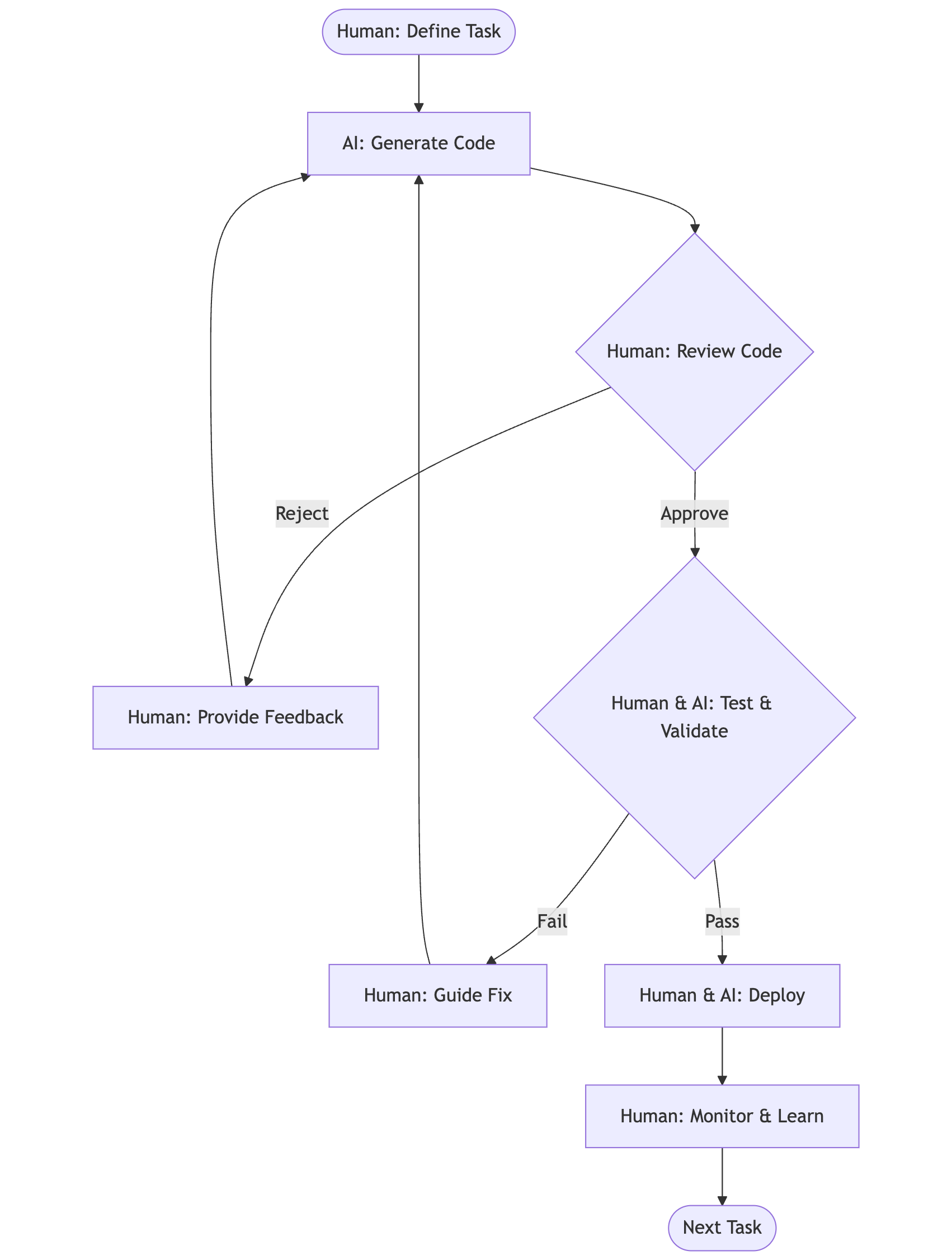
_Human & AI Review Workflow - Systematic quality control with human oversight_
I may sound like a broken record, but the biggest takeaway from this post is this: **Be actively engaged**. AI-generated code requires active, engaged review. Every line should make sense to you. When it doesn't, stop and investigate. The temptation to rubber-stamp working code is strong, especially when deadlines loom, but this leads to codebases you don't understand and can't maintain, and that blow up at the most inopportune moments.
#### Trust your gut!
Experienced developers develop an instinct for code smell. When something feels off, even if it works, investigate. AI coding assistants can produce syntactically correct code that violates best practices, creates maintenance nightmares, or solves the wrong problem entirely. Your intuition, built from years of debugging and maintaining systems, remains invaluable.
#### Catch shortcuts early
AI assistants optimize for making tests pass and errors disappear. Without clear direction, they'll take the path of least resistance. Common shortcuts to watch for:
- TypeScript `any` types appearing when proper typing gets complex
- Tests getting commented out or skipped when they're hard to fix
- Quick fixes that address symptoms rather than root causes
Example: "Let's use `any` type for now and fix it later" should trigger immediate review. That "later" rarely comes, and type safety erosion spreads quickly through a codebase.
#### Technical debt awareness
_Grady Booch's tweet about where AI-generated codebases are heading._
AI can generate code faster than you can review it, making technical debt accumulation a real risk. Set up systems to track what gets generated and schedule regular cleanup sessions. Key areas to monitor from my experience:
- Duplicate type definitions or interfaces across files
- Stale files from abandoned approaches or refactoring attempts
- Over-engineered abstractions for simple problems
- Inconsistent patterns when the AI uses different solutions for similar problems, when your team members use different coding agents, or when the coding agent lacks awareness of system specifications
- Dependencies added but never fully utilized
Regular cleanup sessions prevent these issues from compounding. I schedule weekly reviews specifically for AI-generated code, looking for patterns to consolidate and abstractions to simplify (also using AI, of course).
### Collaboration Strategies with Coding Agents
#### Be exact and specific
Lazy prompting leads to misaligned solutions and wasted tokens. While AI coding assistants include sophisticated prompt expansion and agentic workflows behind the scenes, your specificity remains the biggest determinant of output quality. The clearer your instructions, the less interpretation the AI needs to do.
**In Practice**: Instead of "implement user authentication," I now write: "Build JWT-based auth with these requirements: Access tokens expire in 15 minutes, refresh tokens in 7 days. Store refresh tokens in Redis with user ID as key. Middleware should validate tokens on all `/api` routes except `/api/auth/*`. Return 401 with clear error messages for expired vs invalid tokens. Use Supabase for user management but handle our own JWT generation."
Reference exact file paths, function names, and class definitions. Instead of "update the user service," specify "modify the `UserService` class in `src/services/user.service.ts`, specifically the `updateProfile` method." This precision saves tokens on searching and reduces the chance of modifications to the wrong code.
Include constraints and non-functional requirements upfront. Mention performance considerations, security requirements, and coding standards in your initial prompt or through system-wide documentation (more on this in a moment), rather than fixing them in subsequent iterations.
#### Request explanations
As mentioned in the pair programmer section, make "explain your approach" part of your standard workflow. Before approving any non-trivial change, ask the AI to walk through its reasoning. This serves two purposes: you catch flawed logic early, and you deepen your own understanding of the solution.
Questions to ask regularly: "Why did you choose this pattern over alternatives?" "What are the tradeoffs of this approach?" "How does this handle edge cases?" "What assumptions are you making about the system?"
#### Multi-LLM validation
Different AI models have different strengths and blind spots. When facing complex bugs or architectural decisions, get second opinions.
Create a workflow for critical decisions: propose solution with AI #1, validate approach with AI #2, implement with your preferred coding assistant. This cross-validation catches more issues than any single tool would. Example: use Claude to create a plan, then review it using GPT-4o.
Sometimes it's worth thinking outside the box. Literally. When you're facing foundational questions or mulling over a fundamental decision, your current codebase may pollute your coding agent's thinking. In these cases, use regular Claude or ChatGPT to think things through.
This strategy particularly shines for debugging. When one AI gets stuck in a solution path, another might immediately spot the issue. I've solved numerous "impossible" bugs by simply explaining the problem to a different AI model without burdening it with the context.
### Workflow Optimization
#### Plan-first approach
Beyond systems design, it's worth asking your coding agent to create a detailed plan for any changes that touch multiple parts of your codebase. A good example is any major refactoring task. This forces both you and the agent to think through the approach before committing to code. A good plan includes the sequence of changes, files that will be modified, new files to create, and potential risks or dependencies.
Review this plan critically. Look for over-engineering, missed requirements, or approaches that don't align with your existing architecture. Modify the plan until it matches your vision, then save it as a markdown file in your project. Make sure to include clear tasks or todos in your markdown document.
Track progress against this plan systematically. Ask the coding agent to update the checklist of tasks as it completes each phase. This creates natural checkpoints for review and prevents the AI from wandering off course. This is in addition to the automated checklists tools like Claude Code use when executing your prompt.
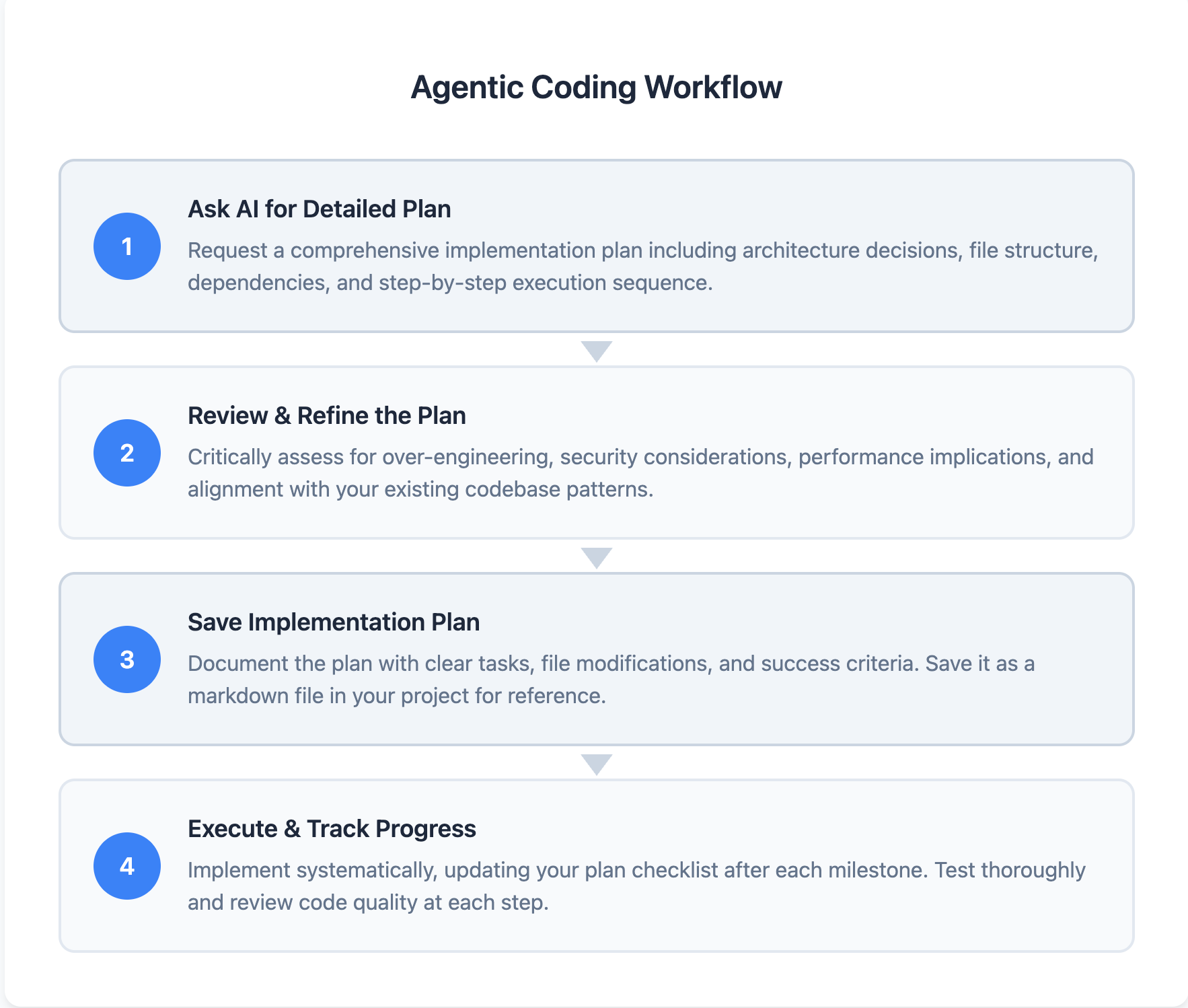
_A systematic, plan-first approach to AI-assisted development_
**Example**: For a recent refactoring to use shared types, I had Claude Code create a plan with specific tasks: creating a new module for shared types, scripts for automated type generation, and frontend and backend codebase changes. I saved this as `shared-types-refactoring.md` and updated it after each major milestone. When I hit issues (and I did frequently), I could trace back to see where we deviated from the original design.
#### Context management
Long conversation threads degrade AI performance. As context grows, the AI loses track of earlier decisions, starts referencing outdated code, and makes inconsistent choices. Start fresh conversations for distinct features or major refactoring efforts.
Create clear boundaries between work sessions. When switching from backend API work to frontend implementation, start a new conversation. Include a brief context setter: "We just finished implementing the new module for shared types (see `shared-types-refactoring.md`). Now let's update the frontend to use the auto-generated TypeScript interfaces."
#### Documentation discipline
Treat AI instructions as living documentation. Create a `claude.md` or `.ai-instructions` file in your repository root. Include coding standards, architectural patterns, common pitfalls, and project-specific conventions. Update this file as you discover new patterns that work well.
Document not just what patterns to use, but why. When you establish a convention like "always use dependency injection for services," explain the reasoning. This helps both AI and human developers understand the intent behind the rules.
Include anti-patterns explicitly. If you've discovered the AI tends toward certain problematic solutions, document what to avoid. "DO NOT create separate interface files for every class" or "AVOID nested ternary operators" can save hours of cleanup.
## Practical Claude Code Tips
Anthropic's engineering team has published an [excellent guide on Claude Code best practices](https://www.anthropic.com/engineering/claude-code-best-practices) that covers the technical foundations thoroughly. Their key recommendations include:
- Create `CLAUDE.md` files to document project-specific context, coding standards, and common commands that automatically load into every conversation
- Customize tool permissions to skip repetitive approvals while maintaining security boundaries
- Use MCP (Model Context Protocol) to extend Claude's capabilities with external tools and services
- Develop iterative workflows: explore → plan → code → commit, with explicit verification steps between phases.
Be sure to read their guide on how to get the best out of Claude Code. In addition to these tips, let's explore some additional patterns that emerge when using Claude Code with real teams and evolving codebases.
### Strategic Use of Documentation
You can use `CLAUDE.md` file as your coding agent's development guide that evolves with your codebase.
When you initialise your claude code project, Claude.md will contain an overview of your project and some basic instructions. Beyond the auto-generated stuff, structure your documentation to encode architectural decisions, design patterns, and tribal knowledge. When one team member discovers an effective pattern or solution, documenting it immediately makes that knowledge available to everyone's AI assistant.
If you're using multiple documents for specifications, task progress etc, make sure to include the paths to these documents in Claude.md so that claude code can find them when needed.
**In Practice:** Our `CLAUDE.md` evolved into a navigation hub for our AI assistant. Instead of cramming everything into one file, we created a documentation architecture:
Below is an example of what this looks like in the `CLAUDE.md` file.
```markdown
## Project Documentation Map
- System Architecture: `/docs/architecture/system-design.md`
- API Specifications: `/docs/specs/api-v2-spec.md`
- Frontend Component Guide: `/docs/specs/component-patterns.md`
- Current Sprint Plan: `/docs/plans/sprint-15-plan.md`
- Migration Progress: `/docs/plans/database-migration-status.md`
## Active Work Contexts
When working on authentication: See `/docs/plans/auth-redesign-plan.md`
When refactoring agents: See `/docs/plans/agent-refactor-plan.md`
## Team Conventions
- Always update the relevant plan in `/docs/plans/` files when completing major tasks
```
### Team-Wide Slash Commands
Custom slash commands become powerful when shared across your team. They encode workflows, standardize processes, and ensure consistency regardless of who's coding. The key is identifying repetitive team patterns and turning them into executable commands.
Create commands that bridge the gap between AI capabilities and your team's specific needs. Store them in `.claude/commands/` and commit them to version control. Now everyone's claude code will have the same workflows.
**In Practice:** Our most valuable shared commands:
- `/deploy-checklist`: Runs through deployment readiness check, from environment variables to monitoring setup
- `/refactor-to-pattern`: Takes messy code and refactors it to match our established patterns, maintaining functionality while improving consistency
- `/commit`: Commit code using our internal commit message guidelines.
- `/pr`: Raise a PR from the feature to the develop branch, using consistent PR naming, change documentation, and messaging.
These commands transform tribal knowledge into executable workflows. Junior engineers get senior-level guidance embedded in their tools. Senior engineers ensure their standards are consistently applied without manual review.
### Multi-Agent Architectures
Claude Code recently introduced built-in support for custom agents through the `/agents` command, making specialized AI configurations even more powerful. Different phases of development benefit from different AI configurations, and now you can create these formally within Claude Code.
The key insight: each agent maintains its own context window, completing tasks and returning only essential information to the main agent. This prevents context pollution that degrades AI performance. Your main agent stays focused on orchestration while subagents handle specific tasks without cluttering the primary conversation.
Effective multi-agent setups typically include:
**Planning Agent**
- Purpose: System design, architecture decisions, task breakdown (can be further divided into individual agents)
- Configuration: Access to documentation, web search, no write permissions
- Returns: Structured plan and key architectural decisions only
**Implementation Agent**
- Purpose: Writing code, following specifications
- Configuration: Full codebase access, all tools enabled
- Returns: Summary of changes made and any blockers encountered
**Review Agent**
- Purpose: Code quality, security audits, best practices enforcement
- Configuration: Read-only access, quality guidelines, anti-patterns documentation
- Returns: List of issues found and specific recommendations
**Research Agent**
- Purpose: Exploring new libraries, reading documentation, answering technical questions
- Configuration: Web access, minimal project context to avoid bias
- Returns: Concise findings and recommended approaches
Each agent has its own configuration file (similar to CLAUDE.md), allowing fine-tuned behavior for specific tasks.
**In Practice:** When implementing authentication, the research agent explores OAuth providers and security best practices, the planning agent designs the system architecture, the implementation agent writes the code, and the review agent validates security. Each uses thousands of tokens internally, but your main agent only sees the distilled results. This context isolation is what makes complex projects manageable for your main agent.
## Conclusion
The pace of improvement in AI coding tools makes long-term predictions futile. What seems like an AI limitation today might be solved next month. Instead of predicting specific capabilities, I focus on adaptable principles and sharpening skills that will remain valuable regardless of how powerful these tools become.
### Things change. Things remain the same.
Software engineering is evolving, but some things remain constant. The most critical work happens before any code gets written: translating vague business requirements into clear technical specifications, making architectural decisions that will scale, and breaking down complex problems into manageable components. This will continue to be a major part of a software engineer's job.
You remain the human in the room, representing your team and clarifying requirements from stakeholders who often don't know what they need. This translation layer between human needs and technical implementation becomes more critical as AI handles more of the coding. For complex projects, this role is irreplaceable. Someone needs to ask the right questions, push back on conflicting requirements and unrealistic deadlines, and make judgment calls about technical tradeoffs.
When our data science team requested an "AI-based data extraction pipeline," my role was diving deeper through technical discussions. What types of models would consume this data? Would they incorporate AI reasoning into their analyses? Would they need structured data for traditional ML or unstructured data for LLMs? Without these conversations, it's easy to vibe-code a generic system that looks impressive but doesn't meet actual stakeholder needs. We discovered they needed three distinct pipelines: one for structured financial data feeding into risk models, another for unstructured documents going to LLM agents, and a third for real-time market data. Each had different latency, accuracy, and format requirements.
Similarly, when the product team wanted a "real-time dashboard with status updates for long-running jobs," my first instinct (and what Claude Code suggested) was implementing WebSocket connections to our backend. But understanding our tech stack mattered more than implementing the obvious solution. Since we were already using Supabase, I leveraged its built-in real-time functionality instead of building a custom WebSocket layer. This saved hours of development and avoided maintaining additional infrastructure. The AI knew how to build real-time systems perfectly, but I knew which solution fit our existing architecture.
### New core competencies
Writing code becomes writing specifications. Clear, unambiguous specs that capture both requirements and constraints. Strategic architecture decisions matter more than implementation details. Choosing microservices versus monolith impacts your team for years, while specific code syntax can be refactored in minutes.
Task breakdown and progress tracking become essential skills. AI can handle well-defined tasks brilliantly but struggles with nebulous objectives. Your ability to decompose "build a payment system" into discrete, verifiable tasks determines your project's success.
Managing AI-generated technical debt requires new vigilance. Traditional debt accumulates slowly and developers feel its pain directly. AI debt accumulates rapidly and silently: duplicated patterns, over-engineered solutions, inconsistent approaches across files. Regular audits and refactoring sessions become mandatory.
### Humans needed
AI coding tools represent a fundamental shift in software engineering, not from human to machine, but from implementation to orchestration. Your expertise matters more, not less, in this new landscape.
For coding, the specialist gap persists where training data is scarce. Embedded systems, cutting-edge frameworks, and less popular languages still require deep human expertise. If you're working with hardware interfaces, implementing novel algorithms, or using niche tools, AI assistance drops dramatically. These specialists become even more valuable as generalist coding becomes commoditized.
Yet paradoxically, these same tools empower generalists to tackle problems previously outside their domain. A backend engineer can now build polished frontends. A frontend developer can set up infrastructure. A data scientist can create production APIs. The key is recognizing AI's limitations: it excels at common patterns but struggles with edge cases, performance optimization, and domain-specific best practices. Generalists who understand these boundaries can leverage AI to expand their capabilities while knowing when to consult specialists or dive deeper themselves.
Business context and judgment calls remain fundamentally human. Understanding why a feature matters, which technical debt is acceptable given your startup's runway, when to optimize for performance versus development speed: these decisions require understanding the full context of your business, team, and market. AI can implement any approach brilliantly once you've made the decision, but it can't make that decision for you.
### To sum up
The balance is clear: massive productivity gains are possible, but only with vigilant quality maintenance. Experiment boldly with these tools, but review critically. Let AI handle the implementation details while you focus on architecture, stakeholder communication, and strategic decisions.
Start with one principle from this guide. Perhaps writing clearer specifications or setting up review workflows. Measure the impact. Build from there. The teams that thrive will be those who view AI as a powerful partner, not a replacement or competitor.
Embrace these tools for their potential to eliminate the mundane and repetitive, opening up time for strategic thinking and focusing on the human side of solving engineering problems. That's where our real value has always been.
---
# Adventures with Claude Code: Reflections on Building a Full-Stack System with AI Assisted Coding
Source: https://sajalsharma.com/posts/adventures-claude-code/
Author: Sajal Sharma
Published: 2025-07-20
Tags: ai-engineering, ai-coding
Thoughts after Claude Code for building a full-stack system, covering the productivity gains, challenges, and lessons learned from the frontier of AI-assisted software development.
## Introduction
I've been using AI coding tools for more than a year now, starting with GitHub Copilot, then jumping to Cursor, from Cursor to Windsurf, and back to Cursor again. I don't pledge allegiance to any particular tool and I'm happy to jump ship if the productivity gains are considerable with the latest updates.
I tried Claude Code for the first time in May 2025. What struck me immediately wasn't the "coding agent that lives in your terminal" spiel, but how the tool approached coding tasks with seemingly simple yet powerful ideas. Before searching for and generating code, it would plan first, building a todo list before starting the code writing loop. Rather than relying on vector search to understand codebases, it used basic bash commands like `grep` and `find` to navigate and search files. These straightforward approaches dramatically enhanced the accuracy of agentic coding compared to other tools I'd used.
Claude Code clicked for me during one specific DevOps moment. I asked it to set up compute resources in my AWS account, and it delivered via Terraform, an Infrastructure-as-Code framework I had no experience with. When I needed a static IP for my backend hosted on an EC2 instance, Claude Code immediately updated my Terraform configuration with an AWS Elastic IP resource and the proper associations. Meanwhile, ChatGPT was giving me step-by-step instructions to manually configure this through the AWS portal.
This contrast changed my entire mindset. Instead of using AI-assisted coding to change parts of my codebase, I started thinking about AI as a partner in building whole systems. If it could handle infrastructure automation for a complete stranger to Terraform, what about architectural design? Refactoring? Design patterns? The answer was yes, it could handle all of these.
### What is Claude Code
Claude Code is Anthropic's AI coding assistant that lives in the developer's terminal. I think of it as an agentic pair programmer. Like other agentic coding tools, you give Claude Code a goal, and it works through the file system, making changes, running commands, and iterating until the task is complete.
What keeps me hooked is the simplicity of having it directly in my terminal and the amount of customization and workflows I can build around it. The bash command approach to codebase interaction has since been adopted by other coding IDEs, but Claude Code's terminal-native design makes it feel like a natural extension of my development environment rather than a separate tool I need to context-switch to.
### The New Reality of AI-Assisted Programming
In my opinion, AI-assisted coding is a necessity now. Adapt or die. It allows you to ship faster, learn faster, and stay competitive. It's akin to how spreadsheets revolutionized number crunching. We've matured from casual "vibe coding" memes to having these tools as indispensable workflow companions.
The adoption in big tech confirms this shift. Talking to friends at major companies, AI-assisted coding is mandated now. Teams are running experiments on how to conduct technical interviews with AI assistance, recognizing that the skill being tested is no longer raw coding ability but how effectively you can work with these tools to solve problems.
Sure, there will always be purists who prefer coding everything themselves, and that's fine. Different people enjoy different aspects of software engineering. For me, it's always been about building cool systems and creative solutions. AI-assisted coding automates the boring bits, letting me focus on architecture, problem-solving, and the parts of engineering that actually excite me.
I've been using Claude Code heavily for the past couple of months, primarily on a project at work where we're building a full-stack risk assessment system. I can't go into specific details about the business logic, but I can share the technical journey & my learnings. Leading an engineering team, I used Claude Code across the entire stack: frontend, backend, data pipelines, infrastructure, and DevOps. I'm not an expert in frontend development or infrastructure, but I still feel like I accomplished a lot and learned significantly while using Claude Code.
## What We Built
We built a proof of concept for a risk assessment system that's now moving into production phases. From the start, we designed the system with future extensions and productionization in mind. The architecture includes several interconnected components that Claude Code helped design and implement, often suggesting architectural patterns and best practices I wouldn't have considered on my own.
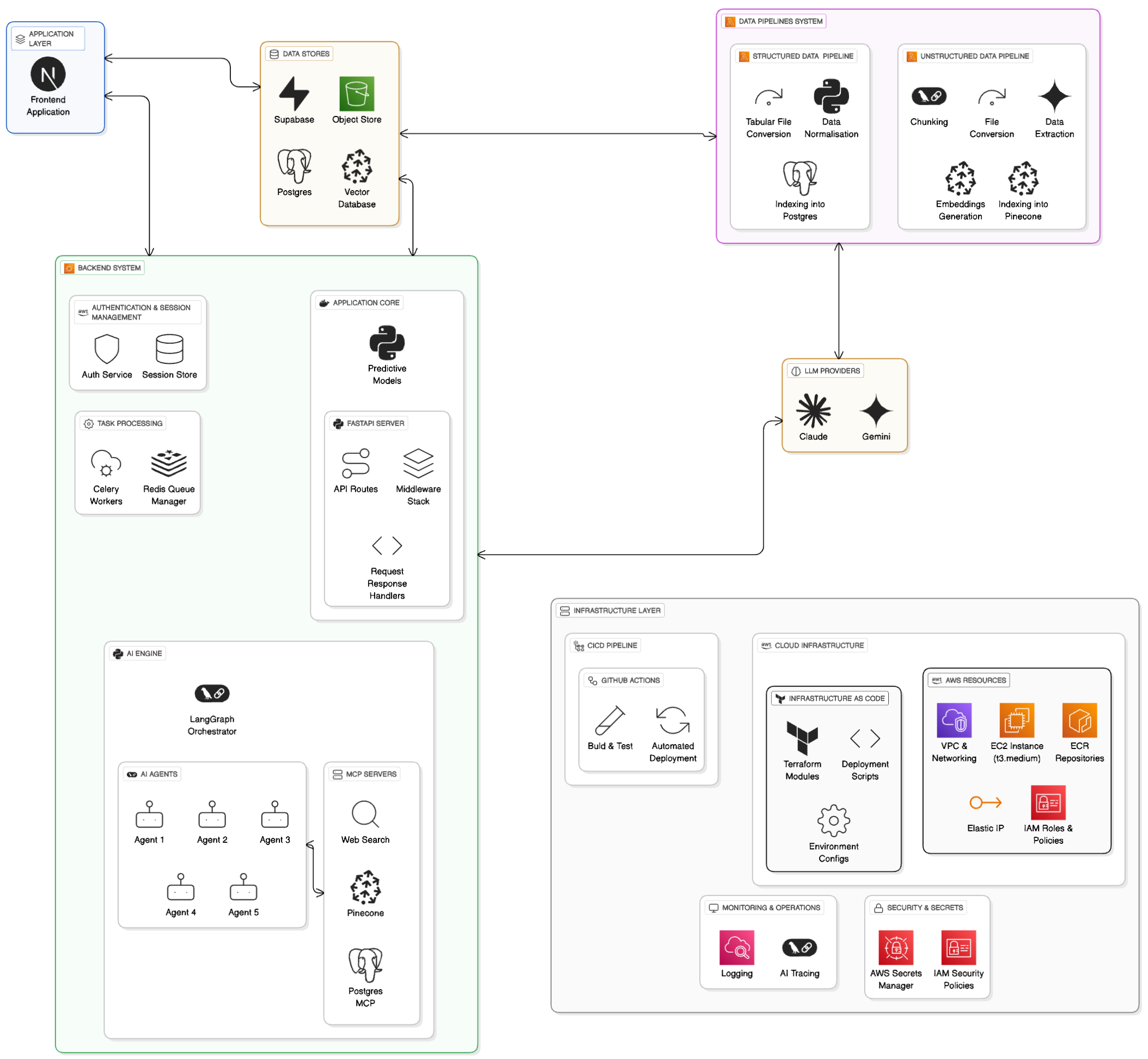
_A high level architecture of the POC we built using Claude Code_
### Frontend Journey
Our starting point was code downloaded from a Lovable app that the product manager on our team had created. This was a vite.js app that Claude Code was able to port this to Next.js quite effectively. It's worth noting that services like nextlovable.com are now charging for this specific type of migration, but Claude Code handled it seamlessly as part of our broader development goals. We migrated to Next.js since our comapany uses Vercel for deployments.
### Backend Development
The backend consists of a FastAPI server handling the core application logic. We implemented authentication and session management using Supabase, set up Celery workers for async task processing of AI Agents in our system, and used Redis for job distribution.
We used LangGraph for orchestration and created specialized AI agents for different types of risk assessments. Each agent has its own connections to various data sources including Pinecone for vector search, web search capabilities, and PostgreSQL databases, all connected through the Model Context Protocol (MCP).
### Infrastructure and Data Pipelines
On the infrastructure side, we used AWS EC2 for compute, ECR for container management, Secrets Manager for credential handling, Elastic IPs, CloudWatch for monitoring, and other AWS services.We also integrated Langfuse for tracing our AI workflows.
For data handling, we built separate pipelines for ETL processes, with distinct approaches for structured and unstructured data sources.
The next few sections talk about what worked vs what didn't for me when using Claude Code, but they apply to my experiences with Agent-assisted coding in general.
## The Good: Where Claude Code Shined
### Productivity Multiplier
Claude Code excels at handling boilerplate code and low-stakes tasks, and frankly, it makes coding fun again. The rapid prototyping capabilities are impressive. It automates many parts of software engineering: refactoring, designing factory patterns, writing DevOps scripts, and in some cases even project management tasks.
A perfect example was when I was working with the Lovable app frontend code. The app wasn't using any state management system, and from my familiarity with building React.js apps many years ago, I knew how complex passing state down components using props can become. I asked Claude Code to analyze the codebase and suggest options for a state management library. It gave me multiple options with trade-offs for each, and I settled on using Zustand. Claude Code then performed the entire migration to Zustand without any breaking changes, threading the state management through dozens of components while maintaining all existing functionality.
However, care should be exercised as your codebase becomes complex or as you move toward production. Proper data modelling, strict types, abstractions, and API contracts become more critical. You also need to know when it's going down the wrong path and intervene before it wastes time and tokens - more on this in a moment.
### Knowledge Transfer
Claude Code serves as a learning accelerator for unfamiliar domains. When I was working on the frontend migration, despite not being a frontend expert, I was able to understand the architectural decisions it was making and learn Next.js patterns in the process. Similarly, with infrastructure work, it taught me Terraform concepts while implementing the actual resources.
Will I retain everything I learned from Claude Code? Probably not. But with enough repetition, I aim to retain knowledge about the core frameworks and patterns I use regularly. What's also important is gaining the intuition about when to dig deeper into my AI pair programmer's work and when to let it drive.
The caveat here is that you need to know when it's not telling you the complete truth. Rely on your own judgment and verify its explanations, especially in domains where you have some existing knowledge. In domains where you have no expertise but still need to get the job done, you'll need to invest time asking multiple LLMs for different perspectives or studying up on your own to build that foundational understanding.
### Solving Bugs
I've found Claude Code invaluable as a first responder when issues arise. Rather than immediately trying to fix problems, I use it primarily for data gathering and analysis. When something breaks, Claude Code excels at quickly scanning through logs, tracing error patterns across multiple files, and identifying potential root causes.
For instance, when our API endpoints started returning inconsistent responses, I had Claude Code analyze the request/response flow, examine our middleware chain, and cross-reference recent changes (from Git logs) with the error patterns. Most of the times, it was able to solve the problem without additional inputs from me. Other times, it gathered all the relevant context and presented a clear picture of what was happening. This allowed me to focus on the actual problem-solving rather than spending time building the context in my own head.
This approach works particularly well because Claude Code can process large amounts of code and logs much faster than I can manually, while I retain the critical thinking needed to interpret its findings and determine the actual solution.
### PR Review Assistant
Claude Code makes for a good starting point in PR review processes. You can ask it to analyze changes, spot potential issues, and suggest improvements. However, it's not a replacement for human review. It won't catch everything, particularly business logic issues or subtle architectural problems.
## You're absolutely right! Human expertise is still critical.
### Quick Wins vs Long-term Codebase Health
Lazy prompting or not checking Claude Code's work will lead to misaligned solutions that become headaches in the long run. This is perhaps the most insidious issue because the code often works initially, masking deeper problems that only surface later.
**The "Just Make It Work" Trap**: When you give Claude Code vague instructions like "fix the authentication issue" or "make the API faster," it will find a solution, but not necessarily the right solution for your specific context. In our project, I've seen it try to implement caching mechanisms when the real issue was inefficient database queries, or add authentication middleware that conflicts with existing security patterns. The immediate problem gets solved, but you're left with a system that's harder to understand and maintain.
**Compounding Misalignment**: Things get extra complex when these misaligned solutions build on each other. Each subsequent task assumes the previous implementation was correct, leading you further down a path that doesn't serve your actual needs. I've wasting hours untangling code where Claude Code had made a series of reasonable-seeming but ultimately wrong architectural decisions because I hadn't provided sufficient context about the system's true requirements.
**Pay the Engagement Tax**: You need to think deeply about the changes Claude Code is making and understand the reasoning behind them. More than micromanaging every line of code, it means staying engaged with the architectural decisions and trade-offs being made. Staying engaged when it asks you to review a diff. If you're not actively participating in the process, you'll end up with code that works for the demo but breaks down as your requirements evolve or scale.
### Technical Debt Accumulation
I've seen Claude Code create technical debt in several ways, and understanding these patterns has been crucial for maintaining code quality.
In contrast to the point I made about it erring on the side of quick wins, **Over-engineering simple problems** is also a common issue. Claude Code tends to default to _enterprise-grade_ solutions even when simpler approaches would suffice. For example, I ended up with a complex service layer for making API requests in the frontend, complete with abstract classes, dependency injection, and configuration management, when I could have simply used something like Axios with a few helper functions. The abstraction led to me wasting a few hours - more on that in a second.
**Incomplete cleanup during migrations** is another persistent problem. When migrating approaches or refactoring, Claude Code may miss cleanup tasks or leave behind orphaned code. These stale files don't just clutter your repository; they actively pollute the context for future AI-assisted work. When we ported our frontend app from Vite to Next.js, configuration files, unused imports, and deprecated components remained scattered throughout the codebase. In subsequent tasks, Claude Code would reference these obsolete files and generate code that mixed old and new patterns, creating inconsistencies that took significant effort to untangle.
**Loose typing for expedience** happens when Claude Code prioritizes getting something working over doing it properly. Without explicit instructions to maintain strict typing, it will generate loosely typed code to get the job done with minimal thinking (or tokens). We've all done this under deadline pressure! This leads to defining TypeScript interfaces or Pydantic models in multiple places, using `any` types as escape hatches, and creating runtime issues that could have been caught at compile time. The immediate productivity gain becomes a long-term maintenance burden.
The key insight here is that Claude Code optimizes for immediate task completion rather than long-term codebase health. You need to explicitly guide it toward sustainable patterns and regularly audit its work for these common debt patterns.
### Context Limitations
Even with the 200,000 token limit, Claude Code loses track of the bigger picture when your project grows complex. As your codebase grows, Claude Code starts making decisions that make sense locally but conflict with patterns established elsewhere, or fail to understand the intended boundaries between different parts of your system. It can also sometimes be blind to dependency cascades.
**The solution is you, the architect.** You need to maintain the architectural vision and provide specific instructions about how different parts of the system should interact. This means creating explicit guidelines about module responsibilities, data flow patterns, and integration points. I've started maintaining multiple architecture documents that I reference in prompts, and asking Claude Code to explain how its proposed changes fit into the broader system before implementing them. An approach that one of my friends told me about, is to have multiple Claude.md files for different components of the system, that include knowledge of how the components interact with one another.
### The Schema Validation Story
Here's a specific example of where human expertise proved critical. I was implementing type sharing across my entire codebase and asked Claude Code to use Zod for real-time data validation from APIs. Soon it started hitting issues parsing "complex" Zod schemas to TypeScript. After wasting several dollars worth of tokens trying to fix the schema parsing, I stepped back and thought about why we had complex Zod schemas in the first place.
I realized that using the complex abstract API service layer, mentioned earlier, with abstract expected types for request/responses was causing the issue. Simplifying the API layer fixed the problem entirely. This is not a "fix" for the issue in the traditional sense of writing code that solves the presenting problem. But it made architectural sense, and required understanding the root cause rather than treating the symptoms. This sort of expertise comes from you as the developer. You understand the business rules, the frameworks being used, and can determine the pros and cons when your AI peer programmer can't.
### The Shortest Path Problem
If you're not specific about your goals and instructions, AI-assisted coding tools will take shortcuts. I've seen Claude Code suggest commenting out failing tests when it couldn't figure out the fix in a couple iterations.
It's fine for this to happen if you're being careful about what you're approving and actually reviewing your agent's work. You'll catch these shortcuts early and help it align to solve actual problems instead of papering over them.
## Conclusion
After two months of intensive use, it's clear that tools like Claude Code are force multipliers that are improving at a breathtaking pace. We've seen how they excel at productivity acceleration, knowledge transfer, and handling the mechanical aspects of coding, while also creating new challenges around technical debt, context limitations, and the need for careful oversight. The engineers who will take the best advantage of these tools are those with sound foundations across their domains of expertise. You still need to understand systems design, recognize good code from bad, and maintain the bigger picture that AI tools struggle with.
After my first week with Claude Code, I was genuinely scared for my career. I felt obsolete and worried about my future income-earning capability. I had an identity crisis worse than any I'd experienced before and thought deeply about what the rise of this new paradigm of programming meant.
Instead of protecting my existing skills or mocking "vibe coding" online, instead of looking at these coding tools as competitors, I started using Claude Code day in and day out. This gave me glimpses of where human ingenuity still matters, even in fields like software engineering.
To be honest, with the pace of improvements to LLMs and agentic softwares, some of my complaints above may be invalid in the future. I may spend zero hours helping Claude Code and be 100% confident that it understands me and completes its assigned work perfectly. But this evolution will also open up my time for strategic thinking and systems-wide work, or allow me to focus more on the human side of solving engineering problems.
For now I am filled with hope that the partnership between human insight and AI capability is about amplification rather than replacement. Claude Code handles the mechanical aspects of coding while I focus on architecture, business logic, and strategic decisions. That division of labor feels sustainable and, frankly, more interesting than writing boilerplate code all day.
This experience has left me with thoughts about where software engineering as a profession is heading. In my next post, I'll explore what I think the future holds for software engineers in an AI-assisted world, and some lessons and best practices from the trenches using tools like Claude code, day in day out.
---
# Understanding MCP: How the Model Context Protocol Solves AI's Integration Problem
Source: https://sajalsharma.com/posts/understanding-mcp/
Author: Sajal Sharma
Published: 2025-06-21
Tags: ai-engineering, ai-agents, llms
A complete overview of Model Context Protocol (MCP) and how it solves the M×N integration problem in AI development by creating a standardized interface between AI applications and external tools.
## Introduction
> Note: This post focuses on the conceptual architecture and practical implications of MCP rather than implementation details. If you're looking for code examples and step-by-step implementation guides, stay tuned for an upcoming deep dive into building MCP servers and clients.
### What’s an MCP?
You’ve probably come across this analogy: _“MCP is like USB-C for AI.”_
While it sounds intuitive at first, I find it a bit reductive. It made my engineering brain do a double take: _“Wait, what exactly does that mean?”_
The analogy works from a marketing perspective, but we need to understand the deeper technical implications and architectural patterns that make this comparison meaningful. And so began a journey to make sense of MCP and why exactly it _is_ like USB-C for the AI ecosystem.
The **Model Context Protocol (MCP)** is an open standard that defines a uniform way for AI models (especially LLMs) to access external data and tools. At its core, MCP solves the fundamental challenge of AI isolation - the reality that even the most sophisticated models are severely limited by their separation from real-world tools and data sources. Just as USB-C created a universal interface that eliminated the chaos of proprietary connectors, MCP creates a standardized protocol that eliminates the fragmented landscape of AI-to-tool integrations.
This standardization unlocks some truly awesome capabilities that were previously either impossible or prohibitively complex to implement. But to understand why MCP represents such a paradigm shift, we first need to examine the fragmented world that existed before it - and why the old approaches simply couldn't scale.
### A World Without MCPs - The MxN Problem
#### **Tool Use / Function Calling**
Before MCP existed, shipping an LLM-based AI product connected to external systems (hereby known as tools) meant wiring these up through something known as **function calling**. The process worked by declaring a JSON schema for each operation and passing it to an LLM invocation. If the LLM returned a _function_call_ in the response along with parameters to execute the call, our backend system could execute it, get a result, and glue it back to a subsequent LLM invocation.
This approach worked fine for simple use cases, but it came with significant limitations. Different LLMs spoke different dialects - OpenAI used one schema format, Anthropic used another, and Google's Gemini had its own variations. This meant duplicating schemas and orchestration code for each LLM provider. Tools and their capabilities were discovered statically by the LLM since we passed them in each invocation, creating a rigid, compile-time dependency structure.
As products grew in scope - whether building multiple features within a single product or developing different products entirely - this approach quickly became unwieldy, leading to what's known as the **M×N integration problem**: connecting M AI applications with N external tools required M×N custom integrations.
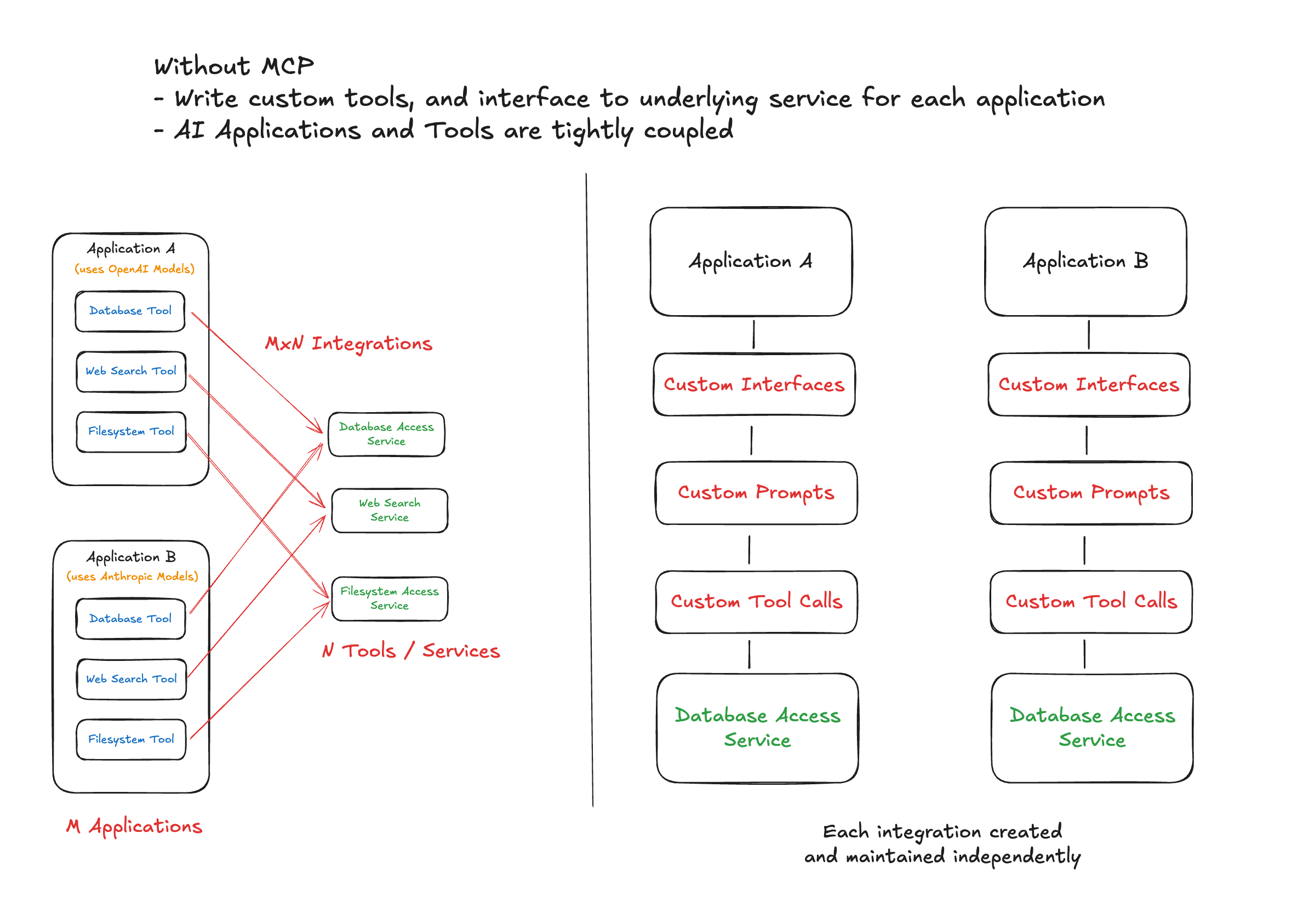
#### Fragmented AI Development
This way of building agentic applications was exhausting and fragmented. Every external system connection required writing custom tools from scratch. For each integration, developers needed to handle:
- **Custom prompts & business logic** tailored to each LLM's expectations
- **Connection management** to underlying services with different authentication patterns
- **Schema translation** - tweaking the same tool for different LLMs due to format variations
- **Maintenance overhead** - a change in an LLM or underlying service meant updating the integrations across the spectrum
This M×N problem created several pain points that became increasingly apparent as the AI ecosystem matured:
**Developer Experience Issues:**
- Constant context switching between different integration patterns
- Fragile code that broke when providers updated their APIs
- No standardized way to discover available tools
- Duplicated effort across teams building similar integrations
**Organizational Scalability Crisis:**
I cannot stress enough how this approach was not scalable from an organizational perspective. Since tool implementations were tightly coupled with AI features, each team had to own both the feature and the tool - there was no way to have separate teams dedicated just to tools. This created several critical problems:
- **No separation of concerns**: AI feature teams became bottlenecked by having to also become experts in every external system they needed to integrate
- **Expertise dilution**: Teams couldn't specialize - they had to be generalists across AI logic, business requirements, AND external system APIs
- **Resource inefficiency**: Multiple teams would independently build similar integrations to the same external systems
- **Knowledge silos**: Tool knowledge was trapped within feature teams, preventing reuse across the organization
- **Scaling bottlenecks**: Adding new AI features required either expanding existing teams' scope or duplicating integration work
The AI ecosystem needed a better way to connect applications with tools without all this integration chaos, and Anthropic rose up to the challenge.
#### The Copy-Paste Problem: An End User's Perspective
> "We were constantly copying and pasting information from external systems into Claude when we needed to work on tasks."\*
> — MCP Creators in this [video](https://youtu.be/CQywdSdi5iA?si=jP19MhQw_oqfF4hy&t=199)
This should hit home for anyone who's used AI assistants for any extended work. Before MCP, the workflow looked like this: Ask Claude to help with a task, Claude asks for data from your CRM or database or files, you switch to another app to find the data and copy it, paste it back into Claude, then repeat this dance every few minutes. It felt like I was the AI's assistant instead of the other way around.
With MCP-enabled Claude Desktop, this friction is minimised. Claude can directly access your files, databases, APIs, and tools (based on constraints that you place) without you having to play data courier. It's one of those "you don't realize how annoying something was until it's gone" moments
### Model Context Protocol Architecture
MCP follows a client-server architecture that consists of three main components that work together to create a bridge between AI applications and external tools.
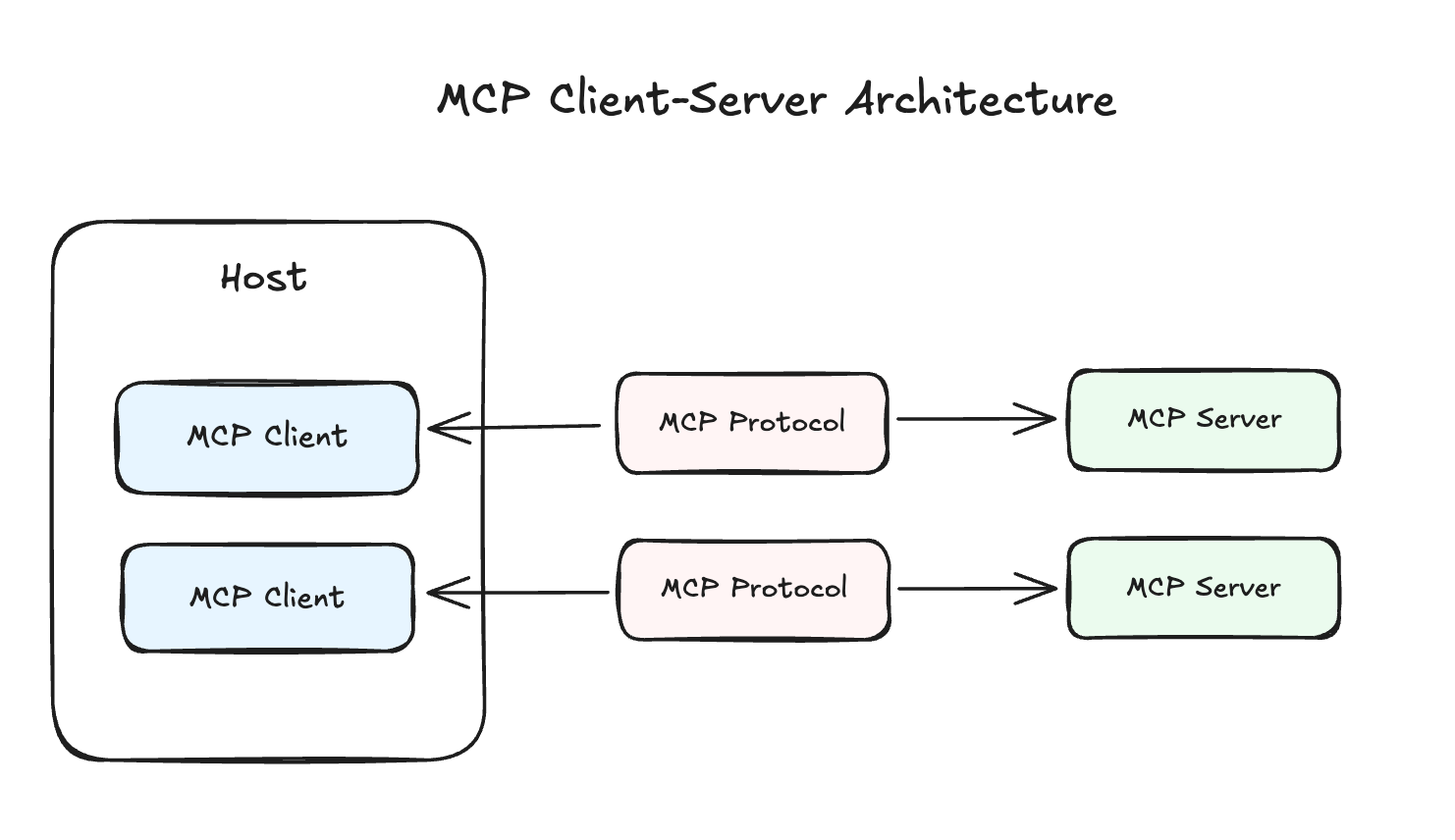
**Hosts** are the LLM applications that want to access data through MCP - think Claude Desktop, IDEs, or the custom AI agents you've built. These hosts contain **MCP Clients** that maintain 1:1 connections with servers, handling the protocol details so the host application doesn't need to worry about the underlying communication mechanics.
**MCP Servers** are programs that each expose specific capabilities through the MCP protocol. Rather than building monolithic integrations, you can deploy focused servers that each handle a particular external system - one for your database, another for your CRM, another for an API endpoints. Or, you can consider building a MCP server that group together these external systems based on your AI applications features. These MCP servers are reusable by various AI applications.
Let’s take a look at MCP Clients and MCP Servers in a bit more detail.
#### MCP Clients
MCP Clients are the protocol handlers that live within host applications. They're responsible for invoking tools, querying for resources, and interpolating prompts - essentially acting as the translation layer between your AI application and the MCP server.
MCP Clients provide some key capabilities that enhance the protocol’s functionality. Two important ones are **Roots** and **Sampling.**
**Roots** are URIs that a client can suggest to a server to limit its operational scope. For example, you might specify that a file system server should only operate within specific directories, or that an HTTP server should only access certain endpoints. This provides multiple benefits: enhanced security by limiting server access to only necessary resources, improved clarity by keeping servers focused on relevant data, and versatility since roots work for both file paths and
URLs.
**Sampling** allows servers to request inference from the LLM they're connected to. More on this in a minute.
#### MCP Servers
MCP Servers expose three fundamental types of capabilities that work together to create rich, contextual AI interactions. The key capabilities that these servers provide are **Tools**, **Resources**, and **Prompt Templates**.
**Tools** are functions that can be invoked by the model, for example: retrieving data, sending messages, or updating databases. These are your traditional "function calls" but standardized through the MCP protocol.
**Resources** work like GET requests - they're read-only data exposed to the application. The key insight here is that while the resource interface is read-only, the underlying data can still be dynamic. Examples include files, database records, or API responses. Using resources instead of tools creates better separation of concerns, much like how REST APIs distinguish between data retrieval and data modification endpoints.
**Prompt Templates** might be the most underrated feature of MCP. These are pre-defined templates for AI interactions that shift the prompt engineering burden from AI application developers to MCP server builders. Instead of every developer having to figure out the optimal way to prompt for document Q&A or transcript summarization, the server can provide battle-tested templates that work consistently across different use cases.
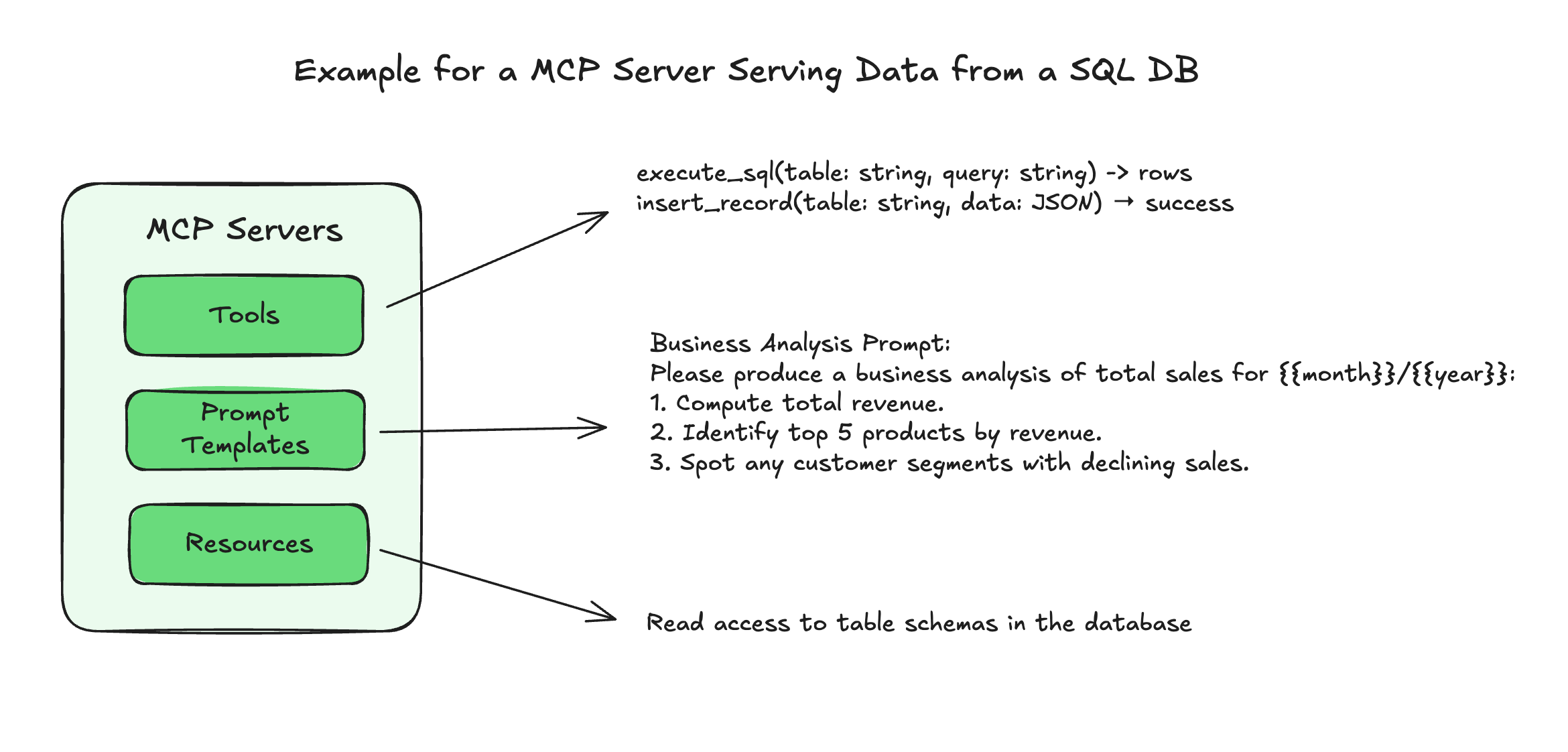
### MCP Concepts
Without going into a lot of details, there are several concepts to be aware of when building MCP Servers, or AI applications that interact with them.
#### Transports
A transport handles the underlying mechanics of how messages are sent and received between client and server. MCP offers several transport options depending on your deployment needs.
For servers running locally, **stdio** transport is the simplest option. It uses standard input and output streams, making it perfect for desktop applications and command-line tools with zero network overhead.
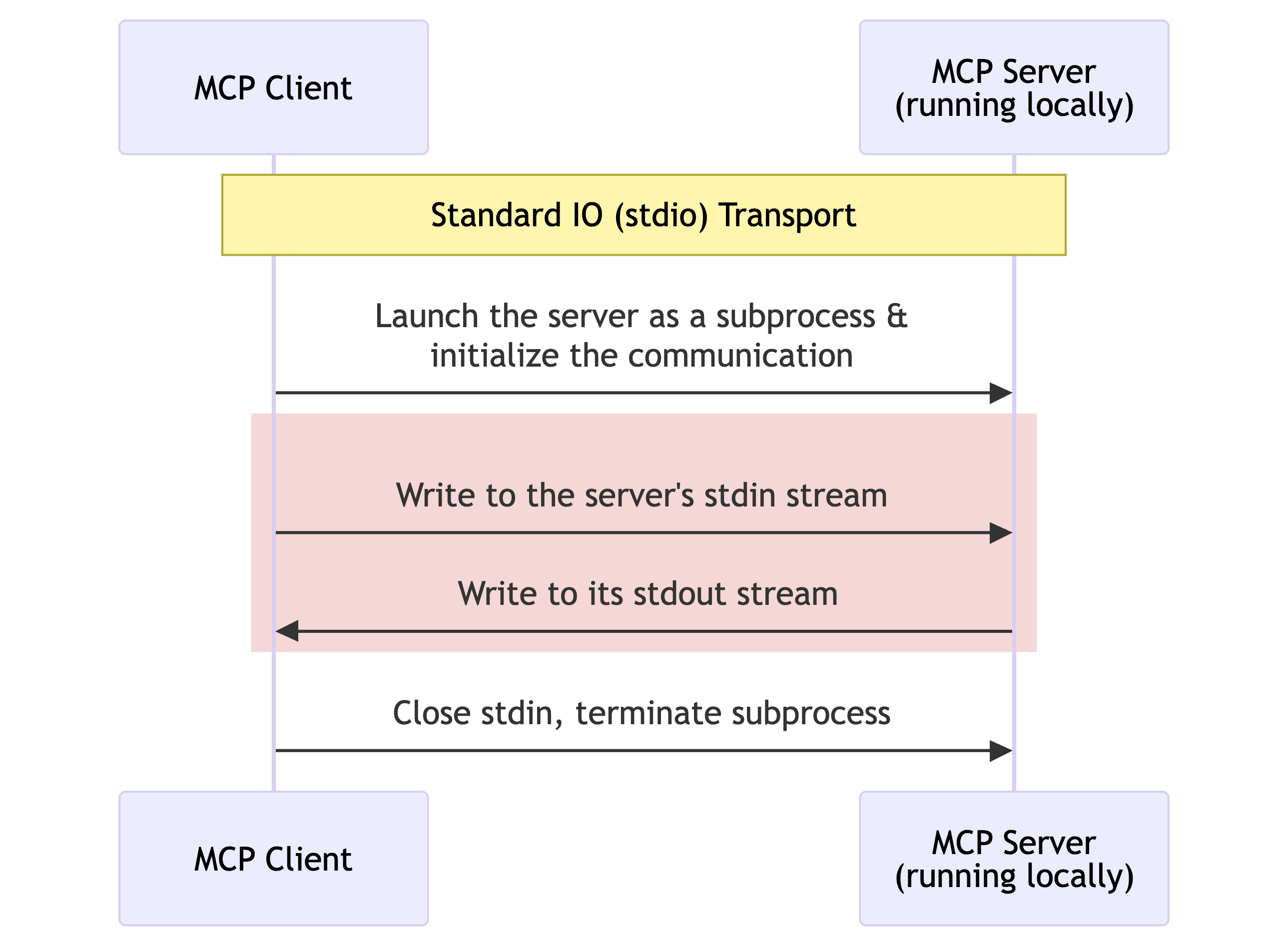
_Sequence diagram showcasing the Stdio Transport for MCP._
For remote servers, MCP supports two HTTP-based transports. **Server-Sent Events (SSE)** provides HTTP-based communication with real-time capabilities and bidirectional communication. At the time of writing, SSE has since been deprecated and is in the process of being phased out by most MCP Servers.
**Streamable HTTP** is the modern replacement for SSE and offers better deployment flexibility and supports both stateless and streaming operations. This transport is useful when you need the reliability of HTTP but want to maintain the real-time characteristics that make MCP powerful.
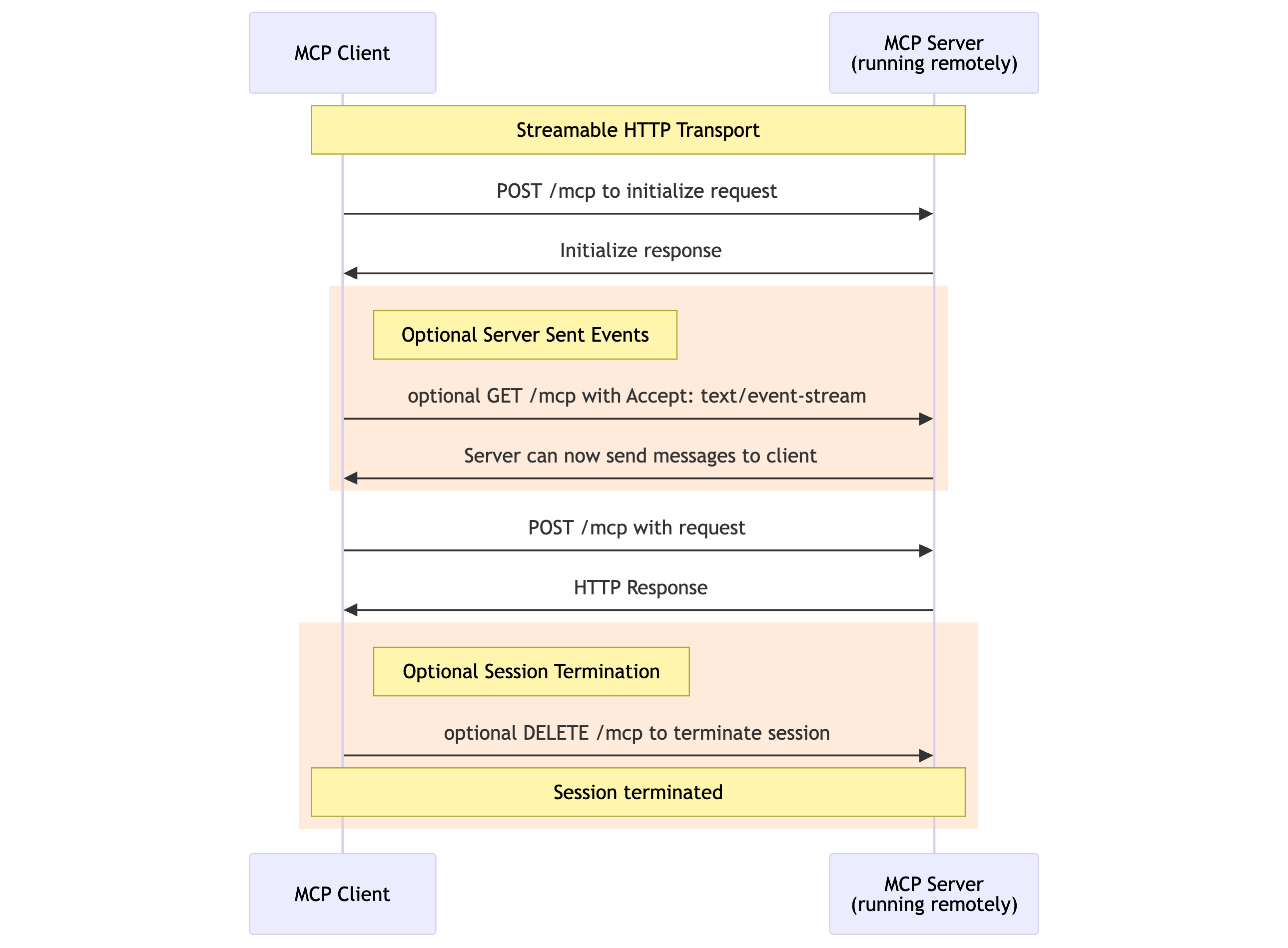
_Sequence diagram showcasing the Streamable HTTP Transport for MCP._
#### Sampling
Sampling represents an inversion of the traditional client-server relationship. Instead of clients always requesting services from servers, sampling allows servers to request completions from clients, giving the user application full control over security, privacy, and cost.
The client handles LLM connections, model selection, and inference management, while the server can specify model preferences, system prompts, temperature settings, and token limits. This creates a powerful pattern where servers can leverage the intelligence of the connected LLM as part of their processing pipeline without needing to manage LLM infrastructure themselves.
#### Composability
An MCP client can also be a server, and vice versa. This composability enables complex, multi-layered architectures where different components can interact in sophisticated ways.
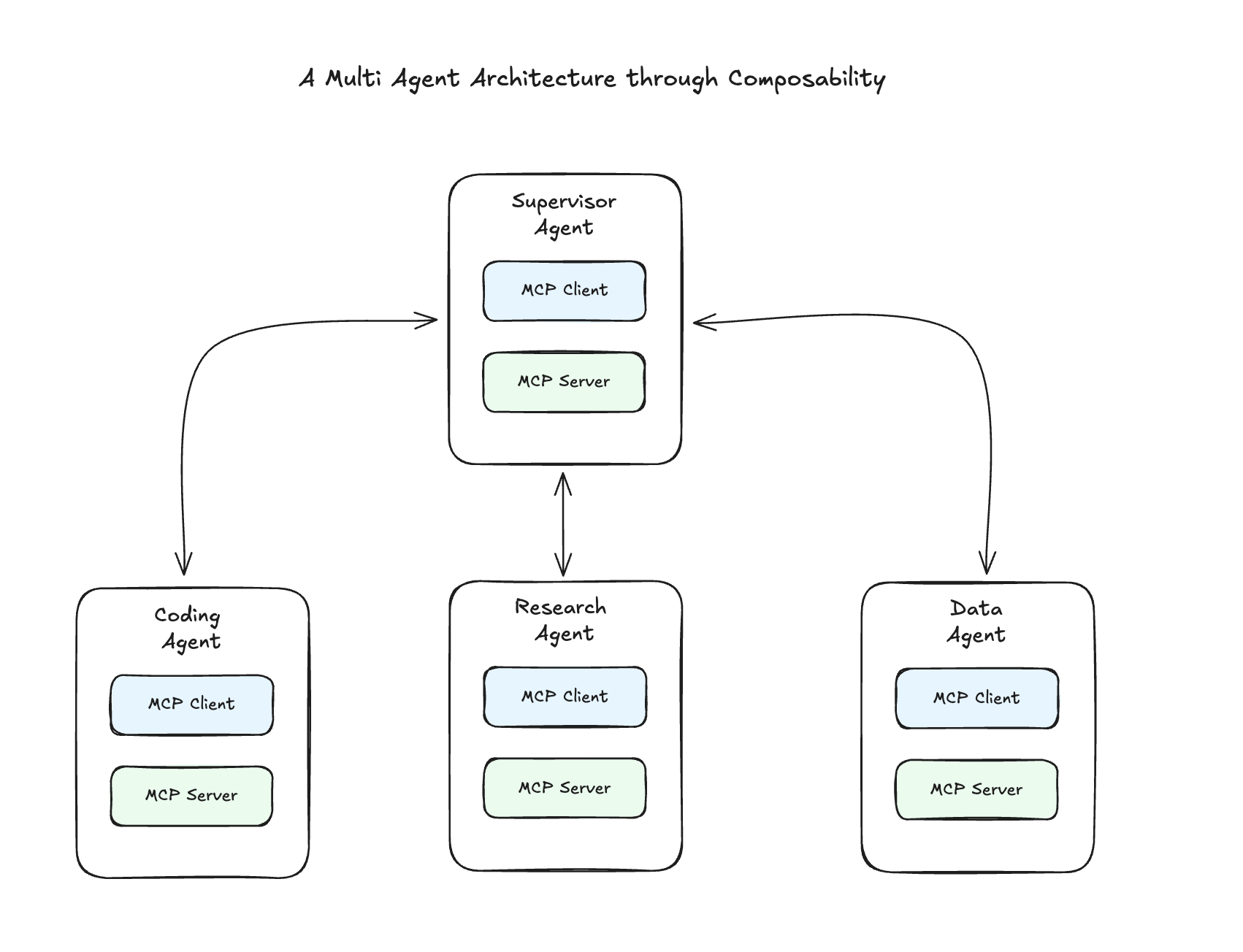
When you combine sampling with composability, you get truly powerful patterns. A server can receive a request, use sampling to get an LLM completion, process that result, and then forward it to another server in a chain. This creates processing pipelines that leverage both AI intelligence and traditional computational resources.
#### **Authorization**
MCP's authorization approach depends on which transport you're using. For STDIO transport (MCP servers hosted ocally), you simply use environment variables - the MCP server reads service credentials from the environment and handles API authentication behind the scenes.
For HTTP-based transports, MCP implements OAuth 2.1 with specific security requirements. The protocol supports Dynamic Client Registration, allowing clients to automatically obtain credentials without manual setup.
MCP servers choose which OAuth grant types to support based on their use case. Authorization Code flow works when acting on behalf of human users (like accessing someone's GitHub repos), while Client Credentials flow suits application-to-application scenarios.
For Authorization Code flows, PKCE is mandatory to prevent code interception attacks. PKCE works by having the client generate a random "code verifier", send a hash of it during authorization, then provide the original verifier when exchanging the code for tokens - ensuring only the legitimate client can complete the flow.
## A World with MCPs
#### Rapid Adoption
Since its launch in November 2024, MCP has seen significant adoption across the AI ecosystem. The protocol has grown to over **7,000 active MCP servers** (source: [smithery.ai](http://smithery.aihttps://smithery.ai/)) across community directories, with major AI providers including OpenAI, Google, and Microsoft adding support despite being competitors to Anthropic, the protocol's creator.
The viral moment came in February 2025 during the AI Engineer Summit, where [an MCP workshop](https://www.youtube.com/watch?v=kQmXtrmQ5Zg) garnered over 200,000 combined views across platforms. The community response has been unprecedented, with over [**thousands of community-built servers** appearing on GitHub and new integrations being published daily](https://github.com/modelcontextprotocol/servers).
What makes MCP's adoption truly remarkable is how quickly major AI providers have embraced it - even competitors to Anthropic, the protocol's creator. **OpenAI's adoption in March 2025** was particularly significant, with CEO Sam Altman stating: [_"People love MCP and we are excited to add support across our products."_](https://techcrunch.com/2025/03/26/openai-adopts-rival-anthropics-standard-for-connecting-ai-models-to-data/) This represented a rare moment of industry alignment,
where competing companies recognized the mutual benefit of standardization. Others have followed suite, including [Google](https://www.androidheadlines.com/2025/04/google-adopts-anthropics-mcp-standard-protocol-ai-data.html) and [Microsoft](https://code.visualstudio.com/docs/copilot/chat/mcp-servers).
Enterprise adoption has followed, an example being [**Block (Square) deploying MCP company-wide** across their engineering, data, and design teams](https://block.github.io/goose/blog/2025/04/21/mcp-in-enterprise/).
#### Standardized AI Development
MCP fundamentally changes how we architect AI applications by solving the M×N integration problem. Instead of requiring M AI applications × N external tools custom integrations (M×N complexity), MCP creates a standardized interface that reduces this to M + N: each AI application connects to MCP once, and each external system exposes one MCP server.
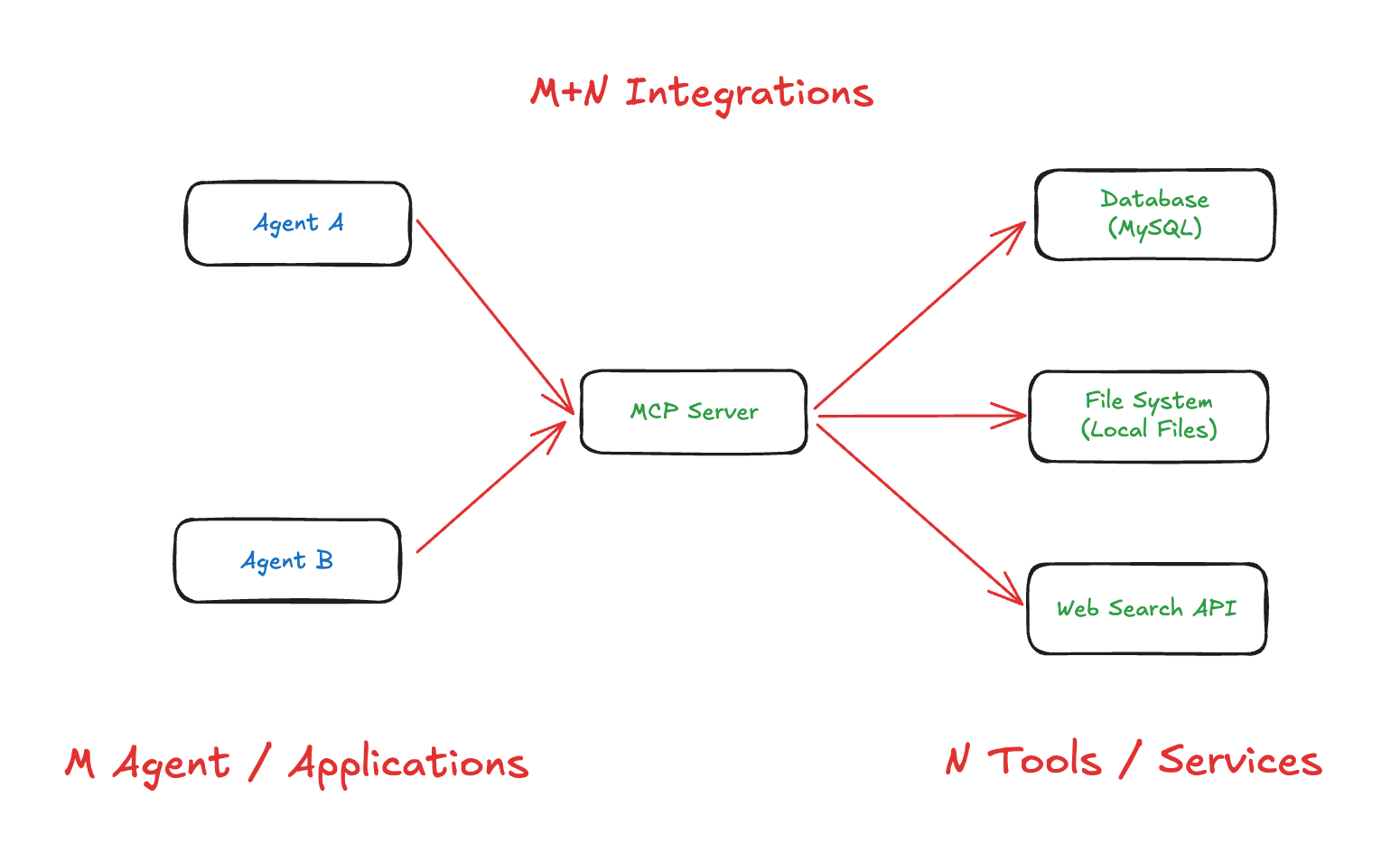
This architectural shift means rather than each AI application implementing its own database connectivity, file system access, or API integrations, we can leverage a shared ecosystem of standardized servers. The standardization extends beyond just tools - MCP servers can provide the entire integration package including prompts, resources, and tools that work consistently across different AI applications.
A good example is [DBHub](https://github.com/bytebase/dbhub), a universal database gateway that implements the MCP server interface. Instead of building custom database connectors for PostgreSQL, MySQL, SQLite, and other databases in every AI application, DBHub provides a single MCP server that can connect to and explore different databases. Any MCP-compatible client can now access multiple database types through this standardized interface.
Since MCP servers are decoupled from AI applications, agents can be extended even after deployment. You can build an MCP server once (or use community-built ones) and plug them into any MCP-compatible system - whether that's Claude Desktop, a custom agent built with LangGraph, or the OpenAI Agent SDK.
#### MCP vs Function Calling: When to Choose What
Does function calling still have a place in the AI ecosystem? The decision between MCP and traditional function calling depends on your specific use case, organizational structure, and performance requirements.
**Function calling makes sense** when you're building simple, single-purpose applications where the tight coupling between your AI logic and external systems isn't a problem. If you're working with a single LLM provider, have a small team that can manage the integration complexity, and need maximum performance with minimal latency, traditional function calling might be the right choice. The direct integration approach eliminates the protocol overhead and gives you complete control
over the implementation.
**MCP becomes valuable** when you're building multiple AI applications that need similar capabilities or want to leverage community-built integrations. If you need to support multiple LLM providers, have separate teams handling AI features versus infrastructure, or want to future-proof your architecture for unknown future requirements, MCP's standardized approach pays dividends. The protocol's decoupling allows for better separation of concerns and easier maintenance as your
system grows. As mentioned previously in the blog post, there’s a high chance that an MCP server already exists to connect to your external service of choice.
The performance trade-off is real but typically manageable. MCP adds 10-50ms per call compared to direct function calling, which is negligible for most applications but could matter for high-frequency, low-latency use cases. However, the architectural benefits of standardization, reusability, and maintainability usually outweigh this small performance cost, especially as applications scale beyond simple prototypes.
#### MCP Server Directory and Tooling
**Official GitHub Registry**
The primary MCP ecosystem centers around Anthropic's GitHub repository, which hosts reference implementations and community servers covering everything from file system access to enterprise software integrations. Installation is straightforward through package managers like `npx` for Node.js servers or `uvx` for Python servers.
**Community Directories**
Several community-driven directories have emerged to organize the growing collection of MCP servers. Smithery (smithery.ai) has become the leading registry, hosting over 7,000 capabilities across thousands of servers with one-click CLI installation that integrates with Claude Desktop and Cursor. Other notable directories include MCP Registry (mcpregistry.click) as a unified ecosystem source and PulseMCP (pulsemcp.com), which curates over 1,700 servers with weekly updates on
new releases.
_Smithery directory showcasing over 7,000 skills and extensions exposed through MCP servers_
**Development Tools**
The development ecosystem includes essential tools like MCP Inspector for debugging server development and FastMCP for rapid prototyping. Official SDKs are available for TypeScript, Python, Java, C#, Swift, and Rust, with templates and boilerplates available for common use cases. Whether building simple file access or complex API integrations, developers can typically find a starting point to customize.
**MCP Client Integration**
Most popular AI agent frameworks now have official MCP client integrations, making it easy to connect your agents to MCP servers. LangGraph provides native MCP support through their client libraries, while frameworks like CrewAI, AutoGen, and the OpenAI Agent SDK include built-in MCP connectivity. This means you don't need to build MCP clients from scratch - your framework of choice likely already has the integration tools you need to connect to the server ecosystem.
**Practical Impact**
This directory ecosystem means developers can often find pre-built servers instead of building custom integrations. Community-maintained servers leverage collective expertise from specialists who understand those integrations deeply, providing battle-tested implementations that extend beyond just development speed to include optimization and reliability that would be difficult to achieve independently.
## Conclusion
The Model Context Protocol addresses a core problem in AI application development: the complexity of connecting models to external systems. By standardizing how AI applications access tools, resources, and data, MCP reduces integration complexity from M×N custom connections to M+N standardized interfaces.
The adoption pattern speaks for itself. Major AI providers have implemented support despite being competitors, thousands of community servers have emerged, and enterprise deployments are becoming common. This suggests MCP is filling a genuine need in the AI development ecosystem rather than just being another protocol.
For developers, MCP offers practical benefits: reduced integration work, access to community-built servers, and the ability to extend AI applications after deployment. The organizational benefits are equally significant - teams can specialize in either AI features or infrastructure without being forced to handle both.
Whether you're building a simple AI tool or scaling an enterprise platform, MCP provides a path to more maintainable and extensible AI applications. The protocol handles the integration complexity so you can focus on the AI capabilities that matter to your users.
---
# Agentic RAG Series - Part 3: Building a Comprehensive Agentic RAG Workflow: Query Routing, Document Grading, and Query Rewriting
Source: https://sajalsharma.com/posts/comprehensive-agentic-rag/
Author: Sajal Sharma
Published: 2025-05-31
Tags: llms, ai-engineering, langchain, langgraph, rag, nlp, ai-agents
A tutorial on building an advanced agentic RAG workflow that combines query routing, document grading, and query rewriting using LangGraph to create a robust, self-correcting retrieval system.
## Introduction
Welcome to the third installment in my Agentic RAG series! Building upon the foundations laid in my previous posts on [Introduction to Agentic RAG](https://sajalsharma.com/posts/introduction-to-agentic-rag/), [Query Router Implementation](https://sajalsharma.com/posts/agentic-rag-query-router-langgraph/), and [Corrective RAG Implementation](https://sajalsharma.com/posts/corrective-rag-langgraph/), this tutorial presents a comprehensive agentic RAG workflow that combines multiple sophisticated patterns to create a robust, self-correcting retrieval system.
In traditional RAG systems, we often encounter scenarios where:
- Retrieved documents are irrelevant or only partially answer the question
- A single retrieval source isn't optimal for all query types
- The initial query formulation leads to poor retrieval results
- The system lacks the ability to recognize and correct its own failures
This post demonstrates how to build an advanced agentic RAG workflow that addresses all these challenges by incorporating:
- **Query Routing**: Directing queries to the most appropriate data source (vector database, web search, or direct LLM response)
- **Document Relevance Grading**: Evaluating retrieved documents for quality before using them
- **Query Rewriting**: Reformulating queries when initial retrieval fails
- **Self-Corrective Mechanisms**: Recognizing when no relevant information exists and responding appropriately
A github repository for this project can be found [here](https://github.com/sajal2692/llm_tutorials/tree/main/blog_posts/adaptive_agenic_rag). I recommend cloning the repository and running the code to see the results for yourself.
## Architecture Overview
Our comprehensive agentic RAG workflow orchestrates multiple decision points and feedback loops to ensure high-quality responses. Here's the complete flow:
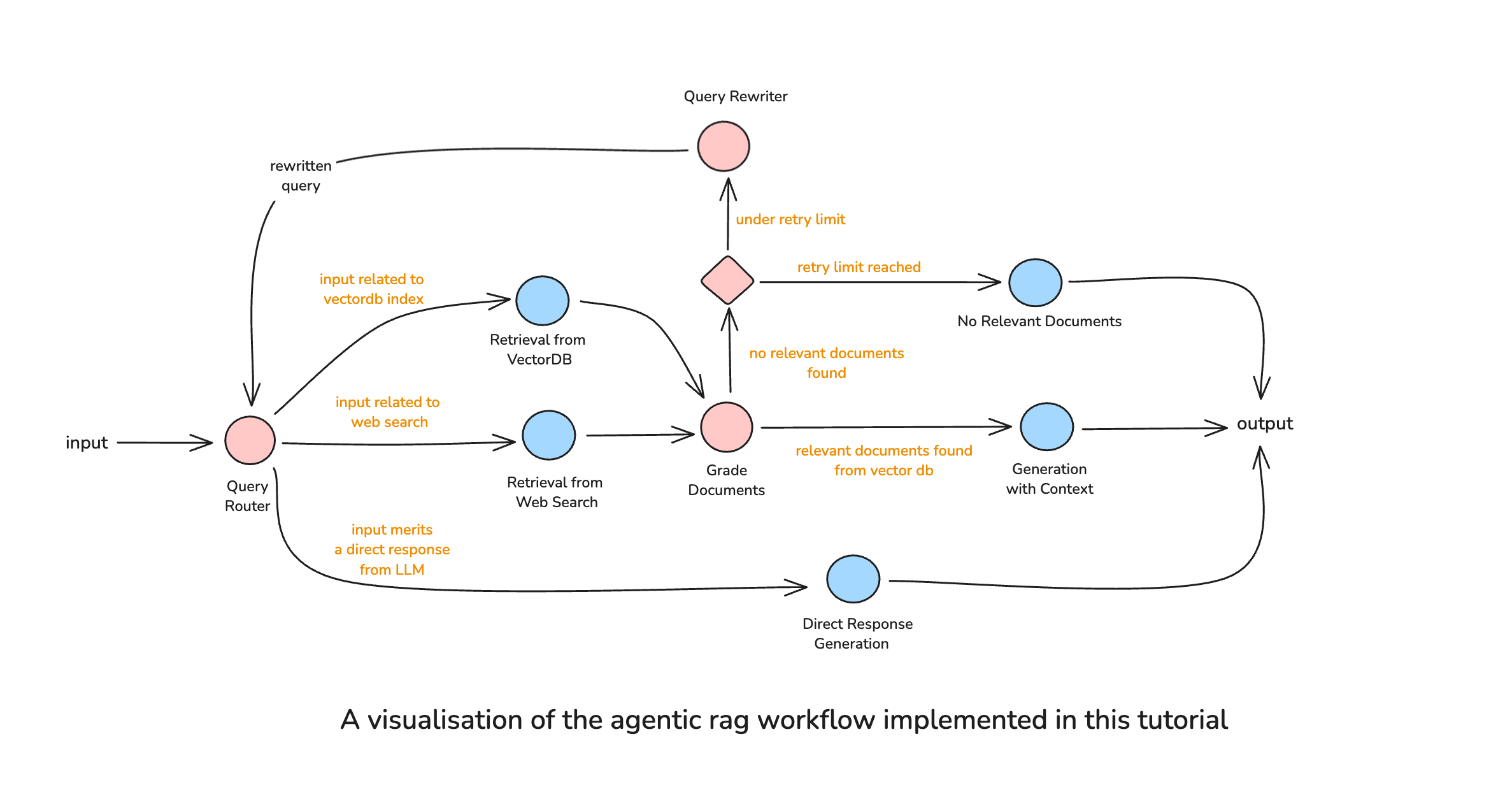
This architecture ensures that:
1. Every query is analyzed to determine the optimal retrieval strategy
2. Retrieved documents are validated before use
3. Failed retrievals trigger query reformulation
4. The system gracefully handles cases where no relevant information exists
5. Direct responses bypass the retrieval pipeline entirely for efficiency
## Implementation
Let's build this comprehensive workflow step by step using LangGraph.
### Setup and Environment
First, install the required dependencies:
```bash
pip install langgraph langchain langchain_openai langchain_community chromadb beautifulsoup4 tavily-python
```
```python
import os
from typing import TypedDict, List, Literal, Annotated, Sequence
from typing_extensions import TypedDict
from langchain_chroma.vectorstores import Chroma
from langchain_community.document_loaders import WebBaseLoader
from langchain_community.retrievers import TavilySearchAPIRetriever
from langchain_openai import ChatOpenAI, OpenAIEmbeddings
from langchain_core.prompts import ChatPromptTemplate
from langchain_core.output_parsers import StrOutputParser
from langchain_core.documents import Document
from langchain_core.messages import BaseMessage, AIMessage
from langchain_text_splitters import RecursiveCharacterTextSplitter
from langgraph.graph import END, StateGraph
from langgraph.graph.message import add_messages
from pydantic import BaseModel, Field
# Set your API keys
os.environ["OPENAI_API_KEY"] = "your-openai-api-key"
os.environ["TAVILY_API_KEY"] = "your-tavily-api-key"
```
### Building the Vector Database
We'll create a vector database from my own blog posts about RAG systems and LLM development:
```python
# Load articles from sajalsharma.com
urls = [
"https://sajalsharma.com/posts/introduction-to-agentic-rag/",
"https://sajalsharma.com/posts/agentic-rag-query-router-langgraph/",
"https://sajalsharma.com/posts/corrective-rag-langgraph/",
]
# Load documents
print("Loading blog posts from sajalsharma.com...")
docs = []
for url in urls:
try:
loader = WebBaseLoader(url)
docs.extend(loader.load())
print(f"✓ Loaded: {url}")
except Exception as e:
print(f"✗ Failed to load {url}: {e}")
# Split documents into chunks
text_splitter = RecursiveCharacterTextSplitter(
chunk_size=500,
chunk_overlap=100
)
doc_splits = text_splitter.split_documents(docs)
print(f"\nCreated {len(doc_splits)} document chunks")
# Create vector store with persistence
vector_store = Chroma.from_documents(
documents=doc_splits,
embedding=OpenAIEmbeddings(),
collection_name="blog-posts",
persist_directory="chroma"
)
retriever = vector_store.as_retriever()
```
Output:
```
Loading blog posts from sajalsharma.com...
✓ Loaded: https://sajalsharma.com/posts/introduction-to-agentic-rag/
✓ Loaded: https://sajalsharma.com/posts/agentic-rag-query-router-langgraph/
✓ Loaded: https://sajalsharma.com/posts/corrective-rag-langgraph/
Created 177 document chunks
```
### Defining the Graph State
The state object maintains all information as it flows through our workflow:
```python
class GraphState(TypedDict):
"""
Represents the state of our graph.
Attributes:
messages: Conversation history
query: Original user query
chosen_datasource: Selected retrieval source
retrieved_docs: Documents retrieved from any source
relevance_check: Whether documents are relevant
query_rewrite_count: Number of query rewrites attempted
final_answer: Generated response
"""
messages: Annotated[Sequence[BaseMessage], add_messages]
query: str
chosen_datasource: str
retrieved_docs: List[Document]
relevance_check: str
query_rewrite_count: int
final_answer: str
```
### Creating the Router Agent
The router analyzes each query to determine the best retrieval strategy:
```python
# Initialize LLM
llm = ChatOpenAI(model="gpt-4o", temperature=0)
# Define routing schema
class RouteQuery(BaseModel):
"""Route query to appropriate datasource."""
datasource: Literal["vectorstore", "web_search", "direct_response"] = Field(
description="Choose between vectorstore for Sajal's blog content about RAG and agents, web_search for current events, or direct_response for general knowledge"
)
reasoning: str = Field(
description="Brief explanation for the routing decision"
)
# Router prompt
router_prompt = ChatPromptTemplate.from_messages([
("system", """You are an expert at routing user queries to the appropriate data source.
Based on the query, choose where to route it:
- vectorstore: For questions about Sajal's blog posts on agentic RAG, corrective RAG, query routing, or related RAG patterns
- web_search: For current events, recent developments, or information requiring real-time data
- direct_response: For general knowledge, definitions, or questions that don't require external data
Analyze the query carefully and make the best routing decision."""),
("human", "{query}")
])
# Create router chain
router_chain = router_prompt | llm.with_structured_output(RouteQuery)
def route_query(state: GraphState) -> GraphState:
"""Route query to the appropriate datasource."""
print("*** ROUTING QUERY ***")
query = state["query"]
router_result = router_chain.invoke({"query": query})
print(f"Routing to: {router_result.datasource}")
print(f"Reasoning: {router_result.reasoning}")
return {
"chosen_datasource": router_result.datasource,
"messages": [AIMessage(content=f"Routing to {router_result.datasource}: {router_result.reasoning}")]
}
```
### Implementing Retrieval Nodes
We need separate retrieval nodes for each data source:
```python
# Vector store retrieval
def retrieve_from_vectorstore(state: GraphState) -> GraphState:
"""Retrieve documents from vector store."""
print("*** RETRIEVING FROM VECTOR STORE ***")
query = state["query"]
documents = retriever.invoke(query)
return {
"retrieved_docs": documents,
"messages": [AIMessage(content=f"Retrieved {len(documents)} documents from vector store")]
}
# Web search retrieval
web_search_retriever = TavilySearchAPIRetriever(k=3)
def retrieve_from_web(state: GraphState) -> GraphState:
"""Retrieve documents from web search."""
print("*** RETRIEVING FROM WEB SEARCH ***")
query = state["query"]
documents = web_search_retriever.invoke(query)
return {
"retrieved_docs": documents,
"messages": [AIMessage(content=f"Retrieved {len(documents)} documents from web search")]
}
# Note: prepare_direct_response node has been removed as it was redundant
```
### Document Grading with Self-Reflection
This critical component evaluates the quality of retrieved documents:
```python
# Document grading schema
class GradeDocuments(BaseModel):
"""Binary score for document relevance."""
binary_score: Literal["yes", "no"] = Field(
description="Documents are relevant to the question, 'yes' or 'no'"
)
# Grading prompt
grade_prompt = ChatPromptTemplate.from_messages([
("system", """You are a grader assessing relevance of retrieved documents to a user question.
Retrieved document:
{document}
User question: {question}
If the document is relevant to the user's original question, grade it as relevant.
Give a binary score 'yes' or 'no' to indicate relevance."""),
("human", "Grade the document.")
])
grade_chain = grade_prompt | llm.with_structured_output(GradeDocuments)
def grade_documents(state: GraphState) -> GraphState:
"""Grade the relevance of retrieved documents."""
print("*** GRADING DOCUMENTS ***")
query = state["query"]
documents = state["retrieved_docs"]
if not documents:
return {"relevance_check": "no_documents"}
# Grade each document
relevant_docs = []
for i, doc in enumerate(documents):
# Get a snippet of the document content for display
snippet = doc.page_content[:200].replace('\n', ' ').strip()
if len(doc.page_content) > 200:
snippet += "..."
grade = grade_chain.invoke({
"document": doc.page_content,
"question": query
})
if grade.binary_score == "yes":
print(f"✓ Document {i+1} graded as RELEVANT")
print(f" Snippet: {snippet}")
relevant_docs.append(doc)
else:
print(f"✗ Document {i+1} graded as NOT RELEVANT")
print(f" Snippet: {snippet}")
# Update state based on grading results
if relevant_docs:
return {
"retrieved_docs": relevant_docs,
"relevance_check": "relevant",
"messages": [AIMessage(content=f"Found {len(relevant_docs)} relevant documents")]
}
else:
return {
"relevance_check": "not_relevant",
"messages": [AIMessage(content="No relevant documents found")]
}
```
### Query Rewriting for Better Retrieval
When retrieval fails, we reformulate the query:
```python
# Query rewriting prompt
rewrite_prompt = ChatPromptTemplate.from_messages([
("system", """You are a query rewriting expert. The user's original query didn't retrieve relevant documents.
Analyze the query and rewrite it to improve retrieval chances:
- Make it more specific or more general as appropriate
- Add synonyms or related terms
- Rephrase to target likely document content
- Consider the retrieval failure and adjust accordingly
Original query: {query}
Previous datasource: {datasource}"""),
("human", "Provide a rewritten query that will retrieve better results.")
])
rewrite_chain = rewrite_prompt | llm | StrOutputParser()
def rewrite_query(state: GraphState) -> GraphState:
"""Rewrite the query for better retrieval."""
print("*** REWRITING QUERY ***")
original_query = state["query"]
datasource = state.get("chosen_datasource", "unknown")
count = state.get("query_rewrite_count", 0)
# Rewrite the query
rewritten_query = rewrite_chain.invoke({
"query": original_query,
"datasource": datasource
})
print(f"Original: {original_query}")
print(f"Rewritten: {rewritten_query}")
return {
"query": rewritten_query,
"query_rewrite_count": count + 1,
"messages": [AIMessage(content=f"Query rewritten: {rewritten_query}")]
}
```
### Response Generation
We have different generation strategies based on the retrieval results:
```python
# RAG generation prompt
rag_prompt = ChatPromptTemplate.from_messages([
("system", """You are an AI assistant. Answer the question based on the retrieved context.
Use the following pieces of retrieved context to answer the question.
If you don't know the answer, say that you don't know.
Keep the answer concise but comprehensive.
Context:
{context}"""),
("human", "{question}")
])
rag_chain = rag_prompt | llm | StrOutputParser()
def generate_with_context(state: GraphState) -> GraphState:
"""Generate answer using retrieved documents."""
print("*** GENERATING WITH CONTEXT ***")
query = state["query"]
documents = state["retrieved_docs"]
# Format documents for context
context = "\n\n".join([doc.page_content for doc in documents])
# Generate response
answer = rag_chain.invoke({
"context": context,
"question": query
})
return {
"final_answer": answer,
"messages": [AIMessage(content="Generated response with context")]
}
def generate_direct_response(state: GraphState) -> GraphState:
"""Generate response without retrieval context."""
print("*** GENERATING DIRECT RESPONSE ***")
query = state["query"]
direct_prompt = ChatPromptTemplate.from_messages([
("system", "You are a helpful AI assistant. Answer the question based on your knowledge."),
("human", "{question}")
])
direct_chain = direct_prompt | llm | StrOutputParser()
answer = direct_chain.invoke({"question": query})
return {
"final_answer": answer,
"messages": [AIMessage(content="Generated direct response")]
}
def generate_no_info_response(state: GraphState) -> GraphState:
"""Generate response when no relevant information is found."""
print("*** GENERATING NO INFO RESPONSE ***")
query = state["query"]
attempts = state.get("query_rewrite_count", 0)
answer = f"""I couldn't find relevant information to answer your question: "{query}"
I attempted to search {attempts + 1} time(s) across different sources and reformulated the query,
but no relevant documents were found. This might be because:
- The information isn't available in my current knowledge sources
- The topic is too specific or recent
- The query needs to be approached differently
Please try rephrasing your question or providing more context."""
return {
"final_answer": answer,
"messages": [AIMessage(content="No relevant information found")]
}
```
### Conditional Edge Decision Functions
```python
def should_retry(state: GraphState) -> Literal["rewrite_query", "no_info"]:
"""Determine if we should retry with rewritten query."""
rewrite_count = state.get("query_rewrite_count", 0)
max_retries = 2
if rewrite_count < max_retries:
return "rewrite_query"
else:
return "no_info"
def route_after_grading(state: GraphState) -> Literal["generate", "retry_decision"]:
"""Route based on document grading results."""
relevance = state.get("relevance_check", "")
if relevance == "relevant":
return "generate"
else:
return "retry_decision"
def route_to_retrieval(state: GraphState) -> Literal["vectorstore", "web_search", "direct_response"]:
"""Route to appropriate retrieval method."""
return state["chosen_datasource"]
```
### Compiling the Complete Workflow
Now we assemble all components into a cohesive workflow:
```python
def compile_workflow():
"""Compile the complete agentic RAG workflow."""
workflow = StateGraph(GraphState)
# Add all nodes
workflow.add_node("route_query", route_query)
workflow.add_node("retrieve_vectorstore", retrieve_from_vectorstore)
workflow.add_node("retrieve_web", retrieve_from_web)
workflow.add_node("grade_documents", grade_documents)
workflow.add_node("rewrite_query", rewrite_query)
workflow.add_node("generate_with_context", generate_with_context)
workflow.add_node("generate_direct", generate_direct_response)
workflow.add_node("generate_no_info", generate_no_info_response)
# Build the graph flow
workflow.set_entry_point("route_query")
# Routing from query router - direct_response goes straight to generate_direct
workflow.add_conditional_edges(
"route_query",
route_to_retrieval,
{
"vectorstore": "retrieve_vectorstore",
"web_search": "retrieve_web",
"direct_response": "generate_direct"
}
)
# After retrieval, grade documents
workflow.add_edge("retrieve_vectorstore", "grade_documents")
workflow.add_edge("retrieve_web", "grade_documents")
# After grading, decide next step
workflow.add_conditional_edges(
"grade_documents",
route_after_grading,
{
"generate": "generate_with_context",
"retry_decision": "rewrite_query"
}
)
# After rewriting, check retry limit
workflow.add_conditional_edges(
"rewrite_query",
should_retry,
{
"rewrite_query": "route_query",
"no_info": "generate_no_info"
}
)
# All generation nodes lead to END
workflow.add_edge("generate_with_context", END)
workflow.add_edge("generate_direct", END)
workflow.add_edge("generate_no_info", END)
return workflow.compile()
# Compile the workflow
app = compile_workflow()
print("✓ Comprehensive agentic RAG workflow compiled successfully")
```
Output:
```
✓ Comprehensive agentic RAG workflow compiled successfully
```
## Testing the Workflow
Let's test our comprehensive workflow with different types of queries to demonstrate the various routing decisions and workflow paths:
```python
def run_workflow(query: str):
"""Run the agentic RAG workflow and return the response."""
print(f"\n{'='*60}")
print(f"QUERY: {query}")
print(f"{'='*60}\n")
initial_state = {
"messages": [],
"query": query,
"query_rewrite_count": 0
}
result = app.invoke(initial_state)
return result["final_answer"]
```
**Test 1: Vector Store Query - Technical content about RAG patterns**
This query asks about specific technical concepts covered in my blog posts.
Expected path: `route_query → retrieve_vectorstore → grade_documents → generate_with_context`
```python
response1 = run_workflow("How does corrective RAG handle irrelevant documents?")
print(f"\nRESPONSE:\n{response1}")
```
Output:
```
============================================================
QUERY: How does corrective RAG handle irrelevant documents?
============================================================
*** ROUTING QUERY ***
Routing to: vectorstore
Reasoning: The query specifically asks about 'corrective RAG,' which is a topic covered in Sajal's blog posts. The user is seeking an explanation related to a RAG pattern, making the vectorstore (containing Sajal's blog content) the most appropriate data source.
*** RETRIEVING FROM VECTOR STORE ***
*** GRADING DOCUMENTS ***
✓ Document 1 graded as RELEVANT
Snippet: This is where Corrective RAG (CRAG) comes into play. It enhances the traditional RAG framework by introducing a lightweight retrieval evaluator that assesses the quality of retrieved documents...
✓ Document 2 graded as RELEVANT
Snippet: The initial retrieval process is performed as in standard RAG. The agent assesses retrieved documents—checking for relevance, completeness, and contradictions. If needed, the agent triggers corr...
✓ Document 3 graded as RELEVANT
Snippet: Corrective RAG Corrective RAG introduces reflection mechanisms, allowing the system to refine its retrieval and response generation by reflecting the quality of the retrieval or generation steps. F...
✗ Document 4 graded as NOT RELEVANT
Snippet: Introduction What if chunks from a relevant document are not relevant enough for an LLM to answer a question in your RAG system?
*** GENERATING WITH CONTEXT ***
RESPONSE:
Corrective RAG handles irrelevant documents by evaluating the quality of the retrieved documents using a retrieval evaluator that assigns a confidence score. If documents are found to be irrelevant or low-confidence, the system can discard them to reduce noise in the generation step. Additionally, the agent may take corrective actions such as rewriting the query, performing another retrieval attempt, or fetching information from alternative sources to ensure more relevant and accurate context is provided to the language model.
```
**Test 2: Web Search Query - Current events and recent developments**
This query asks about recent developments that require up-to-date information not available in the blog posts.
Expected path: `route_query → retrieve_web → grade_documents → generate_with_context`
```python
response2 = run_workflow("What are the latest LangGraph features released in 2024?")
print(f"\nRESPONSE:\n{response2}")
```
Output:
```
============================================================
QUERY: What are the latest LangGraph features released in 2024?
============================================================
*** ROUTING QUERY ***
Routing to: web_search
Reasoning: The query asks for the latest features of LangGraph released in 2024, which requires up-to-date information about recent developments. This information is best obtained through a web search.
*** RETRIEVING FROM WEB SEARCH ***
*** GRADING DOCUMENTS ***
✗ Document 1 graded as NOT RELEVANT
Snippet: Zach Anderson Jul 13, 2024 16:26 LangChain, a leading platform in the AI development space, has released its latest updates, showcasing new use cases and enhancements across its ecosystem. Accordi...
✓ Document 2 graded as RELEVANT
Snippet: We also have a new stable release of LangGraph. By LangChain 6 min read Jun 27, 2024 (Oct '24) Edit: Since the launch of LangGraph Cloud, we now have multiple deployment options alongside LangGra...
✓ Document 3 graded as RELEVANT
Snippet: langgraph: release 0.4.4 ; update for consistency; lint again; use list; lint + update; update; update; update; langgraph: fix drawing graph with root channel; langgraph: fix graph drawing for se...
*** GENERATING WITH CONTEXT ***
RESPONSE:
The latest LangGraph features released in 2024 include:
- Multiple deployment options with the introduction of LangGraph Cloud, alongside LangGraph Studio, now collectively referred to as the LangGraph Platform.
- Improvements in graph drawing, including fixes for drawing graphs with root channels and handling self-loops.
- Updates for consistency, code linting, and documentation enhancements.
- Addition of a gitmcp badge for simple LLM-accessible documentation.
These updates are part of the stable release 0.4.4 and subsequent improvements.
```
**Test 3: Direct Response Query - General programming knowledge**
This query asks about general programming concepts that don't require external data retrieval.
Expected path: `route_query → generate_direct`
```python
response3 = run_workflow("What is the difference between a list and a tuple in Python?")
print(f"\nRESPONSE:\n{response3}")
```
Output:
```
============================================================
QUERY: What is the difference between a list and a tuple in Python?
============================================================
*** ROUTING QUERY ***
Routing to: direct_response
Reasoning: This is a general programming knowledge question about Python data structures and does not require external data or specific blog content.
*** GENERATING DIRECT RESPONSE ***
RESPONSE:
In Python, **lists** and **tuples** are both used to store collections of items, but they have some important differences:
### 1. Mutability
- **List:** Mutable (can be changed after creation; you can add, remove, or modify elements).
- **Tuple:** Immutable (cannot be changed after creation; elements cannot be added, removed, or modified).
...(output condensed for brevity)
In short: Use a **list** when you need a mutable sequence, and a **tuple** when you need an immutable sequence.
```
**Test 4: Query Rewriting Example - Vague question requiring reformulation**
This query is vague and likely won't retrieve relevant documents initially, triggering the query rewriting mechanism.
Expected path: `route_query → retrieve_vectorstore → grade_documents → rewrite_query → route_query → retrieve_vectorstore → grade_documents → generate_with_context`
```python
response4 = run_workflow("is agentic rag bad?")
print(f"\nRESPONSE:\n{response4}")
```
Output:
```
============================================================
QUERY: is agentic rag bad?
============================================================
*** ROUTING QUERY ***
Routing to: vectorstore
Reasoning: The query is specifically about 'agentic RAG,' which is a topic covered in Sajal's blog posts. The user is likely seeking an informed perspective or analysis from those blog posts, making the vectorstore the appropriate data source.
*** RETRIEVING FROM VECTOR STORE ***
*** GRADING DOCUMENTS ***
✗ Document 1 graded as NOT RELEVANT
Snippet: What makes RAG Agentic? Agentic RAG introduces autonomy and adaptability into the standard RAG pipeline by allowing the system to actively control the retrieval process rather than relying on a fix...
✗ Document 2 graded as NOT RELEVANT
Snippet: Agentic RAG represents a significant evolution in retrieval-augmented generation, introducing autonomy, reasoning, and adaptability to improve how AI retrieves and generates information. By moving ...
✗ Document 3 graded as NOT RELEVANT
Snippet: An Introduction to Agentic RAG Skip to content Sajal Sharma Posts Tags About Me Search Go back An Introduction to Agentic RAG Published:M...
✗ Document 4 graded as NOT RELEVANT
Snippet: This modular, adaptable approach makes Agentic RAG vastly more powerful than traditional RAG, as it can tailor retrieval strategies in real time based on the nature of the query. In the next secti...
*** REWRITING QUERY ***
Original: is agentic rag bad?
Rewritten: What are the disadvantages, limitations, and potential problems with agentic RAG systems?
*** ROUTING QUERY ***
Routing to: vectorstore
Reasoning: The query asks about the disadvantages and limitations of agentic RAG systems, which is directly related to Sajal's blog posts discussing agentic RAG patterns and implementations.
*** RETRIEVING FROM VECTOR STORE ***
*** GRADING DOCUMENTS ***
✗ Document 1 graded as NOT RELEVANT
Snippet: Agentic RAG represents a significant evolution in retrieval-augmented generation, introducing autonomy, reasoning, and adaptability to improve how AI retrieves and generates information. By moving ...
✓ Document 2 graded as RELEVANT
Snippet: However, introducing agentic behavior comes with trade-offs. Additional decision points increase latency and computational costs, and maintaining prompts, retrieval strategies, and evaluation pipel...
✗ Document 3 graded as NOT RELEVANT
Snippet: retriever to an active reasoning system, Agentic RAG makes AI-powered retrieval more robust, context-aware, and verifiable, paving the way for more advanced, real-world-ready knowledge systems.
✗ Document 4 graded as NOT RELEVANT
Snippet: Retrieval-Augmented Generation (RAG) is a technique addresses the above issue by giving an LLM access to external knowledge. Instead of relying solely on their pre-trained data, RAG systems retrie...
*** GENERATING WITH CONTEXT ***
RESPONSE:
Agentic RAG is not inherently "bad," but it does come with important trade-offs and limitations:
**Main disadvantages:**
- **Increased latency and computational costs**: The additional decision points and processing steps make the system slower and more resource-intensive
- **Maintenance overhead**: Requires ongoing refinement of prompts, retrieval strategies, and evaluation pipelines
- **Added complexity**: More components mean more potential points of failure and harder debugging
Despite these challenges, agentic RAG offers significant benefits in terms of accuracy, reliability, and adaptability. For applications where these qualities are critical, the benefits typically outweigh the drawbacks. The key is to carefully consider whether the added complexity is justified for your specific use case.
```
## Future Improvements
Our agentic RAG workflow can be enhanced with several advanced capabilities to further improve its performance and reliability:
**1. Multi-Source Parallel Retrieval**: Instead of retrieving from one source at a time, the system could query multiple sources simultaneously (vector store, web search, knowledge graphs) and combine the results. This would reduce latency and provide more comprehensive coverage of potential information sources.
**2. Response Grading Scoring**: Adding a grading system to responses can add additional paths to the workflow, each leading to different actions based on the quality of the response, in addition to the existing paths based on the quality of retrieved documents.
**3. Query Decomposition**: For complex multi-part questions, the workflow could automatically break them down into simpler sub-queries, process each independently, and then synthesize the results. This would enable better handling of complex reasoning tasks that require multiple information retrieval steps.
## Conclusion
This comprehensive agentic RAG workflow offers significant improvements over simpler agentic RAG systems. By combining intelligent routing, document grading, query rewriting, and self-corrective mechanisms, we've created a system that:
- **Adapts to Different Query Types**: Automatically selects the most appropriate retrieval strategy
- **Ensures Quality**: Validates retrieved documents before using them for generation
- **Self-Corrects**: Recognizes and recovers from retrieval failures
The modular design using LangGraph makes it easy to extend and customize the workflow for specific use cases. You can add new retrieval sources, implement more sophisticated grading mechanisms, or introduce additional self-reflective loops as needed. Keep in mind that LangGraph is just one of the many tools available for building agentic RAG workflows, and the choice of tool will depend on your specific needs and preferences.
As you implement this in your own projects, consider your specific requirements and adjust the components accordingly. The beauty of the agentic approach is its flexibility—you can start simple and progressively add more sophisticated behaviors and paths into the workflow as your needs evolve.
## References
- [LangGraph Documentation](https://python.langchain.com/docs/langgraph)
- [Introduction to Agentic RAG](https://sajalsharma.com/posts/introduction-to-agentic-rag/)
- [Building an Agentic RAG Workflow with Query Router](https://sajalsharma.com/posts/agentic-rag-query-router-langgraph/)
- [Corrective RAG Implementation](https://sajalsharma.com/posts/corrective-rag-langgraph/)
---
# Agentic RAG Series - Part 2: Building an Agentic RAG Workflow with Query Router Using LangGraph
Source: https://sajalsharma.com/posts/agentic-rag-query-router-langgraph/
Author: Sajal Sharma
Published: 2025-05-12
Tags: llms, ai-engineering, langchain, langgraph, rag, nlp, ai-agents
A coding tutorial on building an agentic RAG workflow with a query router using LangGraph, enabling the system to intelligently choose between Wikipedia and web search retrievers based on query type.
## Introduction
Welcome to the second post in my Agentic RAG series! In my [previous post on "An Introduction to Agentic RAG"](https://sajalsharma.com/posts/introduction-to-agentic-rag), I explored various Agentic RAG patterns and workflows including Query Analysis, Query Rewriting, Multi-Step Retrieval, and Self-Evaluation through Reflection. I also demonstrated how these patterns come together to create sophisticated architectures like Single Agent Router, Corrective RAG, and Adaptive RAG.
This post focuses specifically on implementing one of those architectures: an Agentic RAG workflow with a Router Agent that intelligently determines the most appropriate data source for each query. This addresses one of the fundamental limitations of traditional RAG systems—their reliance on a single, predetermined retrieval source that might not be optimal for every type of query.
Consider a user asking both historical questions ("When was Manchester United founded?") and current event queries ("Who are Manchester United looking to sign next season?"). A traditional RAG system using only Wikipedia would excel at the historical question but fail on the current events query. Conversely, using only web search might provide up-to-date information but miss well-established historical facts that don't prominently appear in recent web content.
The Query Router pattern solves this challenge by analyzing each incoming query and directing it to the most appropriate knowledge source—Wikipedia for historical information, web search for current events. This not only improves answer quality but also reduces hallucinations that occur when LLMs try to fill knowledge gaps with fabricated information.
In this blog post, I'll demonstrate how to implement such a system using [LangGraph](https://python.langchain.com/docs/langgraph). I have chosen LangGraph for this tutorial because it allows us to build graph-based workflows that are easy to reason about debug.
You can find a Python notebook for this post [here](https://github.com/sajal2692/llm_tutorials/blob/main/blog_posts/agentic_rag_query_router/agentic_rag_query_router.ipynb).
## Set Up
We'll use LangGraph (and thus, Langchain) as our orchestration framework, OpenAI API for the chat completions, and both Wikipedia and Tavily for our retrieval sources.
### Setting Up the Environment
First, let's install the necessary libraries:
```bash
pip install langgraph langchain langchain_openai langchain_community
```
### Imports
```python
import os
from langchain_community.retrievers import WikipediaRetriever, TavilySearchAPIRetriever
from langchain_core.prompts import ChatPromptTemplate, PromptTemplate
from langchain_core.output_parsers import StrOutputParser
from langchain_core.documents.base import Document
from langchain_openai import ChatOpenAI
from langgraph.graph import START, END, StateGraph
```
Don't forget to set your API keys:
```python
os.environ["OPENAI_API_KEY"] = "your-openai-api-key"
os.environ["TAVILY_API_KEY"] = "your-tavily-api-key"
```
## Building a Simple RAG Pipeline with Wikipedia
Before diving into our more complex agentic workflow, let's first set up a simple RAG pipeline using LangGraph and Wikipedia as our retrieval source. Unlike LangChain's pre-packaged chains that combine retrieval and generation steps, we'll deconstruct the RAG pipeline into distinct nodes within a graph-based workflow.
Our RAG workflow will look like this:
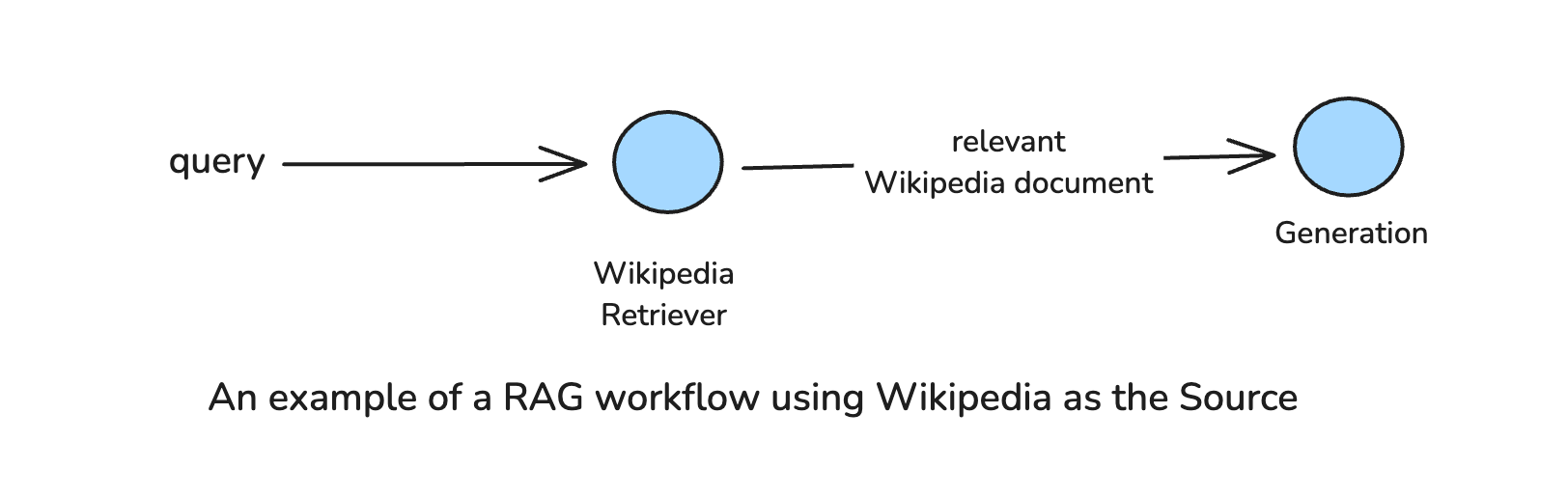
First, we need to define our graph state:
```python
from typing import TypedDict, List
class GraphState(TypedDict):
"""
Represents the state of our graph.
Attributes:
query: A string representing the user's query.
retrieved_docs: A list of Document objects retrieved from the Wikipedia retriever.
answer: A string representing the final answer to the user's query.
"""
query: str
retrieved_docs: List[Document]
answer: str
```
Next, let's create a node for retrieving information from Wikipedia:
```python
# Create a Wikipedia retriever
wikipedia_retriever = WikipediaRetriever()
def retrieve_from_wikipedia(state: GraphState) -> GraphState:
"""
Retrieves documents from Wikipedia based on the query.
Args:
state: A dictionary containing the state of the graph.
Returns:
Updated state with retrieved documents.
"""
print("*** Running Node: Retrieve from Wikipedia ***")
retrieved_docs = wikipedia_retriever.invoke(state["query"])
return {"retrieved_docs": retrieved_docs}
```
Now, we'll create a node for generating answers based on the retrieved documents:
```python
rag_prompt = """You are an AI assistant. Your main task is to answer questions based on retrieved context.
Use the following pieces of retrieved context to answer the question. If you don't know the answer, just say that you don't know. Use three sentences maximum and keep the answer concise.
Question: {query}
Context: {context}
Answer:
"""
rag_prompt_template = ChatPromptTemplate.from_template(rag_prompt)
llm = ChatOpenAI(model="gpt-4o", temperature=0)
generation_answer_chain = rag_prompt_template | llm | StrOutputParser()
def generate_answer_with_retrieved_documents(state: GraphState) -> GraphState:
"""Node to generate answer using retrieved documents"""
print("*** Running Node: Generate Answer with Retrieved Documents ***")
query = state["query"]
documents = state["retrieved_docs"]
answer = generation_answer_chain.invoke({"query": query, "context": documents})
return {"answer": answer}
```
With our nodes defined, we can now compile our basic RAG graph:
```python
def compile_graph():
workflow = StateGraph(GraphState)
### add the nodes
workflow.add_node("retrieve_wikipedia", retrieve_from_wikipedia)
workflow.add_node("generate_answer", generate_answer_with_retrieved_documents)
## build graph
workflow.set_entry_point("retrieve_wikipedia")
workflow.add_edge("retrieve_wikipedia", "generate_answer")
workflow.add_edge("generate_answer", END)
## compile graph
return workflow.compile()
app = compile_graph()
def response_from_graph(query: str):
return app.invoke({"query": query})["answer"]
```
Let's test our basic RAG pipeline with a historical query:
```python
print(response_from_graph("When was Manchester United founded?"))
```
Output:
```
*** Running Node: Retrieve from Wikipedia ***
*** Running Node: Generate Answer with Retrieved Documents ***
Manchester United was founded as Newton Heath LYR Football Club in 1878.
```
Great! Now let's try a query that requires up-to-date information:
```python
print(response_from_graph("Who are Manchester United looking to sign next season?"))
```
Output:
```
*** Running Node: Retrieve from Wikipedia ***
*** Running Node: Generate Answer with Retrieved Documents ***
I don't know who Manchester United is looking to sign next season, as the provided context does not include information about their transfer targets.
```
As expected, our Wikipedia-based RAG pipeline cannot handle queries about current events or recent developments. This limitation highlights the need for an agentic approach that can select the appropriate retrieval source based on the query type.
## Building an Agentic RAG Workflow with Query Router and Web Search
To address the limitations of our basic RAG pipeline, we'll now build an agentic RAG workflow that can intelligently route queries to the most appropriate retrieval source. The key components of this enhanced workflow are:
1. A **Query Router**: An LLM-based component that analyzes the query and determines whether to use Wikipedia or a web search retriever.
2. Multiple **Retrieval Sources**: Wikipedia for historical information and Tavily Search API for current events.
3. **Conditional Edges**: Logic that directs the flow based on the router's decision.
After we're finished, the workflow will look like this:
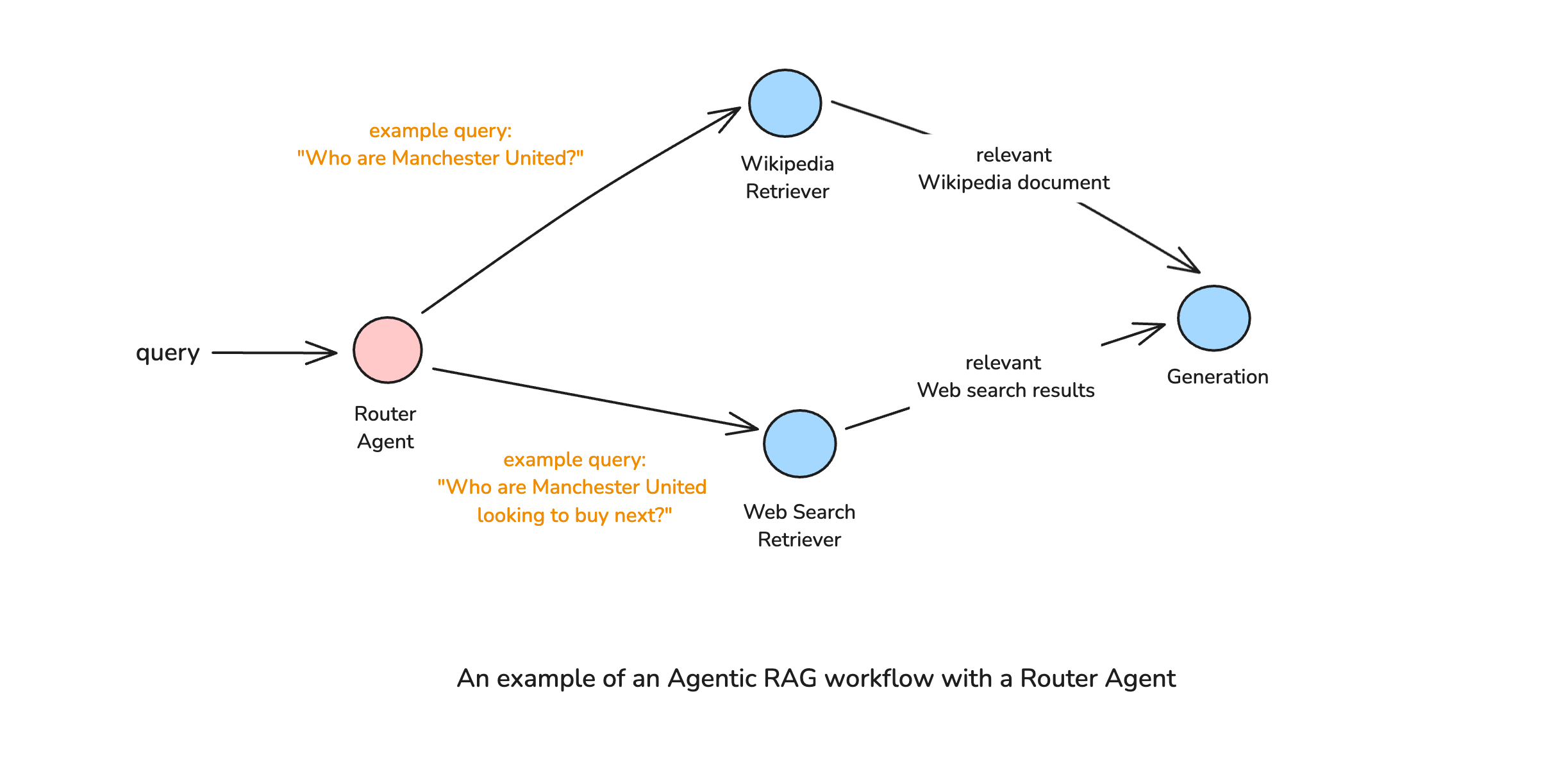
Let's start by adding a web search retriever using the Tavily API:
```python
from langchain_community.retrievers import TavilySearchAPIRetriever
tavily_retriever = TavilySearchAPIRetriever(k=3)
def retrieve_from_web_search(state: GraphState) -> GraphState:
"""
Retrieves documents from web search based on the query.
Args:
state: A dictionary containing the state of the graph.
Returns:
Updated state with retrieved documents.
"""
print("*** Running Node: Retrieve from Web Search ***")
retrieved_docs = tavily_retriever.invoke(state["query"])
return {"retrieved_docs": retrieved_docs}
```
Next, let's create our query router using a structured output chain:
```python
from pydantic import BaseModel, Field
class RouterOutput(BaseModel):
"""Schema for router output"""
chosen_retriever: str = Field(description="The name of the chosen retriever. Either 'wikipedia' or 'web_search'")
router_prompt = """
You are a helpful assistant that can determine which retriever to use based on the query.
If a given query is about a topic based on historical context, output "wikipedia".
If a given query is about a topic based on current events, output "web_search".
Query: {query}
"""
router_prompt_template = PromptTemplate.from_template(router_prompt)
llm_with_router_output = llm.with_structured_output(RouterOutput)
router_chain = router_prompt_template | llm_with_router_output
```
Let's test our router chain:
```python
# Historical query
router_chain.invoke({"query": "What is Manchester United?"})
# Output: RouterOutput(chosen_retriever='wikipedia')
# Current events query
router_chain.invoke({"query": "Who are Manchester United looking to sign next season?"})
# Output: RouterOutput(chosen_retriever='web_search')
```
Now, we need to update our graph state to include the chosen retriever:
```python
class GraphState(TypedDict):
"""
Represents the state of our graph.
Attributes:
chosen_retriever: A string representing the chosen retriever ('wikipedia' or 'web_search').
query: A string representing the user's query.
retrieved_docs: A list of Document objects retrieved from the Wikipedia retriever.
answer: A string representing the final answer to the user's query.
"""
chosen_retriever: str
query: str
retrieved_docs: List[Document]
answer: str
```
We'll create a router node and a routing function for our conditional edge:
```python
def query_router(state: GraphState) -> GraphState:
"""
Determines which retriever to use based on the query.
Args:
state: A dictionary containing the state of the graph.
Returns:
Updated state with retrieved documents.
"""
print("*** Running Node: Query Router ***")
chosen_retriever = router_chain.invoke({"query": state["query"]}).chosen_retriever
print(f"Chosen retriever: {chosen_retriever}")
return {"chosen_retriever": chosen_retriever}
def routing_function(state: GraphState) -> str:
"""Conditional edge for the routing function which decides the next node to execute."""
return state["chosen_retriever"]
```
Finally, we can compile our agentic RAG graph with the query router:
```python
def compile_agentic_rag_graph():
workflow = StateGraph(GraphState)
### add the nodes
workflow.add_node("query_router", query_router)
workflow.add_node("retrieve_wikipedia", retrieve_from_wikipedia)
workflow.add_node("retrieve_web_search", retrieve_from_web_search)
workflow.add_node("generate_answer", generate_answer_with_retrieved_documents)
## build graph
workflow.set_entry_point("query_router")
workflow.add_conditional_edges(
"query_router",
routing_function,
{
"wikipedia": "retrieve_wikipedia",
"web_search": "retrieve_web_search"
}
)
workflow.add_edge("retrieve_wikipedia", "generate_answer")
workflow.add_edge("retrieve_web_search", "generate_answer")
workflow.add_edge("generate_answer", END)
## compile graph
return workflow.compile()
app = compile_agentic_rag_graph()
def response_from_graph(query: str):
return app.invoke({"query": query})["answer"]
```
Let's test our agentic RAG workflow with both historical and current events queries:
```python
# Historical query
print(response_from_graph("When was Manchester United incorporated?"))
```
Output:
```
*** Running Node: Query Router ***
Chosen retriever: wikipedia
*** Running Node: Retrieve from Wikipedia ***
*** Running Node: Generate Answer with Retrieved Documents ***
Manchester United was incorporated in 1902 when the club changed its name from Newton Heath LYR Football Club to Manchester United.
```
```python
# Current events query
print(response_from_graph("Who are Manchester United looking to sign next?"))
```
Output:
```
*** Running Node: Query Router ***
Chosen retriever: web_search
*** Running Node: Retrieve from Web Search ***
*** Running Node: Generate Answer with Retrieved Documents ***
Manchester United are looking to sign Ipswich Town's Liam Delap, who is understood to be their number one target with a £30m release clause.
```
Amazing! Our agentic RAG workflow can now intelligently route queries to the most appropriate retrieval source, resulting in more accurate and relevant answers for both historical and current events queries.
## Conclusion
In this blog post, we've explored the concept of an Agentic RAG Workflow with a Query Router, implemented using LangGraph. By incorporating an intelligent routing mechanism, our RAG system can dynamically select the most appropriate retrieval source based on the nature of the query, significantly enhancing its versatility and accuracy.
The key advantages of this approach include:
1. **Improved Answer Quality**: By routing queries to the most appropriate data source, we ensure that the LLM has the most relevant and up-to-date information available.
2. **Reduced Hallucinations**: With access to appropriate and current information, the LLM is less likely to fabricate answers when faced with knowledge gaps.
3. **System Flexibility**: The graph-based workflow can be easily extended to include additional retrieval sources, making the system highly adaptable to various use cases.
We can extend our router to handle more specific retrieval sources, such as code repositories for programming questions, academic databases for research inquiries, or specialized knowledge bases for domain-specific questions. We could also incorporate more sophisticated routing logic that considers not just the query type but also factors like source reliability, recency, and user preferences. These kinds of signals, extracted from the query and user preferences, are a part of almost all retrieval-based systems.
As RAG systems continue to evolve, incorporating agentic components like query routers will become increasingly important for building AI systems that can effectively navigate and leverage the vast landscape of available information.
## References
1. LangGraph Documentation: [https://python.langchain.com/docs/langgraph](https://python.langchain.com/docs/langgraph)
2. [Introduction to Agentic RAG by Sajal Sharma](https://sajalsharma.com/posts/introduction-to-agentic-rag/)
---
# What's the Moat? Product Defensibility for AI Applications
Source: https://sajalsharma.com/posts/product-defensibility-ai-applications/
Author: Sajal Sharma
Published: 2025-04-11
Tags: llms, ai-engineering, product
Some thoughts on product defensibility for AI applications from my experience in the startup world.
## Introduction
The emergence of Large Language Models (LLMs) like OpenAI's GPT-4 and Anthropic's Claude has triggered an explosion of products built on these foundation models. In just the past two years, we've witnessed hundreds of new companies launching with products that leverage LLMs for everything from [marketing](https://www.jasper.ai) to [code generation](https://www.cursor.com/en), [customer support](https://www.leapingai.com) to [creative collaboration](https://cove.ai). While AI-powered products aren't new, they've become dramatically easier to build and more powerful with the advent of LLMs. Tasks that once required complex machine learning pipelines can now be accomplished with a well-crafted prompt and an API call.
I find this democratization of AI capabilities exhilarating, opening up new possibilities both for a new class of products, and for interesting features for the existing class. Though I can't help but notice the concerned expressions on investors' faces as they consider the implications. After all, if anyone with technical skills can quickly build AI products, what creates lasting value and defensibility in this new landscape? In short, “What’s the moat?”. In my experience working at Menyala, a Venture Studio, I've been on the front lines of answering this question quite often. For each AI project I've worked on, from in house AI-powered venture analysis to domain specialised search engines, two questions often dominate conversations:
1. "What happens if OpenAI decides to build this themselves?"
2. “AI applications are just an API call to OpenAI. Whats's the moat?”
I've explained my thoughts on this topic countless times. But, the recurring nature of these discussions revealed a need for a structured write-up on this topic. In this post, I outline my thoughts on the matter, and why, in my opinion, moat for AI applications is similar to that for other applications.
## First, What's a Moat?
_The AI Moat Wars, by GPT-4o. Prompt: cartoon image of two robot factions, one on top of a roof of a castle and one outside, fighting with lasers, separated by a moat._
The term "economic moat," popularized by Warren Buffett, refers to a company's ability to maintain competitive advantages over its rivals, protecting its long-term profits and market share. Just as a medieval castle used water-filled moats to keep invaders at bay, businesses need defenses against competitors who might replicate their success or erode their margins.
Historically, economic moats have come from various sources: geographical advantages for retailers, patent protection for pharmaceutical companies, brand loyalty for consumer goods, or regulatory barriers in industries like telecommunications.
### Moats in Tech Businesses
In technology, moats take on different characteristics than in traditional industries. While a restaurant might rely on location or a manufacturer on patents, tech companies often build moats through network effects, switching costs, or proprietary technology.
Tech products and services face unique challenges:
- They can be replicated more easily than physical goods
- They have near-zero marginal cost of distribution
- They often operate in rapidly evolving markets
- Innovation cycles are compressed, with advantages quickly neutralized
For startups building on foundation models like OpenAI’s GPT, this challenge is even more pronounced. When your core technology is available to anyone with an API key and a credit card, traditional technical advantages may look minimal.
When analyzing defensibility, I find it helpful to separate moats into two broad categories, **technology moats**, tied to the core technology and **business moats**, tied to the business built on top of the technology.
**Examples of Technology Moats:**
- Proprietary algorithms or models that competitors cannot easily reproduce
- Unique data sets that improve over time through usage (data network effects)
- Technical integrations that create high switching costs
- Infrastructure optimizations that provide cost or performance advantages
- Patents and intellectual property that prevent direct replication
- Custom fine-tuning or training techniques that improve model performance
**Examples of Business Moats:**
- Network effects where each additional user increases value for all users
- Marketplace dynamics that become more valuable with scale
- Switching costs that make it painful for customers to move to alternatives (notice that this is separate from similar switching costs of technology).
- Scale economies that reduce costs as the business grows
- Brand and reputation that engender trust and loyalty
- Distribution channels that efficiently reach target customers
- Regulatory advantages or compliance capabilities in regulated industries
For LLM applications, both types of moats matter—but as we'll see the most successful AI startups typically combine elements of both, creating multiple layers of defensibility.
## Finding the Moat in GPT Wrappers
### Commoditization of Foundation Models
Foundation models are rapidly becoming commodities. What was groundbreaking in 2022 is increasingly standard in 2025. We're witnessing an intense battle among technology giants and some well-funded startups, all competing for foundation model supremacy. OpenAI, Anthropic, Google (with Gemini), Cohere, Meta, Mistral AI, and newcomers like DeepSeek are engaged in a relentless race to develop more capable models.
This competition is multi-dimensional. Companies aren't just fighting on benchmark metrics, but also on specialized capabilities, multimodal features, context length, inference speed, and pricing. The pace is staggering—what was state-of-the-art six months ago is now merely adequate. Meanwhile, open-source models from Meta and Deepseek continue to narrow the gap with commercial offerings. These models can be deployed privately, fine-tuned for specific use cases, and modified without the constraints of API-only access.
**So let's ask a different question: What's OpenAI's moat?** While they currently lead in many capabilities, their advantage is constantly under pressure from these well-funded competitors fighting on multiple fronts. Even OpenAI recognizes this vulnerability, which explains their aggressive push into end-user applications (ChatGPT, DALL-E, Voice Mode) rather than relying solely on API revenue.
These companies understand that model capabilities alone provide temporary advantages at best. The technology is advancing too rapidly, with too many brilliant researchers and engineers focused on the same problems. When one company discovers a breakthrough, others quickly follow or find alternative approaches. This constant advancement is great for the industry overall but means that relying on the underlying LLM alone for defensibility is a precarious strategy. If the foundation model providers themselves are racing to build applications, that should tell you something about where the defensible value lies.
### The Importance of the Application Layer
I like to think of LLMs as another paradigm of programming. Just as JavaScript provides a language for web development and React offers a framework for building interfaces, LLMs new possibilities for creating intelligent applications. The foundation model isn't the product—it's what you build with it that matters. ChatGPT is an application layer product, powered by the GPT foundational models, that extends the foundational model with capabilities such as memory, research, web search, and more.
The application layer requires considerable work. At its core, the infrastructure needed for production LLM applications is substantial and nuanced. At the very least, developers need to build robust prompt engineering and management systems that maintain consistency across user interactions. Often, they must implement **retrieval-augmented generation (RAG)** architectures that connect models to private data, allowing their AI products access to domain-specific information rather than generic knowledge. This often involves custom vector databases, embedding strategies, and retrieval mechanisms that become increasingly sophisticated as applications scale.
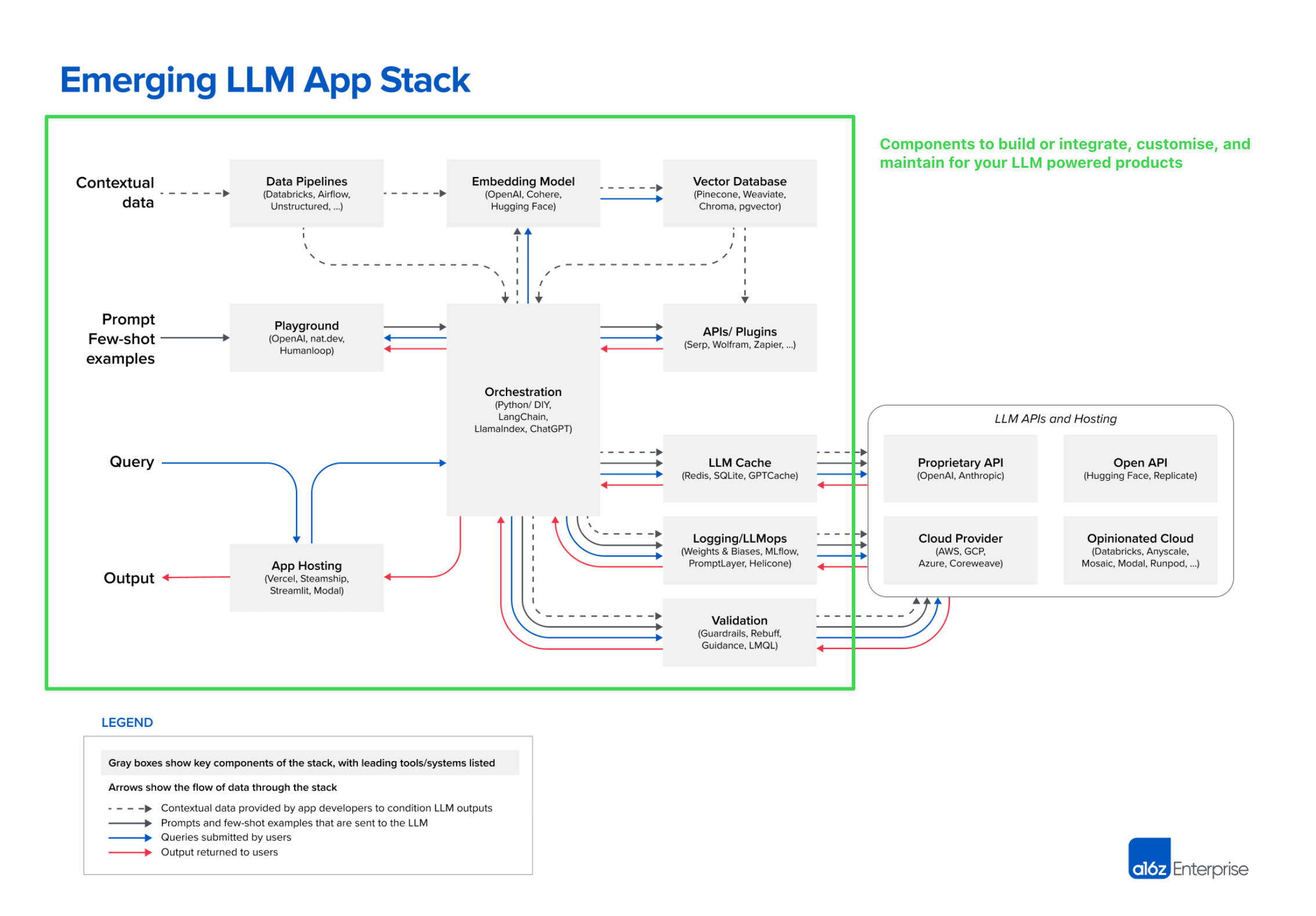
_a16z's "Emerging LLM App Stack" offers a high level overview of the components needed for production LLM applications. Image Source: [a16z](https://a16z.com/emerging-architectures-for-llm-applications/)_
> \*Sidebar on RAG: [RAG is HARD](https://medium.com/samanvitha-ai-labs/why-rag-based-applications-are-failing-in-production-a-deep-dive-e8b0e07e386c). The retrieval component of RAG is particularly critical and often underestimated - it's not merely a simple search function but rather a complex ranking challenge that combines semantic relevance, contextual appropriateness, and business logic. Building effective retrieval systems requires expertise in information retrieval theory, vector similarity algorithms, hybrid search approaches, and dynamic re-ranking techniques. The most sophisticated RAG implementations employ multi-stage retrieval pipelines with filtering, chunking strategies optimized for specific content types, and context-aware relevance scoring.
As applications scale to millions of documents or specialized domains, these retrieval capabilities often become a significant competitive advantage - one that's far more difficult to replicate than the surface-level integration with foundation models that users actually see.\*
>
If you decide that RAG is not enough, due to accuracy, latency or security constraints, then you may turn to **fine-tuning** a foundation model. Fine-tuning pipelines add another layer of complexity, requiring specialized datasets, evaluation protocols, and model management workflows. Developer teams need to carefully balance performance gains against the costs of customization.
Beyond these technical aspects, production systems need comprehensive **monitoring, evaluation frameworks** to catch errors, and security controls to protect sensitive information—all critical components that casual API integrations typically lack.
The **user experience** layer is equally important in creating defensible products. Effective LLM applications need thoughtfully designed interfaces that make AI capabilities accessible to non-technical users. My personal favourite example is how Cursor, the IDE built on a fork of VSCode, brought the code writing capabilities of LLMs to where a developer spends most of their time, [raising millions](https://techcrunch.com/2024/12/19/in-just-4-months-ai-coding-assistant-cursor-raised-another-100m-at-a-2-5b-valuation-led-by-thrive-sources-say/?guccounter=1&guce_referrer=aHR0cHM6Ly93d3cuZ29vZ2xlLmNvbS8&guce_referrer_sig=AQAAAK2hmtJhH0994_qpxfFlfKG-pyKoFm5mVhKRslCb7fg46OrQMVc8KO7A-emfbprCMDw11Zzk9w22iUR8rK8ud7jpUWF-EfCqK_f7RWuLWm1SZKejR_WoOJuH_F8EEG-qg0BdhYSi01UUclq5qVANdjWMDZiVq-lbsD624I76LC1p). User feedback loops that improve performance over time create both better products and data assets that competitors cannot easily replicate.
**Domain specialization** represents perhaps the most underestimated aspect of LLM applications. Successful products embed deep industry-specific knowledge into every level of their architecture—from prompt design to evaluations. Custom data sources provide relevant context that generic models lack, while specialized evaluation metrics ensure outputs meet the exact standards of particular industries. Adapting language and terminology to specific verticals makes interactions feel natural to professionals, while building compliance with industry regulations directly into the product creates both value and barriers to entry. Workflows designed for particular professional contexts solve real problems rather than showcasing raw AI capabilities.
Beyond the technical aspects, non-technical elements often determine which AI applications succeed in the market. **Strategic partnerships** with key industry players can provide both distribution advantages and domain knowledge. Efficient **distribution channels** help products reach target users before competitors can gain traction. Customer success programs ensure adoption and retention, particularly important for novel AI tools where users may need guidance to realize full value. Thoughtful **product positioning** differentiates specialized tools from general-purpose alternatives, while pricing models aligned with value creation ensure sustainable businesses.
Creating a complete product that delivers consistent value requires expertise across multiple disciplines and significant investment in the layers surrounding the model. **The most defensible AI products combine all these elements into cohesive experiences that solve specific problems better than general-purpose alternatives.** They embed domain knowledge, workflow understanding, and user insights in ways that can't be easily replicated simply by accessing the same foundation model.
## Case Studies of AI Startups Seeking Moat
### Perplexity
Perplexity has built a powerful AI search engine despite competing directly with Google, one of the world's most valuable companies with decades of search expertise. On paper, this should be an impossible battle, yet Perplexity has gained millions of users and raised [significant funding at a multi-billion dollar valuation](https://www.reuters.com/technology/artificial-intelligence/perplexity-ai-talks-raise-funds-18-billion-valuation-bloomberg-news-reports-2025-03-20/).
_Perplexity's thoughts on Perplexity's moat._
Their moat includes several reinforcing elements:
- **User Experience:** Perplexity created a conversation-first interface that feels more natural than traditional search. Rather than returning ten blue links, it provides direct answers in a conversational format that builds on previous questions.
- **Speed and Relevance:** Their system optimizes for quick, accurate answers rather than SEO-optimized results. Their specialized infrastructure combines web search, RAG techniques, and custom prompting to generate coherent, contextual responses.
- **Business Model Innovation:** Rather than relying exclusively on advertising (Google's model), Perplexity offers subscription offerings that focus on premium features like deeper research, higher query limits, and specialized tools. This alignment of incentives means they're optimizing for user value rather than advertiser clicks.
- **Focus on Research Use Cases:** By targeting users with specific information needs beyond simple queries, Perplexity has carved out a niche that values depth over breadth. Their Pro features emphasize comprehensive research capabilities that traditional search engines don't prioritize.
Perplexity was among the first to effectively combine web search with LLM capabilities at scale, giving them important first-mover advantages. This early lead has created a powerful data flywheel—as users conduct searches, Perplexity captures valuable feedback and query patterns to fine-tune their models specifically for information retrieval tasks. They're leveraging this data advantage to develop custom models optimized for search rather than relying solely on general-purpose LLMs.
While it's too early to declare a clear winner in the AI search race—Google has responded with its own AI Overview feature, and OpenAI offers similar capabilities through ChatGPT with browsing—Perplexity's continued growth and resilience are remarkable. The fact that a startup launched in 2022 can stand toe-to-toe with tech giants in such a fundamental category speaks volumes about the opportunity for reinvention that LLMs have created. Even if Perplexity doesn't ultimately dominate search, they've proven that well-executed AI applications can challenge seemingly unassailable incumbents by reimagining core user experiences rather than merely iterating on existing paradigms.
### CharacterAI
CharacterAI created a platform for conversational AI characters that users can interact with or create themselves. It’s a product that attracts millions of users despite competition from both established players and new entrants.
_Reliving my high school nightmares through CharacterAI._
Their defensibility comes from multiple sources:
- **Network Effects:** CharacterAI has fostered a powerful user-generated content flywheel. Users create AI characters ranging from historical figures to original personas, which attract more users, who in turn create more characters. This library of characters—over 16 million by recent counts—creates a content ecosystem that becomes more valuable with each addition.
- **Community:** The platform has cultivated a passionate user base that continues creating, sharing, and improving characters. Active forums, social media groups, and community events strengthen the bonds between users and the platform. This community isn't just using the product; they're co-creating it.
- **Technical Expertise:** Founded by former Google researchers with deep experience in conversational AI, CharacterAI has built proprietary technology optimized specifically for maintaining consistent character personas over extended conversations. This specialization produces interactions that feel more coherent and engaging than generic chatbots.
- **Targeted Use Case:** Rather than trying to build a general-purpose assistant like ChatGPT, CharacterAI focused specifically on entertainment, companionship, and creative expression. This clear focus allowed them to optimize every aspect of the experience for these specific use cases.
- **Young User Base:** CharacterAI has become particularly popular with Gen Z users, establishing strong brand recognition with a demographic that will have increasing purchasing power over time. This young user base also provides cultural relevance and word-of-mouth growth that's difficult for corporate alternatives to replicate.
> When I visited my younger cousins last year, they were deep into CharacterAI. Like, they weren't just messing around—they were spending hours every day talking to their favorite characters. They knew exactly which characters were good, which ones stayed in character, and which ones were mid. That day, they were on it for over six hours straight and wouldn't stop bugging their dad to buy them credits. Meanwhile, I asked if they'd tried ChatGPT and they looked at me like I wasn't with the times. "Why would we use that?" one of them said. "It's not fun."
While OpenAI's GPT marketplace enables custom assistants, CharacterAI maintains its dominance in the entertainment and roleplay niche. The company's future became more complex when [Google hired back Character AI’s founding leadership while entering a non-exclusive licensing agreement for the underlying technology](https://www.theverge.com/2024/8/2/24212348/google-hires-character-ai-noam-shazeer)—suggesting both the tremendous value of their innovations
### Midjourney
Midjourney has remained competitive in AI image generation despite powerful alternatives from OpenAI (DALL-E), Stability AI, and others. In a field where the underlying technology is rapidly evolving and becoming more accessible, Midjourney has maintained a loyal user base and sustainable business model.

_Midjourney's image board, as shown in the screenshot, offers a powerful blend of visual discovery and prompt transparency that fuels creative exploration in a way that's both intuitive and inspiring._
Their defensibility stems from several sources:
- **Aesthetic Differentiation:** Midjourney developed a distinctive visual style that many users specifically seek out.
- **Community-Centered Approach:** Their Discord-based interface created a strong user community where people share prompts, techniques, and results. This community became a key part of the product experience, fostering learning and creative inspiration that extends beyond the generator itself.
- **Iterative Improvement Cycle:** Midjourney established a rapid feedback loop with users, incorporating suggestions and refining their model based on community input. This responsive development built loyalty and continuously improved the product in ways aligned with user desires.
- **Simple Interface:** While competitors added complex options and parameters, Midjourney maintained a relatively simple interface that prioritizes accessibility. This focus on ease of use rather than technical complexity allowed them to reach creative professionals who aren't technical experts.
- **Clear Business Model:** Midjourney implemented a straightforward subscription model from early on, creating a sustainable revenue stream without the uncertainty of tokens or credits. This clarity helped establish a healthy business while some competitors struggled with monetization.
Midjourney's success shows how even in a crowded market with rapidly evolving technology, focusing on a specific aspect of the user experience and building community can create lasting value. They didn't need to have the most technically advanced model to build a defensible business.
### A Note on Non-AI Based David vs Goliath Tech Battles
Similar patterns appear in other technology markets where startups have successfully competed against dominant incumbents:
**Calendly vs Google Calendar:** Despite Google Calendar's ubiquity, Calendly thrived by solving the specific problem of scheduling across organizations with a purpose-built interface. Google Calendar offered basic appointment slots, but Calendly created a complete scheduling experience with customization, integrations, and team features. By 2024, Calendly had over 20 million users and continued growing despite Google's dominance in the broader calendar space.
Calendly didn't try to replace Google Calendar—it complemented it by focusing on a specific pain point that the general-purpose tool didn't address well.
**Superhuman vs Gmail:** Superhuman built a premium email experience on top of Gmail's infrastructure, proving that users will pay for superior experience even when free alternatives exist. They focused obsessively on speed, keyboard shortcuts, and productivity features for power users. Despite Gmail's billion-plus users and constant improvements, Superhuman maintained a loyal user base willing to pay $30/month for a better experience.
Even platform-level applications like email can be improved upon when you focus intensely on specific user needs and experiences rather than trying to serve everyone.
**Notion vs Microsoft Office:** Notion competed successfully against Microsoft's dominant Office suite by reimagining knowledge management for modern teams. Rather than creating marginally better versions of Word or Excel, they built a flexible workspace that combined documents, databases, and wikis in a unified interface. This approach resonated with startups and creative teams who valued flexibility over the structure of traditional office tools.
Rethinking category assumptions rather than competing on incremental improvements can create openings even against entrenched incumbents.
These examples demonstrate that application layer innovation can create defensible businesses even when building on commoditized infrastructure or competing against dominant platforms.
## Conclusion
The democratization of AI through foundation models has lowered barriers to entry, but it hasn't eliminated the need for defensibility. Rather, it has shifted where defensibility comes from. The pattern resembles other technological transitions: as lower layers of the stack become commoditized, value moves up to the application layer and adjacent capabilities.
In the age of LLM applications, moats are built through:
1. **Specialization:** Deep understanding of specific domains and use cases creates products that solve real problems better than general-purpose tools. The more specific your focus, the more difficult it becomes for horizontal platforms to compete effectively.
2. **Integration:** Seamless connection with existing workflows and systems reduces friction and increases switching costs. When your product becomes embedded in daily operations, replacing it becomes increasingly difficult, even if alternatives offer marginally better features.
3. **Data Advantage:** Proprietary data for training, fine-tuning, or retrieval creates results that cannot be easily replicated. Whether through user-generated content, exclusive partnerships, or accumulated usage data, unique information assets become increasingly valuable over time.
4. **User Experience:** Interfaces designed for specific contexts and needs can dramatically outperform general solutions in efficiency and satisfaction. The cumulative effect of hundreds of user-centered design decisions creates products that feel "just right" for their intended audience.
5. **Distribution:** Channels to reach and retain customers become more valuable as customer acquisition costs rise. Established relationships, reputation in a vertical, and efficient marketing systems all contribute to sustainable growth in competitive markets.
6. **Execution:** The ability to build reliable, scalable systems that consistently deliver value is itself a competitive advantage. Technical excellence in AI operations, security, and performance optimization creates a gap that competitors must invest heavily to close.
7. **Ecosystem:** Building complementary tools, integrations, and community around your core product increases its overall value and creates additional switching costs. The network effects of an ecosystem can provide protection even against well-resourced competitors.
The most successful AI products will be those that solve real problems for specific users in ways that are difficult to replicate.
Are you addressing the critical "last mile" challenges that incumbents overlook because they're too focused on general-purpose capabilities? Is your "wrapper" supported by the right operational capabilities—rigorous evaluation frameworks, domain-specific guardrails, and purpose-built interfaces that transform raw AI capabilities into polished, trustworthy solutions?
In my opinion, this dynamic isn't novel. Incumbents and competitors inevitably battle for the same market segments, with AI representing merely another technological paradigm. The truly defensible products combine deep domain understanding with operational excellence, creating experiences that feel magical not because they leverage the latest model, but because they meticulously craft every aspect of the user journey. In this evolving landscape, the companies that thrive won't simply provide access to AI—they'll solve complete problems through a seamless integration of technology, domain expertise, and unwavering attention to the details that matter most to their specific users.
---
_Watch out for my next post in this topic, where I answer some of the most frequently asked questions about moats in the age of AI, such as "What if OpenAI builds this?", and "Building AI applications is so easy, anyone can do this."_
---
# Agentic RAG Series - Part 1: An Introduction to Agentic RAG
Source: https://sajalsharma.com/posts/introduction-to-agentic-rag/
Author: Sajal Sharma
Published: 2025-03-04
Tags: llms, ai-engineering, ai-agents, rag
A comprehensive introduction to agentic RAG, common design patterns, as well as a few example pipelines.
## Introduction
### A Refresher on RAG
Large Language Models (LLMs) or Foundational Models, are powerful but have a fundamental limitation: they can only generate responses based on their training data, which might be outdated or incomplete.
Retrieval-Augmented Generation (RAG) is a technique addresses the above issue by giving an LLM access to external knowledge. Instead of relying solely on their pre-trained data, **RAG systems retrieve relevant documents from databases, vector stores, or APIs and feed them as additional context to the LLM before generating a response**. This makes the model’s responses more accurate, up-to-date, and grounded in relevant contextual information.
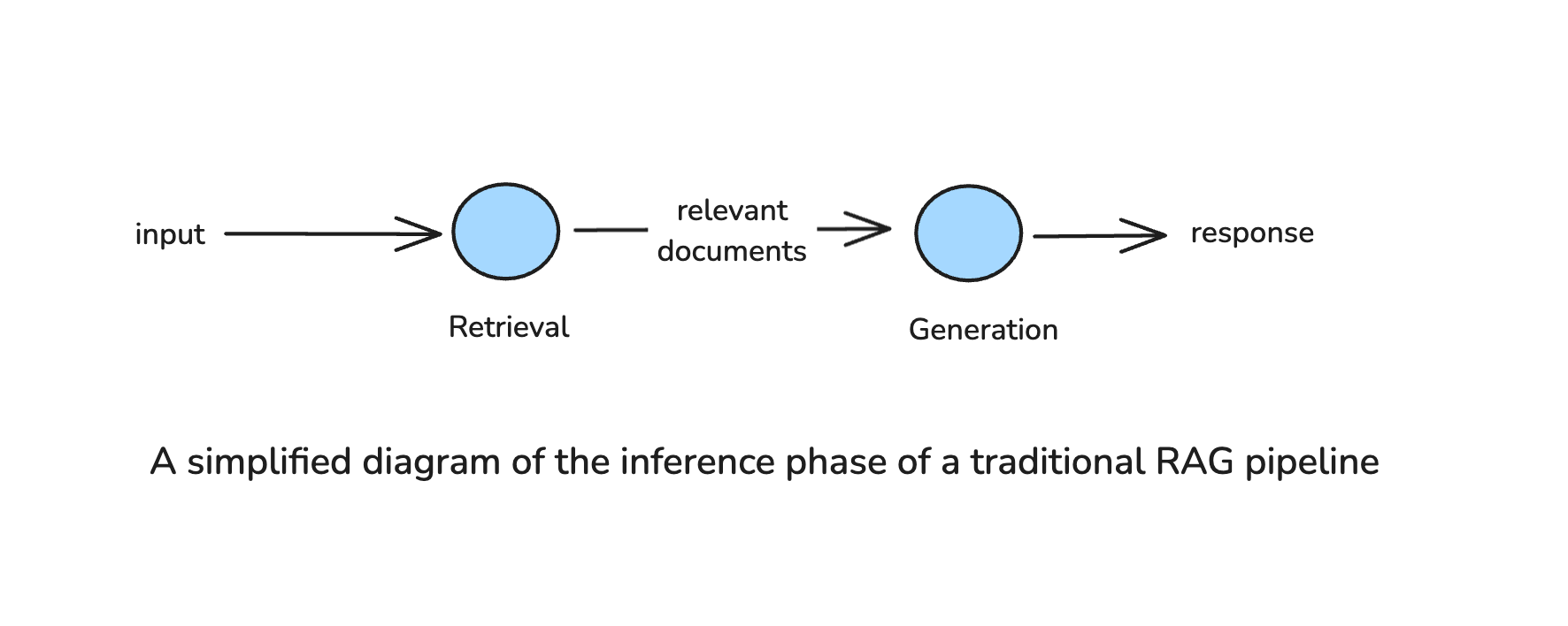
**Limitations of Traditional RAG**
However, traditional RAG systems, like the one described above, have limitations. The pipeline is typically fixed: when a query comes in, it executes a single round of retrieval from a predefined external source and then generates a response using the retrieved data. This means the system can’t easily adjust if the first retrieval attempt doesn’t find what’s needed. If the retrieved documents are irrelevant or incomplete, **the system has no way to refine its search or attempt a different retrieval strategy**—it simply generates a response based on whatever information was returned.
Furthermore, traditional RAG systems lack the ability to **select the most appropriate knowledge source** from multiple external sources. Without a mechanism to determine the intent of a query, the system treats all queries the same way, retrieving from a fixed index or database regardless of whether a different source might be more suitable.
For example, consider a company with two knowledge sources:
1. **An internal policy database** for HR-related queries.
2. **A web search API** for general information.
If an employee asks, _"What is our company's remote work policy?"_, the system might mistakenly retrieve general remote work articles from the web instead of the internal company database. Conversely, if someone asks, _"What are the latest trends in remote work?"_, but the system only searches internal documents, it will miss relevant industry insights.
You can imagine how both situations would lead to suboptimal results, or even “hallucinations” in some cases.
### What are Agentic Systems?
In today’s world, an agentic system (also referred to as an AI Agent) refers to an LLM-powered system that exhibits autonomy in decision-making, selecting the best course of action based on its goals and available information. Unlike static systems that follow a fixed sequence of operations, **agentic systems can** **assess situations, adapt their behavior, and iterate on their actions** to improve results.
These systems are typically equipped with a range of tools they can use or actions they can take, but for the purpose of this blog post, we will not focus on the tool use capabilities of agentic systems.
A defining characteristic of agentic systems is the presence of **agentic patterns**—strategies that allow them to **control, evaluate, and modify** their workflow as needed. These patterns include, but are not limited to:
- **Dynamic query analysis** – Deciding how to handle an input based on its nature and complexity.
- **Iterative reasoning & Planning** – Problem-solving through multiple steps rather than a single pass.
- **Self-evaluation and Reflection** – Assessing the quality of outputs and making corrections when necessary.
### What makes RAG Agentic?
Agentic RAG introduces autonomy and adaptability into the standard RAG pipeline by allowing the system to **actively control the retrieval process** rather than relying on a fixed retrieval-then-generate flow.
This means that instead of a linear pipeline, where retrieval is a single-step precursor to generation, an Agentic RAG system introduces decision points throughout the process. The system might:
- **Determine whether retrieval is necessary** before executing a search.
- **Decide which knowledge source is most appropriate** based on the query.
- **Refine the retrieval process iteratively**, adjusting queries or fetching additional context if needed.
- **Assess the relevance of retrieved documents** before using them in response generation.
These behaviors align with the agentic patterns discussed earlier, transforming RAG into a more intelligent and self-correcting process. Agentic RAG actively guides its own retrieval strategy, ensuring higher-quality and more contextually relevant answers.
## Agentic Patterns for RAG
Let’s explore some of the design patterns for Agentic RAG in more detail. Each of the below patterns represents a mechanisms that allows the RAG system to make intelligent decisions at different stages of the retrieval and response generation pipeline. Throughout the diagrams, I refrain from calling the agentic nodes as actual AI Agents, given the vagueness of the definition. Nevertheless, any node where an LLM call or chain is used for a purpose other than generation, could be deemed “agentic” for the purpose of this post.
### Query Analysis
Before retrieving information, an Agentic RAG system can first analyze the user’s query to determine the best approach. This includes:
- **Determining if retrieval is needed at all** – Some queries may already be answerable based on the model’s internal knowledge. If a query is common knowledge (_e.g., "Who wrote 1984?"_), an agentic system may choose to answer directly without retrieving external documents, saving computational resources.
- **Selecting the best retrieval source** – Instead of always querying the a single knowledge source, an agentic RAG system can intelligently route the query to the most relevant source. In our example in the limitations of traditional RAG section, our system would be able to ascertain if it should query the company’s internal policy database, or the web search API.
- **Deciding the appropriate retrieval strategy** – Some queries require **semantic search** in a vector database, while others are better suited for **keyword-based or hybrid search**. An agentic system can dynamically **choose the best retrieval method** for the query.
- **Extracting filters** – Some queries contain **implicit constraints** (e.g., timeframes, categories, or document types). An agentic system can **automatically extract filters** (e.g., _"Q2 2023 financial reports on renewable energy"_) and incorporate them into an appropriate structured query for the knowledge source.
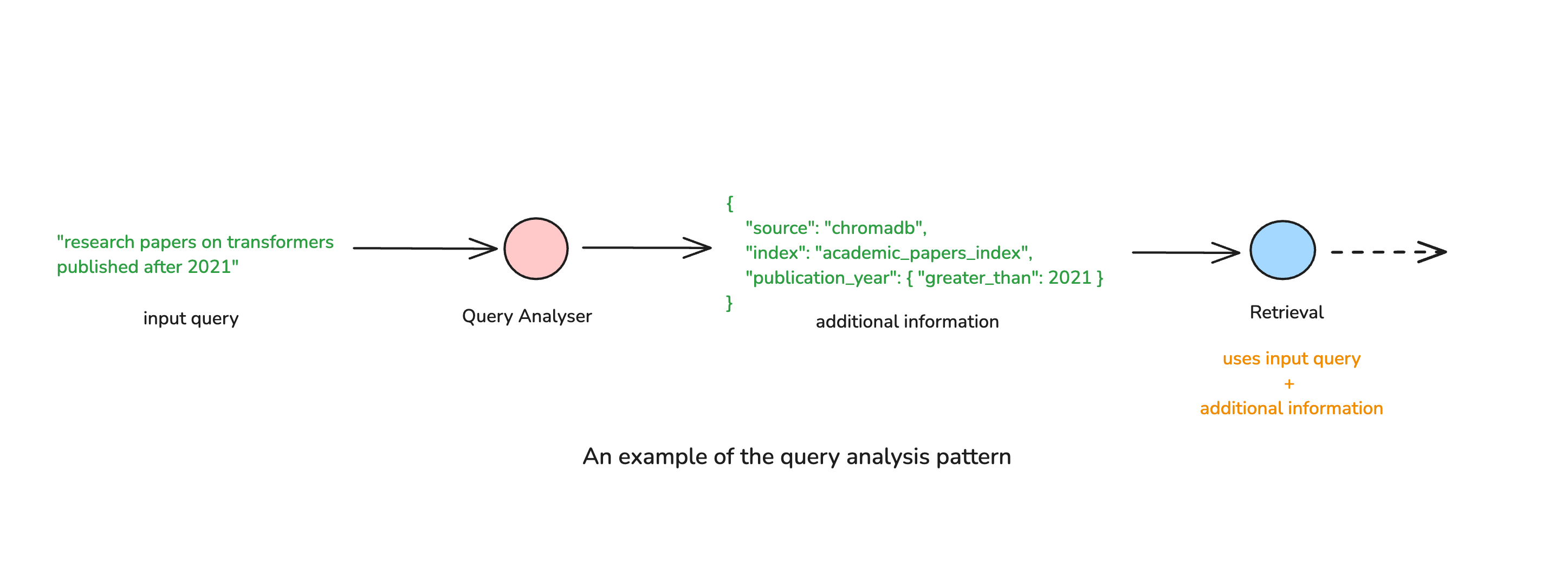
### Query Rewriting
Traditional RAG systems retrieve documents based on the literal user query, which may be vague, incomplete, or poorly phrased for effective retrieval. Agentic RAG improves this by dynamically reformulating queries before retrieval, optimizing search results. Query rewriting is especially important when dealing building conversational agents. These applications often need to use the message history in order to rewrite the query to make it appropriate for further processing.
This process can involve:
- **Expanding abbreviations and adding synonyms** to increase retrieval coverage.
- **Breaking down complex queries into smaller sub-queries** to retrieve more precise information.
- **Reframing queries** to match the format of indexed knowledge (e.g., transforming _"What are the symptoms of Type 2 diabetes?"_ into _"Type 2 diabetes common symptoms and diagnosis"_).
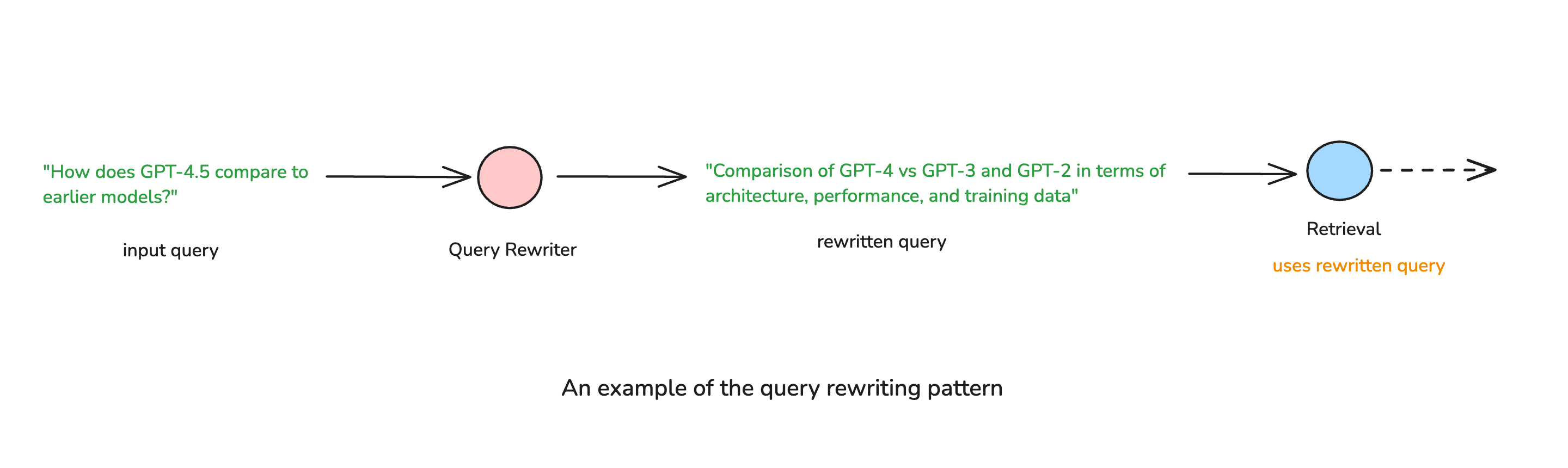
### Planning & Multi-Step Retrieval
Not all queries can be answered with a **single** retrieval step. Complex questions often require multiple rounds of retrieval and reasoning. Agentic RAG can plan a multi-step retrieval strategy, where the system decides the sequence of actions needed to construct a complete response.
For example, given a query like _"How did the 2008 financial crisis compare to the COVID-19 economic impact?"_, an agentic system might:
1. Retrieve data about the 2008 financial crisis.
2. Retrieve data about the COVID-19 economic impact.
3. Compare both retrieved sets and generate a synthesized response.
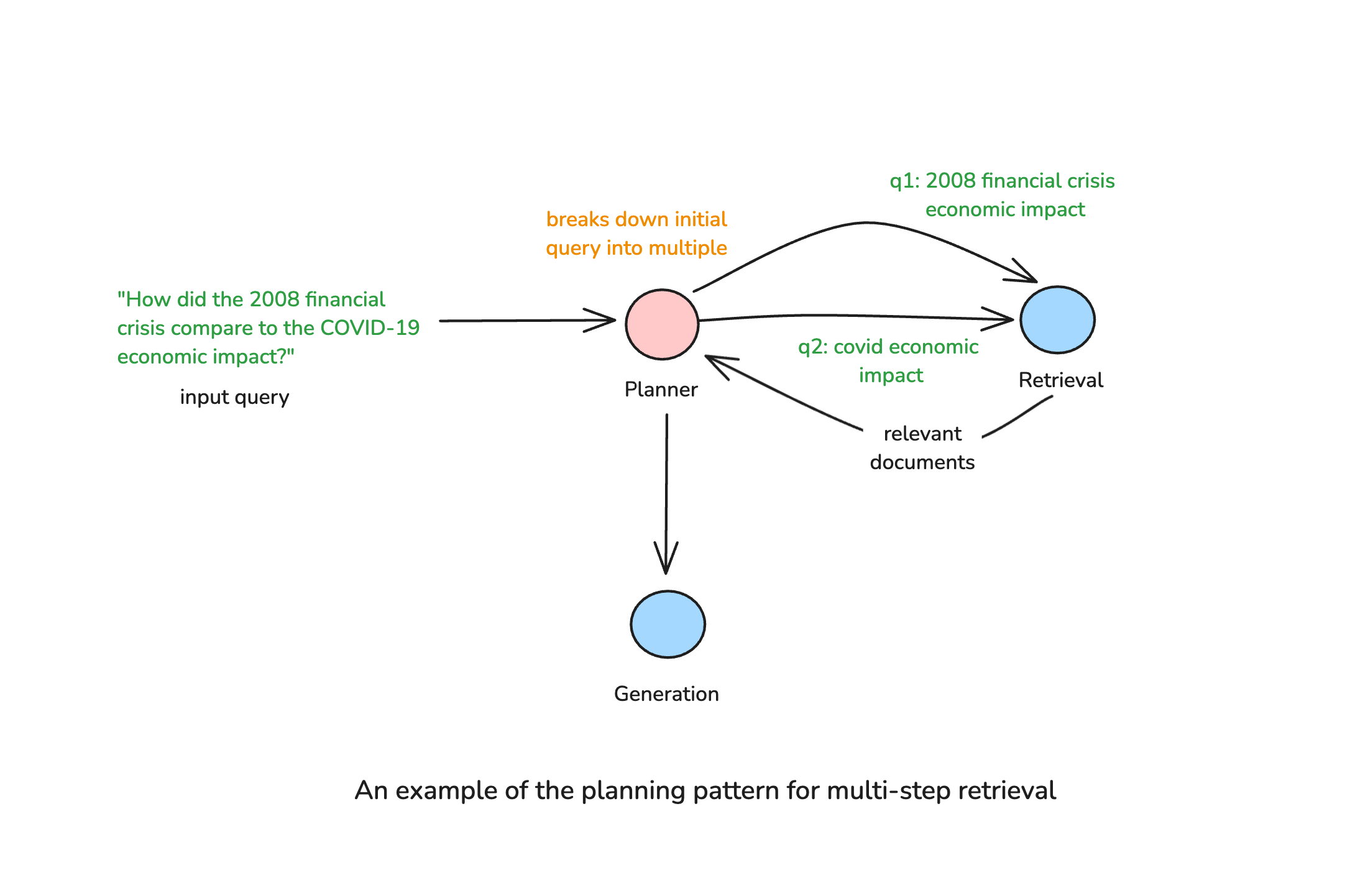
### Self Evaluation through Reflection
Another limitation of traditional RAG is its inability to assess the quality of retrieved documents before using them for response generation. Agentic RAG overcomes this by incorporating self-evaluation mechanisms, where the system can actively check its own retrieval results and generated responses.
This pattern can involve:
- **Grading the relevance of retrieved documents** to filter out low-quality sources.
- **Detecting gaps in information** and re-triggering retrieval if necessary.
- **Identifying contradictions between retrieved documents** to improve response accuracy.
Usually, self evaluation is performed in parallel for each document being evaluated to improve both assessment quality and latency.
### Bringing It All Together
The above patterns aren’t isolated. They can be combined in various ways to create sophisticated Agentic RAG architectures. It’s also common to use the same pattern at multiple points in the system to enhance its overall quality.
For example, a system might:
1. Use query analysis to determine if retrieval is needed.
2. Use query analysis again to extract any relevant filters from the query.
3. Rewrite the query for optimal retrieval.
4. Reflect on retrieved content to filter out irrelevant documents and generate a more relevant response.
This modular, adaptable approach makes Agentic RAG vastly more powerful than traditional RAG, as it can tailor retrieval strategies in real time based on the nature of the query.
In the next section, we will explore practical examples of how these patterns come together in real-world Agentic RAG pipelines.
## Examples of Agentic RAG Pipelines
We will focus on three possible approaches that demonstrate how the above patterns can be applied in practice.
### Single Agent Router
This is the simplest enhancement to a traditional RAG pipeline. A routing agent analyzes the query before retrieval and decides the best source of information, ensuring retrieval is both relevant and efficient.
**An Example Workflow**
1. The router agent classifies the query based on intent.
2. It dynamically selects the appropriate knowledge source (e.g., internal documents vs. web search).
3. The selected retrieval process is executed, and the retrieved data is passed to the LLM for response generation.
This routing-based approach introduces adaptability without adding much complexity, making it a lightweight yet impactful upgrade over standard RAG.
### Corrective RAG
Corrective RAG introduces reflection mechanisms, allowing the system to refine its retrieval and response generation by reflecting the quality of the retrieval or generation steps. For example, instead of accepting retrieved documents as they were returned from the knowledge souce, the agent validates their quality, and can course correct before proceeding.
**An Example Workflow**
1. The initial retrieval process is performed as in standard RAG.
2. The agent assesses retrieved documents—checking for relevance, completeness, and contradictions.
3. If needed, the agent triggers corrective actions, such as:
- Rewriting the query and performing another retrieval attempt.
- Fetching additional information from alternative sources.
- Discarding irrelevant or low-confidence documents, to reduce noise in the generation step.
4. After validation and passing the necessary quality checks, does the system proceed to response generation.
This approach transforms RAG into an iterative, self-correcting process, making it more resilient to incomplete or misleading retrievals.
I wrote a blog post on https://sajalsharma.com/posts/corrective-rag-langgraph/, which goes into detail of implementing this architecture using LangGraph.
### Adaptive RAG
The Adaptive RAG pipeline leverages query analysis, retrieval refinement, and self-reflection to dynamically adjust its strategy based on the query. The workflow follows these key stages:
1. **Query Analysis**
- The system first determines whether the query is related to the indexed knowledge base or if it requires an external search.
- If the query is **relevant to the index**, it proceeds with retrieval.
- If **unrelated**, the system routes it to an alternative method, such as a **web search**.
2. **Retrieval & Self-Assessment**
- Retrieved documents are graded for relevance before proceeding.
- If documents are sufficient, they are passed to the LLM for generation.
- If they are irrelevant, the system rewrites the query and retries retrieval. Note that it is important to place a limit on the maximum number of iterations to prevent infinite retrieval loops.
3. **Generation & Validation**
- The LLM generates an initial response based on the retrieved context.
- A validation step checks for hallucinations or incomplete answers.
- If the answer is satisfactory, it is returned.
- If not, retrieval is refined, or additional sources are queried before regenerating the response.
This pipeline represents the full potential of Agentic RAG, where the whole process is adaptive and responsive to query needs. Keep in mind that this workflow is just an example, and can be tailored to suit specific needs.
## Challenges & Mitigation Strategies in Agentic RAG
While Agentic RAG enhances retrieval adaptability and reasoning, it also introduces several challenges that impact latency, cost, maintainability, and evaluation complexity.
**1. Increased Latency Due to Multi-Step Processing**
Agentic RAG dynamically refines queries, re-evaluates retrieved results, and iterates on retrieval, leading to longer response times compared to a standard RAG pipeline.
**Mitigation Strategies:**
- **Prioritize efficiency in decision-making** – Use lighter models for query routing and reflection instead of larger, flagship LLMs.
- **Introduce early stopping criteria** – If retrieval confidence is high after the first pass, avoid unnecessary additional retrieval steps.
- **Cache intermediate results** – Store frequently retrieved documents and past query responses to minimize redundant retrievals.
**2. Higher Computational Costs**
Additional processing, multiple retrieval steps, and self-reflection loops increase inference costs, especially when using large LLMs for decision-making.
**Mitigation Strategies:**
Strategies mentioned above also apply to keeping the costs under control. Additionally, we can
- **Implement tiered processing** – Route simple queries through a standard RAG pipeline and reserve Agentic RAG for complex queries only.
- **Use cost-aware logic** – Define a maximum iteration limit for refinement and retrieval loops to prevent excessive compute usage.
**3. Overhead of Maintaining Prompts for Decision Points**
Agentic RAG systems rely on LLMs making decisions at multiple stages, such as query classification, retrieval re-ranking, and response validation. Crafting and fine-tuning prompts for these decision points requires ongoing maintenance.
**Mitigation Strategies:**
- **Use modular prompt templates & prompt libraries** – Instead of hardcoding separate prompts for each agent, use a consistent structure across all decision-making steps. Take advantage of prompt management tools such as Langtrace.
- **Limit decision-making complexity** – Not every step needs an LLM decision—use **rule-based heuristics** for simple routing tasks to reduce reliance on prompts.
**4. Complexity of Evaluation**
Traditional RAG evaluation methods focus on retrieval accuracy, but Agentic RAG requires evaluating decision-making quality, retrieval effectiveness, planning & reflection accuracy, and final response correctness, making the evaluation process more complex.
**Mitigation Strategies:**
- **Break evaluation into stages** – Measure the quality of each agent / decision point separately. For example, measure retrieval quality separately from the accuracy of query analyser and the reflection agents.
- **Use automatic evaluation pipelines** – Implement LLM-based grading or embedding similarity scoring to automate quality assessments, as much as possible.
## Conclusion
Agentic RAG represents a significant evolution in retrieval-augmented generation, introducing autonomy, reasoning, and adaptability to improve how AI retrieves and generates information. By moving beyond a fixed retrieve-then-generate pipeline, Agentic RAG enables dynamic decision-making—choosing the best data source, refining queries, iterating on retrieval, and self-evaluating responses before finalizing an answer. This adaptability allows it to handle complex queries, ensure information remains up-to-date, and improve response quality through reflection and correction.
However, introducing agentic behavior comes with trade-offs. Additional decision points increase latency and computational costs, and maintaining prompts, retrieval strategies, and evaluation pipelines requires ongoing refinement. Despite this complexity, for applications where accuracy, reliability, and adaptability are critical, the benefits outweigh the challenges. By shifting from a passive retriever to an active reasoning system, Agentic RAG makes AI-powered retrieval more robust, context-aware, and verifiable, paving the way for more advanced, real-world-ready knowledge systems.
## Further Reading
1. Aditi Singh, Abul Ehtesham, Saket Kumar, Tala Talaei Khoei. (2025). [Agentic Retrieval-Augmented Generation: A Survey on Agentic RAG](https://arxiv.org/abs/2501.09136)
2. [Agentic RAG with Qdrant](https://qdrant.tech/articles/agentic-rag/)
---
# Guest Lecture at Yale: February 2025 - Agentic Systems with LangGraph
Source: https://sajalsharma.com/posts/yale-guest-lecture-february-2025-ai-agents-langgraph/
Author: Sajal Sharma
Published: 2025-02-20
Tags: ai-agents, ai-engineering, langgraph, teaching
Slides from my guest lecture at Yale for Generative AI & Entrepreneurship class (MGT 899).
Had the privilege of delivering a guest lecture on Agentic Systems with LangGraph for the Generative AI & Entrepreneurship class (MGT 899) at Yale University on 11 February 2025!
We explored how graph-based AI workflows enable structured decision-making, automation, and advanced capabilities for AI-driven products. It was an incredible experience discussing the evolving AI landscape with such an engaged and thoughtful audience.
Slides from the talk can be found [here](https://docs.google.com/presentation/d/e/2PACX-1vRsoVf7bCC5JjbpIsGkr8xw9EcwUlmfulF1eoCBVCU-sG0bpQx_fnFA6OdiCD9BmPCXYnVIq1NmhlzZ/pub?start=false&loop=false&delayms=3000).
---
# Building AI Agents with LangGraph: My First O'Reilly Course!
Source: https://sajalsharma.com/posts/building-ai-agents-langgraph-oreilly/
Author: Sajal Sharma
Published: 2025-02-17
Tags: ai-agents, langgraph, llms, teaching
Announcing my first video course with O'Reilly—Building AI Agents with LangGraph! This course dives deep into AI agent design, action-taking, and multi-agent architectures using Python and OpenAI.
After months of hard work, I’m thrilled to announce my first-ever video course, _[Building AI Agents with LangGraph](https://learning.oreilly.com/course/building-ai-agents/0642572077884/)_, in partnership with O’Reilly! 🎉
This journey has been both challenging and deeply rewarding. I’ve taken countless online courses over the years—many of which have shaped my career in meaningful ways. Being on the other side, creating one myself, has been an incredible experience. It pushed me out of my comfort zone, forcing me to think deeply about how to teach these concepts effectively and make them engaging.
At the core of it all, my mission has always been to create content that helps people learn, explore, and build in the rapidly evolving world of AI. Doing this with O’Reilly, a name that has been synonymous with high-quality learning for decades, is truly an honor.
### What You'll Learn
- The fundamentals of AI agents: reasoning, action-taking, and the ReAct pattern
- How to implement agents from scratch using Python and OpenAI
- Designing and building multi-agent architectures with LangGraph
- Practical applications and workflows for AI-powered automation
This course is ideal for AI engineers, software developers, and data scientists looking to deepen their knowledge of agentic AI applications. It’s an intermediate-level course, so familiarity with Python and LLM frameworks like LangChain will help you get the most out of it.
### Why This Course Matters
AI agents are more than just chatbots—they are intelligent systems that can _reason_ and _act autonomously_, making them incredibly powerful for real-world applications. Whether you’re looking to integrate AI agents into your projects or transition into an AI engineering role, this course will give you the skills to build and deploy agentic applications effectively.
A shoutout to **Nicole Butterfield** and **Charlotte Ames** from O'Reilly for their incredible support throughout this journey!
### Check It Out
The course is now live on O’Reilly! If you're excited about AI, multi-agent systems, or just love taking online course (like I do), check it out [here](https://learning.oreilly.com/course/building-ai-agents/0642572077884/).
A Github repo containing the code for the course is also available [here](https://github.com/sajal2692/building_ai_agents_with_langgraph).
Please feel free to reach out to me if you have any feedback or questions about the course, through [LinkedIn](https://www.linkedin.com/in/sajals/) or [email](mailto:contact@sajalsharma.com). Always happy to hear from you!
Let’s build some AI agents! 💡⚡
---
# An Overview of Multi Agent Frameworks: Autogen, CrewAI and LangGraph
Source: https://sajalsharma.com/posts/overview-multi-agent-frameworks/
Author: Sajal Sharma
Published: 2024-04-08
Tags: llms, ai-engineering, langchain, langgraph, ai-agents, nlp
A brief look at the components of multi-agent frameworks and the current cutting edge options.
## Introduction
Multi-agent systems are all the rage these days, with them being used to improve both capability and performance of AI based workflows. These systems faciliate complex interactions and processes that mimic, at their best, the collaborative intelligence found in human teams.
This blog post delves into the foundational concepts of AI-driven multi-agent frameworks, discussing the role of large language models (LLMs), agents, tools, and processes in these systems. We'll also explore three leading frameworks—AutoGen, CrewAI, and LangGraph—comparing their features, autonomy levels, and ideal use cases, before concluding with strategic recommendations for adopting these frameworks.
### The Building Blocks of Multi-Agent Systems
Multi-agent systems are akin to a functional team, where each member (agent) plays a distinct role, contributing towards the completion of a pre-defined project. Let's break down the key components that constitute these complex systems.
#### Large Language Models (LLMs)
At the heart of modern multi-agent frameworks are Large Language Models—powerful AI systems adept at understanding and generating human language. These models are the brains behind the agents, enabling them to parse vast datasets, comprehend intricate queries, and produce coherent responses. LLMs empower agents with the reasoning and decision-making capabilities necessary to tackle complex tasks effectively.
#### Agents
Agents are autonomous entities programmed to perform specific tasks, make decisions, and collaborate towards a shared objective. Each agent, with its unique skills and roles, utilizes LLMs as reasoning engines, allowing for advanced decision-making and efficient task completion. Their autonomy and adaptability are crucial for the dynamic interactions and processes within multi-agent systems.
#### Tools
Tools represent specialized functions or skills that agents leverage to execute tasks. Ranging from simple data retrieval (from an API or a knowledge base) to complex analysis, these tools form the operational backbone of agents, enabling them to perform a wide array of actions. The careful selection of these tools is vital in detemining the system's overall functionality and efficiency.
#### Processes or Flows
Processes (or flows) define how tasks should be orchestrated within a multi-agent system, ensuring efficient task distribution and alignment with objectives. Processes can be defined both inter, and intra agent i.e. how an agent interacts with tools, or with outputs of other agents or computational processes.
### Leading Multi-Agent Frameworks
The choice of framework is crucial in determining the system's scalability, autonomy, and the level of control developers have. Below, we compare three prominent frameworks, each with its unique features.
#### AutoGen
[AutoGen](https://microsoft.github.io/autogen/) specializes in conversational agents, providing conversation as a high-level abstraction over multi agent collaboration. Its design ethos revolves around simulating group discussions where agents send and receive messages to initiate or continue a conversation, allowing for tool-use and human intervention as deemed necessary by the reasoning capabilities.
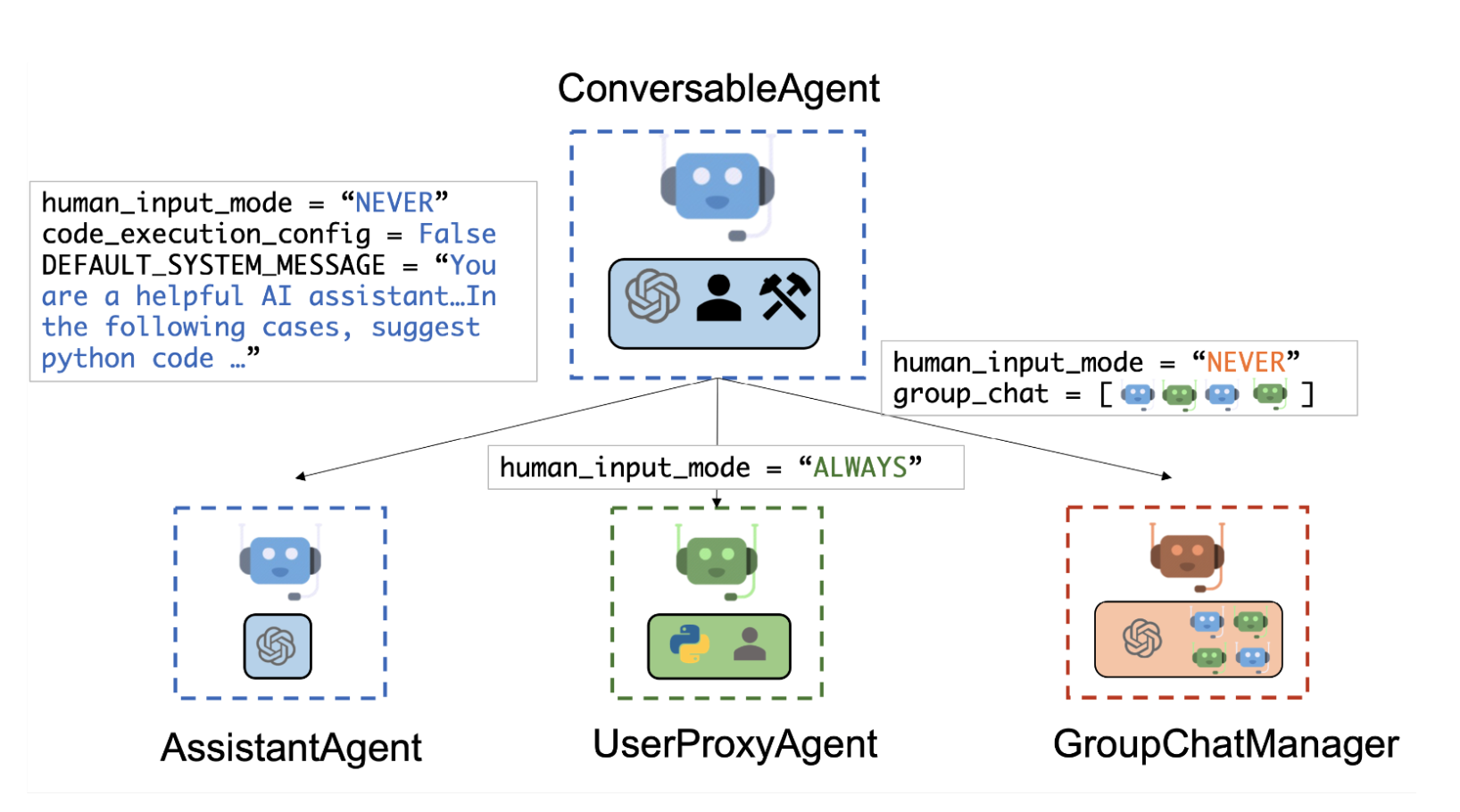
**Key Features**
- Conversational Engagement: Agents within AutoGen can engage in dialogue, sharing messages and insights to accomplish tasks collectively.
- Customization Through Integration: Allows the integration of various components like LLMs or human inputs, offering some degree of customizability.
#### CrewAI
[CrewAI](https://www.crewai.com/) combines AutoGen's autonomy with a structured, role-playing approach, facilitating sophisticated agent interactions. It's designed for balancing autonomy with structured processes, making it ideal for both development and production phases. From my understanding, AutoGen and CrewAI are similar in terms of both being highly autonomous, while CrewAI provides a bit more flexibility by doing away with the highly opinionated 'interaction through messages' approach of AutoGen.
**Key Features**
- Role-Based Agent Design: Introduces customizable agents with predefined roles and goals, supplemented by toolsets for enhanced capabilities.
- Autonomous Inter-Agent Delegation: Agents can autonomously delegate and consult tasks among themselves, streamlining problem-solving and task management.
#### LangGraph
[LangGraph](https://python.langchain.com/docs/langgraph/) is not as much as a multi-agent-framework, than a graph framework that allows developers to define complex inter-agent interactions as graphs. It focuses on building stateful, multi-actor applications with fine-grained control over agent interactions. Think of it as a framework used for building LLM based workflows, that can be leverage to hand-craft both individual agents and multi-agent interactions.
For now, it's usually preferred for custom-built systems requiring detailed scalability and control. LangGraph is built on top of, and heavily leverages Langchain, expanding the scope of applications that require cycles, or repetitions not usually possible just by using Langchain's [LCEL](https://python.langchain.com/docs/expression_language/).
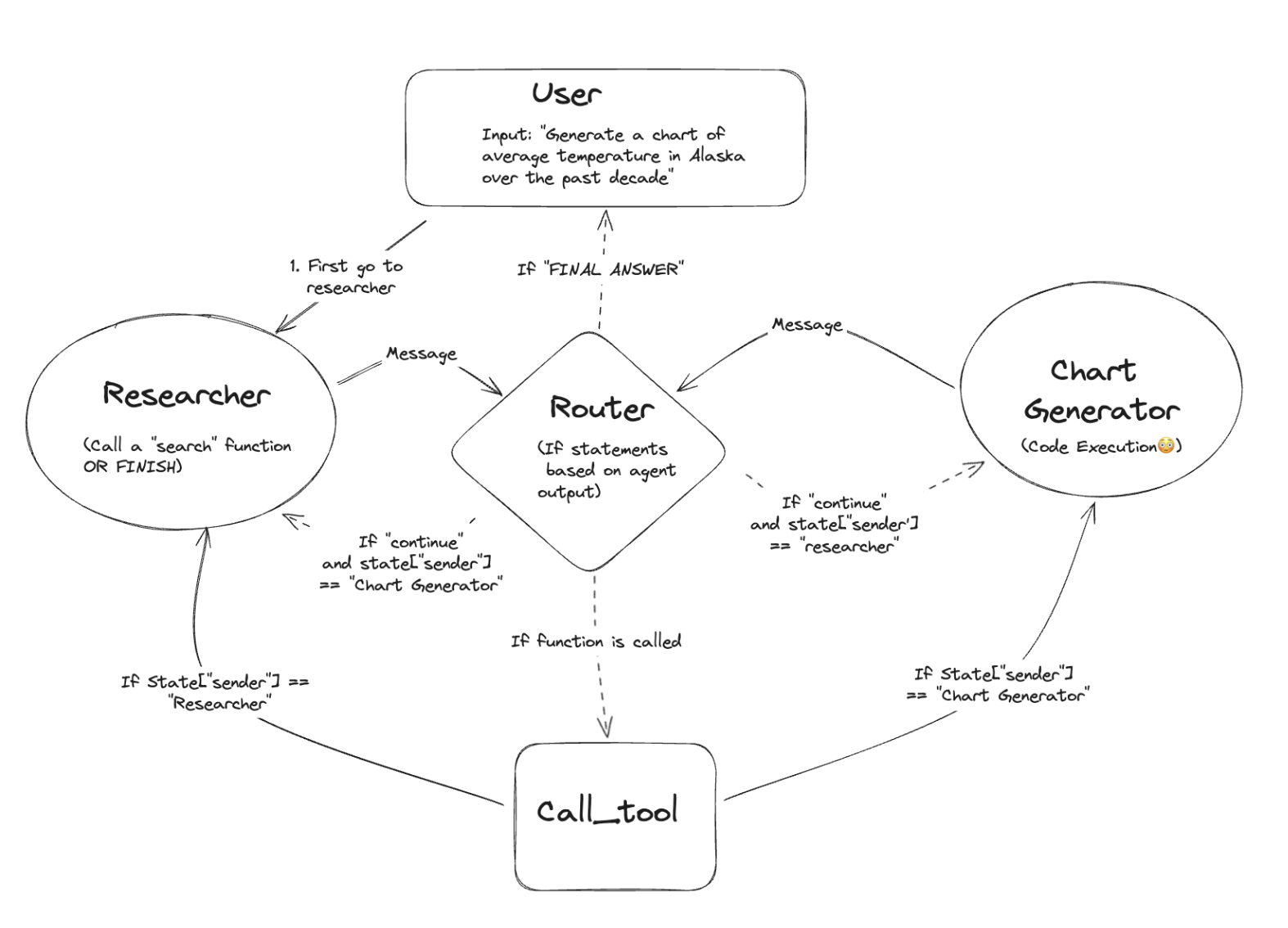
[Here's a blog post](https://sajalsharma.com/posts/corrective-rag-langgraph/) written by me on using LangGraph for building a Corrective RAG workflow.
**Key Features**
- Stateful Multi-Actor Applications: Supports applications involving multiple interacting agents, maintaining state throughout the process.
- Cyclical Computation Support: Unique in its ability to introduce cycles within LLM applications, essential for simulating agent-like behaviors.
### A Comparative Overview
To better understand the differences and applications of these frameworks, let's examine them in a comparative table:
| Feature | AutoGen | CrewAI | LangGraph |
| --------------------- | -------------------------------------------------------------------------- | ----------------------------------------------------------------- | ------------------------------- |
| **Type of Framework** | Conversational Agents | Role-Playing Agents | Graph-Based Agents |
| **Autonomy** | Highly Autonomous | Highly Autonomous | Conditionally Autonomous |
| **Collaboration** | Centralized group chat | Autonomous agents with roles and goals | Condition-based, cycling graphs |
| **Execution** | Managed by a dedicated agent | Dynamic delegation, but possible to define hierarchical processes | All agents perform functions |
| **Use Cases** | Experimentation, prototyping, use cases that beget conversational patterns | Development to production | Detailed control scenarios |
All of the above frameworks allow you to customize which LLMs to use per agent, or in the case of LangGraph, per execution node.
### Strategic Recommendations
CrewAI serves as an excellent entry point for experimenting with diverse agent types and workflows, offering valuable insights into agent interactions and tool usage. This exploration phase is crucial for identifying the complexities of agent behavior, paving the way for a transition to more sophisticated frameworks like LangGraph for finer control and flexibility. LangGraph has a learning curve. Start with CrewAI for exploration, and see if it fits your needs. When you need fine-grained control, learn and switch to LangGraph, or even custom code.
However, it's essential to maintain an extensible architecture for your Generative AI applications, allowing for seamless integration or replacement of agents as the system evolves. Such an approach ensures scalability, adaptability, and future-proofing, maximizing resource utilization and efficiency.
### Conclusion
Multi-agent frameworks represent the cutting edge of AI development, offering scalable and sophisticated solutions for complex problem-solving and decision-making. By understanding the core components and comparing leading frameworks, developers can make informed decisions about the most suitable platform for their needs. As the field continues to evolve, staying adaptable and open to integrating new technologies will be key to harnessing the full potential of AI-driven multi-agent systems.
### References
1. [AutoGen](https://microsoft.github.io/autogen/): An introduction, and tutorials on using AutoGen.
2. [CrewAI](https://www.crewai.com/): Tutorials and documentation for CrewAI.
3. [LangGraph](https://python.langchain.com/docs/langgraph/): Python Documentation for getting started with LangGraph.
4. [Sam Witteveen's Youtube Channel](https://www.youtube.com/@samwitteveenai): Goes deeper into building AI applications using CrewAI (and LangGraph)
5. [Langchain's Youtube Channel](https://www.youtube.com/watch?v=5h-JBkySK34&list=PLfaIDFEXuae16n2TWUkKq5PgJ0w6Pkwtg): Has an excellent playlist for getting started with LangGraph.
---
# Building a Corrective RAG workflow with LangGraph
Source: https://sajalsharma.com/posts/corrective-rag-langgraph/
Author: Sajal Sharma
Published: 2024-02-29
Tags: llms, ai-engineering, langchain, langgraph, rag, nlp, ai-agents
A deep dive into the process building a corrective RAG workflow using langgraph to handle scenarios where the documents retrieved from a vector database in a traditional RAG workflow are not relevant to answer a question.
## Introduction
> What if chunks from a relevant document are not relevant enough for an LLM to answer a question in your RAG system?
Retrieval-Augmented Generation (RAG) represents a significant advancement in making Large Language Model (LLM) outputs more grounded and realistic by leveraging relevant documents for context, thus becoming a critical component of modern LLM systems.
Yet, it's not without its shortcomings, especially when the retrieval mechanism sources less-than-ideal information. In my experience developing RAG systems for diverse clients, a recurrent issue has been the inadequacy of document chunks to fully address a query. I've observed that, quite often, providing LLMs with access to entire documents or expanding the context surrounding the targeted chunks can substantially enhance the model's ability to formulate accurate responses. This underscores the necessity for a more nuanced approach to document retrieval and utilization within RAG frameworks, aiming to optimize the balance between relevance and comprehensiveness of the information provided to LLMs.
This is where [Corrective RAG (CRAG)](https://arxiv.org/abs/2401.15884) comes into play. It enhances the traditional RAG framework by introducing a lightweight retrieval evaluator that assesses the quality of retrieved documents and assigns a confidence score. This score then informs whether to proceed with the generated answer or seek further information, potentially through approaches such as web-search, or in the case of this document, passing in more context to the LLM.
In my latest experiment, I implemented CRAG using [LangGraph](https://python.langchain.com/docs/langgraph), a powerful framework developed by the team at Langchain, for building complex AI workflows, using a graph-based approach. Follow along and this blog post will reinforce not only the value of CRAG to handle similar situations, but also the capability of LangGraph in orchestrating complex LLM workflows.
You can find a Python notebook for this post [here](https://github.com/sajal2692/llm_tutorials/blob/main/rag/corrective_rag_with_langgraph.ipynb).
## Set Up
We’ll use langgraph (and thus, langchain) as our orchestration framework, OpenAI API for the chat and embedding endpoints, and ChromaDB for this demonstration.
### Setting Up the Environment
The first step is to install the necessary libraries in your favourite environment:
```bash
pip install langgraph langchain langchain_openai chromadb
```
### Imports
```python
import os
from langchain.text_splitter import MarkdownHeaderTextSplitter
from langchain_community.vectorstores import Chroma
from langchain_openai import ChatOpenAI, OpenAIEmbeddings
from langchain_core.prompts import ChatPromptTemplate, PromptTemplate
from langchain_core.output_parsers import StrOutputParser
from langchain_core.runnables import RunnablePassthrough
```
Don’t forget to set your OpenAI Key!
```python
os.environ["OPENAI_API_KEY"] = # enter your openai api key here
```
## Transforming and Ingesting the Data
The source of the data is a verbose, markdown version of me resume. It has information on my work experience, education etc. You can check out the source file [here](https://github.com/sajal2692/llm_tutorials/blob/main/rag/source.md).
Since the source is a markdown file, we can be a bit more clever than simply chunking it using character count. We’ll chunk the file using the markdown headers, ensuring that each chunk maintains its integrity, encapsulating the relevant data within.
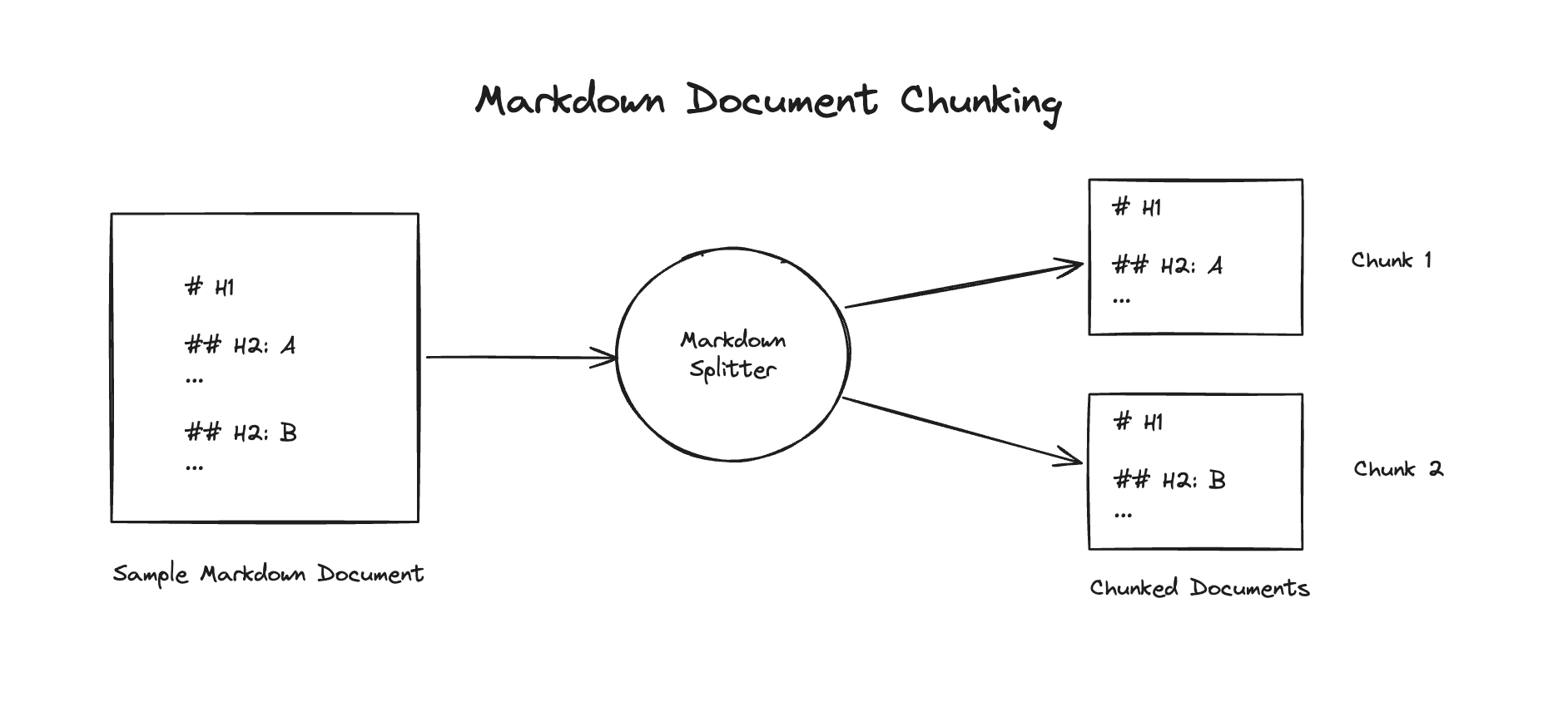
We’ll also create a vector store using ChromaDB, and a retriever object using the vector store.
```python
# ingesting data
markdown_path = "source.md"
# read the markdown file and return the full document as a string
with open(markdown_path, "r") as file:
full_markdown_document = file.read()
# split the data into chunks based on the markdown heading
headers_to_split_on = [
("#", "Header 1"),
("##", "Header 2"),
("###", "Header 3"),
]
markdown_splitter = MarkdownHeaderTextSplitter(headers_to_split_on=headers_to_split_on, strip_headers=False)
chunked_documents = markdown_splitter.split_text(full_markdown_document)
# create a vector store
embeddings_model = OpenAIEmbeddings()
db = Chroma.from_documents(chunked_documents, embeddings_model)
# create retriever
retriever = db.as_retriever()
```
## Results from a basic RAG chain
Defining the ChatOpenAI LLM object:
```python
llm = ChatOpenAI(model="gpt-4-0125-preview", temperature=0)
```
Defining a standard RAG chain using the retriever that we created previously:
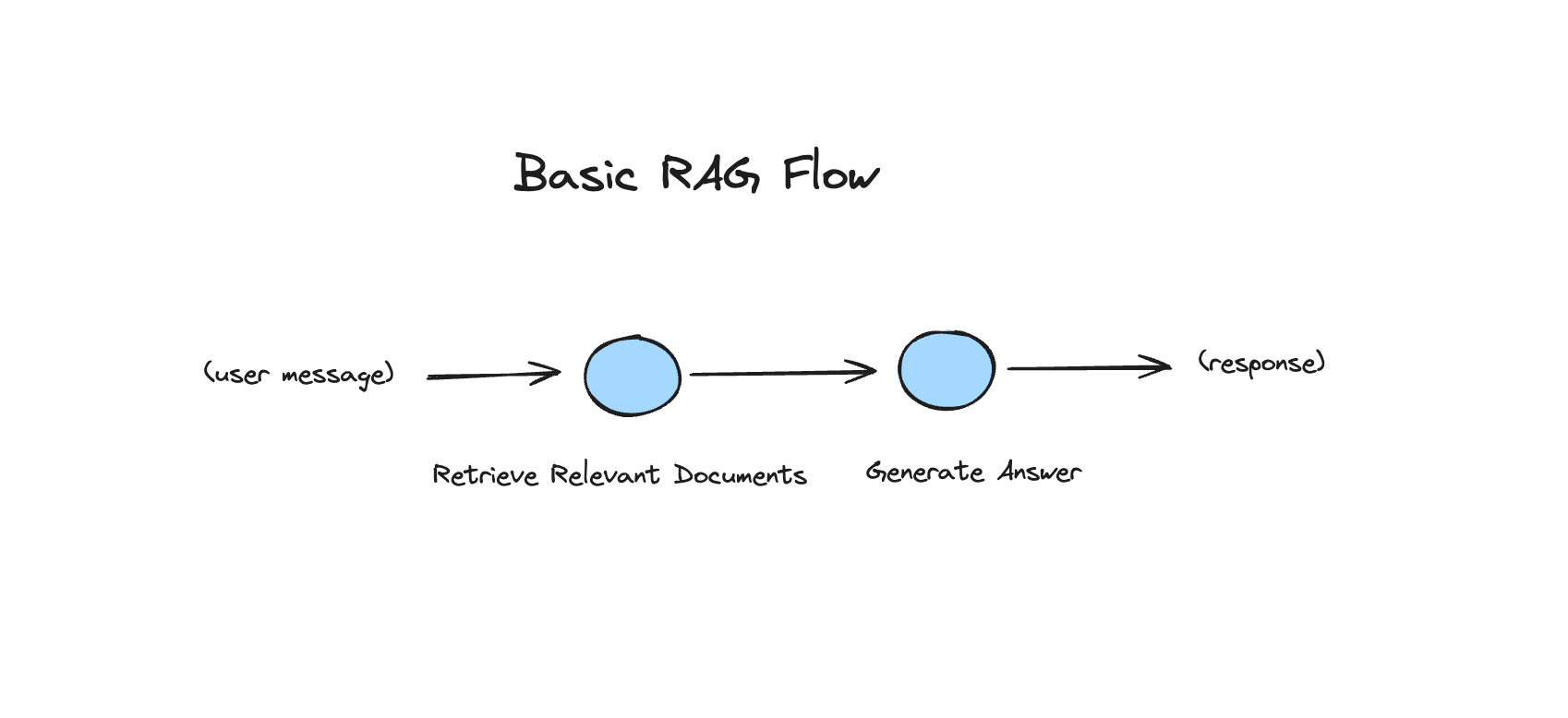
```python
rag_prompt = """You are an AI assistant. Your main task is to answer questions people may have about Sajal.
Use the following pieces of retrieved context to answer the question. If you don't know the answer, just say that you don't know. Use three sentences maximum and keep the answer concise.
Question: {question}
Context: {context}
Answer:
"""
rag_prompt_template = ChatPromptTemplate.from_template(rag_prompt)
rag_chain = (
{"context": retriever, "question": RunnablePassthrough()}
| rag_prompt_template
| llm
| StrOutputParser()
)
```
Now, let’s check out a couple cases where the chain works fairly well. Intuitively, these would be questions where enough data exists within each retrieved chunk to completely answer a question.
```python
rag_chain.invoke("When did Sajal graduate from University of Melbourne?")
```
Output:
> Sajal graduated from the University of Melbourne with a Master of Information Technology, majoring in Computing, in August 2016.
```python
rag_chain.invoke("What did Sajal do at Unscrambl?")
```
Output:
> At Unscrambl, Sajal was a key member of the NLP Engineering team, where he helped enhance the natural language understanding of their business analytics platform, focusing on advancing Named Entity Recognition (NER), intent recognition, and ANNOY model functionalities. He developed the Natural Language to SQL system data preparation pipeline using NLTK and spaCy, significantly reducing manual effort and boosting system efficiency. Additionally, Sajal collaborated in designing and developing NLP-driven chatbot products and led the deployment of these solutions for clients across Asia, impacting over 100,000 monthly users.
Now, let’s see examples where our current RAG system would struggle. Think about cases where the answer to a question is not directly embedded in a chunk.
```python
rag_chain.invoke("How many countries has sajal worked in?")
```
Output:
> The provided documents do not specify the exact number of countries Sajal has worked in. However, his education and mentoring activities suggest he has connections to Australia and India, and possibly interacts with international students globally through his role as a mentor at Udacity. Without more specific information on his professional work locations, it's not possible to give a precise count of countries he has worked in.
Let’s check the documents that were retrieved from the vector database for the question.
```python
retriever.get_relevant_documents("How many countries has sajal worked in?")
```
Output:
```
[Document(page_content='# Sajal Sharma \n## Contact Info \n+65 9077-9093 |contact@sajalsharma.com | [LinkedIn](linkedin.com/in/sajals) | [GitHub](github.com/sajal2692)', metadata={'Header 1': 'Sajal Sharma', 'Header 2': 'Contact Info'}),
Document(page_content='## Languages \n- Hindi (Native or Bilingual)\n- English (Native or Bilingual)\n- German (Elementary)', metadata={'Header 1': 'Sajal Sharma', 'Header 2': 'Languages'}),
Document(page_content='## Activities \n- Mentor & Project Reviewer, Udacity: Coached 100+ international students enrolled in Data Science courses. Recognised as an elite mentor in 2021 with A+ mentor performance grade based on student feedback scores.\n- Mentor, STEM Industry Mentoring Programme, The University of Melbourne: Jul 2020 - Present\n- Creator, Data Science Portfolio: Github repo with 900+ stars showcasing various classical Data Science projects.', metadata={'Header 1': 'Sajal Sharma', 'Header 2': 'Activities'}),
Document(page_content='## Education \n**The University of Melbourne**\nMaster of Information Technology, Major in Computing\nMelbourne, Australia\nAug 2014 – Aug 2016 \n**Bharatiya Vidyapeeth University**\nBachelor of Computer Applications\nNew Delhi, India\nJul 2010 – Jul 2013', metadata={'Header 1': 'Sajal Sharma', 'Header 2': 'Education'})]
```
Since there are no chunks that can directly answer the given question, the similarity search finds it hard to find relevant information.
Let’s look at another similar example:
```python
# incorrect / incomplete result
rag_chain.invoke("list all the positions that sajal has held throughout his career")
```
Output:
> Throughout his career, Sajal has held the following positions:\n1. Mentor & Project Reviewer at Udacity\n2. Mentor at the STEM Industry Mentoring Programme, The University of Melbourne\n3. Creator of a Data Science Portfolio on GitHub\n4. Senior AI Engineer at Splore, a Temasek-backed AI startup (contracted via Unscrambl), Singapore
Again, seems like an incomplete answer. A better answer would have been to list the positions in the work experience section of the source document.
## Building a Corrective RAG flow using LangGraph
With the problem set up, we’re finally ready to do some _flow engineering_.
We’re going to grade the retrieved documents using GPT-4, and based on the grades decide if the documents are relevant enough to generate an answer to the question, or if we need to pass in the whole document to give the LLM more context.
To do this, we’ll build a LangGraph graph, with nodes for retrieving documents given a query, grading the retrieved documents, and finally generating an answer using the retrieved chunks or the whole document.
Here’s what the flow will look like upon completion:
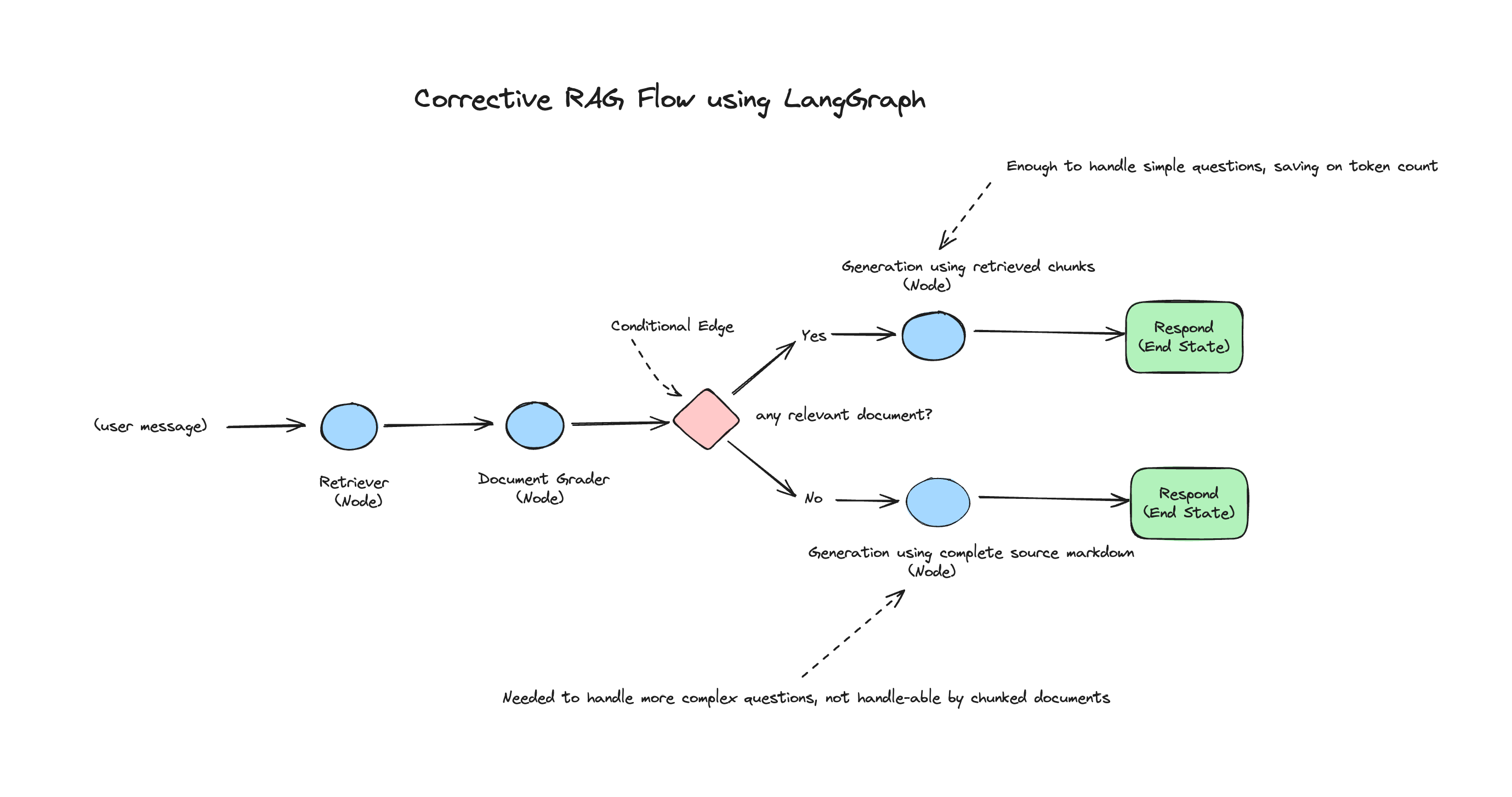
First, we begin by defining a data class that will hold the state of the graph. Think of it as a dictionary that contains data that is shared and used by nodes across the graph. A node modifies the state of the graph, i.e. updates the data in the state by adding, modifying or deleting.
For our purpose, the state will be a Python dictionary containing any data, but for production workflows, it’s prudent to define a more strict state class.
```python
# Defining the state class which holds data related to the current state
from typing import Dict, TypedDict
class GraphState(TypedDict):
"""
Represents the state of our graph.
Attributes:
keys: A dictionary where each key is a string.
"""
keys: Dict[str, any]
```
Now, let’s define the nodes of the graph. We need separate nodes for retrieving the documents, and for generating an answer based on the state. We’ll also add some print statements to our nodes so that we can track the flow.
We can begin by defining a node for retrieving the relevant documents (chunks) given a query:
```python
def retrieve_documents(state):
"""Node to retrieve documents, by using the query from the state"""
print("---RETRIEVE DOCUMENTS---") # print statements to track flow
state_dict = state["keys"]
question = state_dict["question"]
documents = retriever.get_relevant_documents(question)
return {"keys": {"question": question, "documents": documents}}
```
You can see that the node returns an updated state dictionary.
Next, let’s define a node to generate an answer, using the retrieved documents:
```python
generation_answer_chain = rag_prompt_template | llm | StrOutputParser()
def generate_with_retrieved_documents(state):
"""Node to generate answer using retrieved documents"""
print("---GENERATE USING RETRIEVED DOCUMENTS---")
state_dict = state["keys"]
question = state_dict["question"]
documents = state_dict["documents"]
answer = generation_answer_chain.invoke({"question": question, "context": documents})
return {"keys": {"question": question, "response": answer}}
```
The next piece of the puzzle is to define a node for grading the retrieved documents. I won’t go into detail about the code for this, but if you’re familiar with the concept of LLM tools and function calling, it should be straightforward to follow. If not, feel free to refresh your knowledge of these topics by visiting the [langchain docs for function calling](https://python.langchain.com/docs/modules/agents/tools/tools_as_openai_functions).
The node also determines, based on the grades, if there’s enough information in the chunks to generate an answer. It’ll add this information to the state.
```python
from langchain_core.pydantic_v1 import BaseModel, Field
from langchain.output_parsers.openai_tools import PydanticToolsParser
from langchain_core.utils.function_calling import convert_to_openai_tool
grader_prompt = """
You are a grader assessing relevance of a retrieved document to a user question. \n
Retrieved document: \n\n {context} \n\n
User Question: {question} \n
When assessing the relevance of a retrieved document to a user question, consider whether the document can provide a complete answer to the question posed. A document is considered relevant only if it contains all the necessary information to fully answer the user's inquiry without requiring additional context or assumptions.
Give a binary score 'yes' or 'no' score to indicate whether the document is relevant to the question.
Do not return anything other than a 'yes' or 'no'.
"""
grader_prompt_template = PromptTemplate(template=grader_prompt, input_variables=["context", "question"])
# pydantic class for grade, to be used with openai function calling
class grade(BaseModel):
"""Binary score for relevance check."""
binary_score: str = Field(description="Relevance score 'yes' or 'no'")
grade_tool_openai = convert_to_openai_tool(grade)
llm_with_grader_tool = llm.bind(
tools=[grade_tool_openai],
tool_choice={"type": "function", "function": {"name": "grade"}}
)
tool_parser = PydanticToolsParser(tools=[grade])
grader_chain = grader_prompt_template | llm_with_grader_tool | tool_parser
def grade_documents(state):
"""Node to grade documents, filter out irrelevant documents and assess whether need to run generation on whole document"""
print("---GRADE DOCUMENTS---")
state_dict = state["keys"]
question = state_dict["question"]
documents = state_dict["documents"]
filtered_documents = []
run_with_all_data = False
for doc in documents:
score = grader_chain.invoke({"context": documents, "question": question})
grade = score[0].binary_score
if grade == "yes":
print("---GRADE: FOUND RELEVANT DOCUMENT---")
filtered_documents.append(doc)
if not filtered_documents:
print("---GRADE: DID NOT FIND ANY RELEVANT DOCUMENTS")
run_with_all_data = True
return {
"keys": {
"documents": filtered_documents,
"question": question,
"run_with_all_data": run_with_all_data
}
}
```
Now we need our final node, which generates an answer using the complete source document.
```python
def generate_answer_using_all_data(state):
"""Node to generate the answer using the complete document"""
print("---GENERATING ANSWER USING ALL DATA")
state_dict = state["keys"]
question = state_dict["question"]
answer = generation_answer_chain.invoke({"question": question, "context": full_markdown_document})
return {"keys": {"question": question, "response": answer}}
```
With the nodes in place, we need to define a conditional edge, which takes a look at the state, and determines the next node to be processed. Since we add data about our decision on how to generate an answer in the grader node, it will be used in this edge.
Defining the conditional edge:
```python
def decide_to_use_all_data(state):
"""Conditional edge that decides the next node to run"""
state_dict = state["keys"]
run_with_all_data = state_dict["run_with_all_data"]
if run_with_all_data:
return "generate_answer_using_all_data"
else:
return "rag"
```
All the pieces are in place and we’re ready to define the graph!
```python
from langgraph.graph import END, StateGraph
class GraphState(TypedDict):
"""
Represents the state of our graph.
Attributes:
keys: A dictionary where each key is a string.
"""
keys: Dict[str, any]
def compile_graph():
workflow = StateGraph(GraphState)
### define the nodes
workflow.add_node("retrieve", retrieve_documents)
workflow.add_node("grade_documents", grade_documents)
workflow.add_node("generate_answer_with_retrieved_documents", generate_with_retrieved_documents)
workflow.add_node("generate_answer_using_all_data", generate_answer_using_all_data)
### build the graph
workflow.set_entry_point("retrieve")
workflow.add_edge("retrieve", "grade_documents")
workflow.add_conditional_edges(
"grade_documents",
decide_to_use_all_data,
{
"rag": "generate_answer_with_retrieved_documents",
"generate_answer_using_all_data": "generate_answer_using_all_data",
}
)
workflow.add_edge("generate_answer_with_retrieved_documents", END)
workflow.add_edge("generate_answer_using_all_data", END)
### compile the graph
app = workflow.compile()
return app
```
Finally, let’s compile our graph and define a function that can take in a question and run our complete flow.
```python
app = compile_graph()
def response_from_graph(question):
"""Returns the response from the graph"""
return app.invoke({"keys": {"question": question}})["keys"]["response"]
```
Let’s test out the graph workflow on questions that our basic RAG chain struggled with:
```python
print(response_from_graph("How many countries has sajal worked in?")
```
Print statement / logs outputs:
```python
--RETRIEVE DOCUMENTS---
---GRADE DOCUMENTS---
---GRADE: DID NOT FIND ANY RELEVANT DOCUMENTS
---GENERATING ANSWER USING ALL DATA
```
Graph output:
> Sajal has worked in at least three countries: Singapore, the Philippines, and India. His work in Singapore is mentioned with OneByZero and Splore, a Temasek-backed AI startup. Additionally, he developed a proof of concept for a major bank in the Philippines and was a key member of Unscrambl's NLP Engineering team in India.
A correct answer!
Let's try the other question that didn't produce great results:
```python
print(response_from_graph("list all the positions that sajal has held throughout his career"))
```
Graph output:
> Throughout his career, Sajal has held the following positions:
>
> 1. Lead AI Engineer at OneByZero (contracted via Unscrambl), Singapore.
> 2. Senior AI Engineer at Splore, a Temasek-backed AI startup (contracted via Unscrambl), Singapore.
> 3. Senior Machine Learning Engineer at Unscrambl, India.
> 4. Machine Learning Engineer at Unscrambl, India.
Again, a much more complete answer, which is correct based on the given context.
But does our graph still work for cases where retrieved chunks are enough to answer the question?
```python
print(response_from_graph("Has sajal created any popular github repositories?"))
```
Print statement / logs outputs:
```python
---RETRIEVE DOCUMENTS---
---GRADE DOCUMENTS---
---GRADE: FOUND RELEVANT DOCUMENT---
---GRADE: FOUND RELEVANT DOCUMENT---
---GRADE: FOUND RELEVANT DOCUMENT---
---GRADE: FOUND RELEVANT DOCUMENT---
---GENERATE USING RETRIEVED DOCUMENTS---
```
Graph output:
> Yes, Sajal has created a popular GitHub repository. His Data Science Portfolio on GitHub has garnered over 900 stars, showcasing various classical Data Science projects. This indicates a significant level of recognition and appreciation from the GitHub community.
Perfect!
## Conclusion
In this blog post, we've explored the limitations of traditional Retrieval-Augmented Generation (RAG) systems and introduced Corrective RAG (CRAG) as a powerful alternative that enhances document retrieval through a lightweight evaluation process. Through practical examples and the use of LangGraph for orchestrating complex workflows, we've demonstrated how CRAG can significantly improve the accuracy and relevance of responses by dynamically adjusting the context provided to Large Language Models (LLMs).
This approach not only addresses the issue of inadequate document chunks but also highlights the importance of adaptability and precision in document retrieval processes. The success of CRAG in our experiments underscores its potential to refine and elevate the capabilities of RAG systems, making it a valuable tool for developers seeking to optimize LLM performance in various applications.
We can choose to be flexible and search the internet, or hit external knowledge bases based on the conditional edges in the graphs. We’ve merely scratched the surface of what’s possible with some creativity in implementing more advanced workflows with LangGraph.
## References
1. Yan, S.-Q., Gu, J.-C., Zhu, Y., & Ling, Z.-H. (2024). Corrective Retrieval Augmented Generation. _arXiv_. [https://doi.org/10.48550/arXiv.2401.15884](https://doi.org/10.48550/arXiv.2401.15884)
2. [Self-Reflective RAG with LangGraph](https://blog.langchain.dev/agentic-rag-with-langgraph/)
---
# Deploy StableLM models on AWS Sagemaker Endpoints
Source: https://sajalsharma.com/posts/deploy-stablelm-models-aws-sagemaker/
Author: Sajal Sharma
Published: 2023-04-30
Tags: llms, nlp, machine-learning
This blog post guides you through the process of deploying StableLM models on AWS Sagemaker Endpoints, including creating a custom inference script and setting up the endpoint.
## Introduction
Welcome to this blog post explaining how to deploy StableLM models on AWS Sagemaker Endpoints. As of 30 April 2023, the process of deploying the model on Sagemaker Endpoints is not
as straightforward as some of the other models on HuggingFace, due to the need to package custom inference code with the model. This blog post will explain how to do this step by step.
We'll be deploying the StableLM-Tuned-Alpha 7b variant on the model on an ml.g5.4xlarge instance. StableLM-Tuned-Alpha is a suite of 3B and 7B parameter decoder-only language models built on top of the StableLM-Base-Alpha models and further fine-tuned on various chat and instruction-following datasets.
This blog post is based on the [Deploy FLAN-UL2 20B on Amazon SageMaker](https://www.philschmid.de/deploy-flan-ul2-sagemaker) blog post by [Philipp Schmid](https://www.philschmid.de/), so please
check out his website for excellent content about NLP and AWS.

## Steps:
1. Download the model from Huggingface.
2. Create a custom inference script.
3. Package the model and inference script by creating the model.tar.gz archive.
4. Upload the model to S3.
5. Create a Sagemaker Endpoint.
You can follow the steps on your local machine or on an AWS Sagemaker Studio notebook / terminal. You'll need to make sure that your local machine or the Sagemaker instance has enough
disk space to download the model & create the archive file. This blog post will also not go into details about how to set up your AWS account permissions, so please make sure to
follow the blog post provided in the references on how to do this for a similar model.
### 1. Download the model from Huggingface.
Make sure you have _git_ and _git-lfs_ installed on your system. Simply run the following commands in your terminal to download the model:
```bash
# Make sure you have git-lfs installed (https://git-lfs.com)
git lfs install
git clone https://huggingface.co/stabilityai/stablelm-tuned-alpha-7b
```
The model will then be available inside the directory _stablelm-tuned-alpha-7b_.
### 2. Create a custom inference script.
Change the directory to the model directory and create a directory called _code_.
```bash
cd stablelm-tuned-alpha-7b
mkdir code
```
Create a file called _inference_.py inside the _code_ directory and copy the following code into it:
```python
from transformers import AutoModelForCausalLM, AutoTokenizer, StoppingCriteria, StoppingCriteriaList
import torch
SYSTEM_PROMPT = """<|SYSTEM|># StableLM Tuned (Alpha version)
- StableLM is a helpful and harmless open-source AI language model developed by StabilityAI.
- StableLM is excited to be able to help the user, but will refuse to do anything that could be considered harmful to the user.
- StableLM is more than just an information source, StableLM is also able to write poetry, short stories, and make jokes.
- StableLM will refuse to participate in anything that could harm a human.
"""
class StopOnTokens(StoppingCriteria):
def __call__(self, input_ids: torch.LongTensor, scores: torch.FloatTensor, **kwargs) -> bool:
stop_ids = [50278, 50279, 50277, 1, 0]
for stop_id in stop_ids:
if input_ids[0][-1] == stop_id:
return True
return False
def model_fn(model_dir):
# Load model from S3
tokenizer = AutoTokenizer.from_pretrained(model_dir)
model = AutoModelForCausalLM.from_pretrained(model_dir)
model.half().cuda()
return model, tokenizer
def predict_fn(data, model_and_tokenizer):
model, tokenizer = model_and_tokenizer
input = data.pop("input", None)
prompt = f"{SYSTEM_PROMPT}<|USER|>{input}<|ASSISTANT|>"
inputs = tokenizer(prompt, return_tensors="pt").to("cuda")
input_ids = inputs['input_ids']
tokens = model.generate(
**inputs,
max_new_tokens=128,
temperature=0.5,
do_sample=True,
stopping_criteria=StoppingCriteriaList([StopOnTokens()])
)
# the code has been changed to only return the generated text, and not the original text
# simply remove the slicing below to return the input text in addition to
# the generated text
output = tokenizer.decode(tokens[:, input_ids.shape[1]:][0], skip_special_tokens=True)
return output
```
This script now includes the custom code needed for reading the model correctly and making predictions. I've included some slicing on the tokens to only return the generated text, and not the original text. You can remove this if you want to return the original text as well.
You can change the SYSTEM_PROMPT to whatever you like, but keep in mind that including the system prompt inside the inference code will bundle it with your model.
If you want to try out the model with a different system prompt, you can pass it as an input when invoking the endpoint instead of having it hardcoded inside the inference code.
### 3. Package the model and inference script by creating the model.tar.gz archive.
Now that we have the model and the inference code, we need to package it into a single archive file. We'll be using the _tar_ command to do this. Make sure you have _tar_ installed on your system.
Assuming you are inside the _stablelm-tuned-alpha-7b_ directory, run the following command to create the archive file:
```bash
tar zcvf model.tar.gz *
```
The command includes all the files within the above directory in the _model.tar.gz_. It takes around 30mins to run on my M1 Mac.
### 4. Upload the model to S3.
After creating a machine learning model, the next step is to make it accessible for deployment. One way to do this is to upload the model to an S3 bucket. This process involves compressing the model into a .tar.gz file and then uploading it to an S3 bucket.
To accomplish this, you can refer to the [official AWS guide](https://docs.aws.amazon.com/AmazonS3/latest/userguide/upload-objects.html) on how to upload objects to S3. This guide provides step-by-step instructions on how to create an S3 bucket, configure the appropriate permissions, and upload files to the bucket. While we won't go into the specifics of this process, following the AWS guide will ensure that your model is properly uploaded and ready for deployment.
### 5. Create a Sagemaker Endpoint.
Now that we have the model uploaded to S3, we can create a Sagemaker Endpoint using the Sagemaker python SDK. It includes a class called _HuggingFaceModel_ that we can use to create the endpoint.
Make sure to install the Sagemaker SDK first in your Python environment:
```bash
pip install sagemaker
```
Make sure that you have your S3 object URL ready. It starts with `s3://`. Please make sure that you have your AWS credentials set up in your environment as well. You can follow the [official AWS guide](https://docs.aws.amazon.com/cli/latest/userguide/cli-configure-quickstart.html) on how to do this.
Now, you can run the following Python code to create the endpoint.
```python
import sagemaker
from sagemaker.huggingface.model import HuggingFaceModel
MODEL_S3_LOCATION = "" # fill in with your S3 object URL for the model
huggingface_model = HuggingFaceModel(
model_data=MODEL_S3_LOCATION,
role= sagemaker.get_execution_role(), # IAM role with permissions to create an Endpoint
transformers_version="4.26",
pytorch_version="1.13",
py_version="py39"
)
predictor = huggingface_model.deploy(initial_instance_count=1, instance_type="ml.g5.4xlarge")
```
The code above creates a HuggingFaceModel object and deploys it to a Sagemaker Endpoint. It uses the _ml.g5.4xlarge_ instance type, but you can experiment with other instance types if you are using a smaller model (like the 3b variant).
You can invoke the endpoint using the following code:
```python
predictor.predict({ "input": "Write me a poem about AWS."})
```
It should hopefully work if you followed the above steps. If you run into any issues, please feel free to reach out to me on contact@sajalsharma.com and I'll update the post accordingly.
## References
1. [Deploy FLAN-UL2 20B on Amazon SageMaker](https://www.philschmid.de/deploy-flan-ul2-sagemaker)
2. [StabileLM Tuned Alpha 7b on HuggingFace](https://huggingface.co/stabilityai/stablelm-tuned-alpha-7b)
3. [Uploading objects to an S3 bucket](https://docs.aws.amazon.com/AmazonS3/latest/userguide/upload-objects.html)
---
# Building an Image Classifier Really Fast Using Fastai
Source: https://sajalsharma.com/posts/building-image-classifier-fastai/
Author: Sajal Sharma
Published: 2022-10-28
Tags: machine-learning
In this post, I demonstrate how to quickly build an image classifier using the fastai library, a powerful tool for practical deep learning. The project involves classifying images of fruit as either rotten or fresh.
## Introduction
I recently started the [fast.ai](https://course.fast.ai/Lessons/lesson1.html) course to build up my practical deep learning skills. In order to better retain what I learn, I'm going to be writing a series of posts/notebooks, implementing my own models based on the course content. This notebook is written based on what I learned from the first week of the course.
In this notebook we'll build an image classifier using the [fastai](https://docs.fast.ai), a deep learning library built on top of Pytorch that provides both high-level and low-level components to quickly build state-of-the-art models for common deep learning domains.
We'll build a model that can classify images of fruit into a binary category: rotten or not. You can imagine such a model being used inside refrigerators to detect if produce kept inside it has gone bad.
When I started learning ML in 2016, building such models was a non-trivial task. Libraries to build deep neural networks were still in their infancy (Pytorch was introduced in late 2016), and building accurate image classification models required a certain degree of specialized knowledge. All that has changed and, as you'll notice in the notebook, we can build an image classifier using just a few lines of code.
Let's get started!
```python
import os
# !pip install -Uqq fastai duckduckgo_search
```
We'll be needing the `duckduckgo_search` package to quickly search for, and download images of rotten and fresh fruit to feed to our model. An advantage of using this library over other alternatives is that you don't need to set up an API key for basic usage.
## Downloading images of rotten and fresh fruit
```python
from duckduckgo_search import ddg_images
from fastcore.all import *
def search_images(term, max_images=40):
"""Searches for and returns images for a given term"""
print(f"Searching for '{term}'")
return L(ddg_images(term, max_results=max_images)).itemgot('image')
urls = search_images('rotten fruit', max_images=1)
urls[0]
```
```output
Searching for 'rotten fruit'
'https://i.pinimg.com/originals/13/2e/48/132e481c0ef6f1516de2b5b80a553b6a.jpg'
```
Let's download this image and open it.
```python
from fastdownload import download_url
dest = 'rotten.jpg'
download_url(urls[0], dest, show_progress=False)
from fastai.vision.all import *
im = Image.open(dest)
im.to_thumb(256,256)
```

Doing something similar for fresh fruit.
```python
download_url(search_images('fresh fruit', max_images=1)[0], 'fresh.jpg', show_progress=False)
Image.open('fresh.jpg').to_thumb(256,256)
```
```output
Searching for 'fresh fruit'
```

Now that we know what duckduckgo image search is working fine, we can download images for both rotten and fresh fruit and store them in their respective directories. We use time.sleep to avoid spamming the search API.
```python
searches = 'rotten', 'fresh'
path=Path('rotten_or_fresh')
from time import sleep
for o in searches:
dest = (path/o)
dest.mkdir(exist_ok=True, parents=True)
download_images(dest, urls=search_images(f'{o} fruit'))
sleep(5) # Pause between searches to avoid over-loading server
download_images(dest, urls=search_images(f'{o} apple'))
sleep(5) # Pause between searches to avoid over-loading server
download_images(dest, urls=search_images(f'{o} banana'))
sleep(5) # Pause between searches to avoid over-loading server
download_images(dest, urls=search_images(f'{o} vegetables'))
resize_images(path/o, max_size=400, dest=path/o)
```
```output
Searching for 'rotten fruit'
Searching for 'rotten apple'
Searching for 'rotten banana'
Searching for 'rotten vegetables'
Searching for 'fresh fruit'
Searching for 'fresh apple'
Searching for 'fresh banana'
Searching for 'fresh vegetables'
```
## Training our model
We have our images and the next step is to train a model. Again, it blows my mind how simple this is using fastai. I'll briefly explain what the below blocks of code are doing.
First, we check if all image files can be opened correctly using a fastai vision library utility verify_images. If it can't be opened, then we unlink it from our path so that is is not used in model training.
```python
# validate images
failed=verify_images(get_image_files(path))
failed.map(Path.unlink)
len(failed)
```
```output
0
```
Next, we'll use another building block from the fastai library, the `DataBlock` class, which we can use to represent our training data, the labels, data splitting criteria, and any data transformations.
`blocks=(ImageBlock, CategoryBlock)` is used to specify what kind of data is in the DataBlock. We have images, and categories - hence a tuple of ImageBlock and CategoryBlock classes.
`get_items` takes the function `get_image_files` as its parameter. `get_image_files` is used to find the paths of our input images.
`splitter=RandomSplitter(valid_pct=0.2, seed=42)` specifies that we want to randomly split our input data into training and validation sets, using 20% data for validation.
`get_y=parent_label` specifies that the labels for an image file is its parent (the directory that the file belongs to).
`item_tfms=[Resize(192, method='squish')]` specifies the transformation performed on each file. Here we are resizing each image to 192x192 pixels by squishing it. Another option could be to `crop` the image.
```python
dls = DataBlock(
blocks=(ImageBlock, CategoryBlock),
get_items=get_image_files,
splitter=RandomSplitter(valid_pct=0.2, seed=42),
get_y=parent_label,
item_tfms=[Resize(192, method='squish')]
).dataloaders(path, bs=32)
dls.show_batch(max_n=6)
```
Above you can see a batch of images from our DataBlock, along with their labels. This is a nice way of quickly knowing if a sample from our data is correct (images/labels).
To train our model we will fine-tune the resnet18, which is one of the most widely used computer vision models, on our dataset.
```python
clf = vision_learner(dls, resnet18, metrics=error_rate)
clf.fine_tune(5)
```
| epoch |
train_loss |
valid_loss |
error_rate |
time |
| 0 |
1.116146 |
0.663511 |
0.225806 |
00:08 |
| epoch |
train_loss |
valid_loss |
error_rate |
time |
| 0 |
0.261161 |
0.377953 |
0.145161 |
00:02 |
| 1 |
0.191016 |
0.260379 |
0.096774 |
00:02 |
| 2 |
0.136843 |
0.273550 |
0.096774 |
00:02 |
| 3 |
0.105194 |
0.308478 |
0.112903 |
00:02 |
| 4 |
0.086769 |
0.280475 |
0.112903 |
00:02 |
## Using the model
It's finally time to use our model and see how it does predicting if a fruit is rotten or not.
```python
Image.open('rotten.jpg').to_thumb(256,256)
```

```python
is_rotten,_,probs = clf.predict(PILImage.create('rotten.jpg'))
print(f"This fruit/vegetable is: {is_rotten}.")
print(f"Probability it's rotten: {probs[1]:.4f}")
```
```output
This fruit/vegetable is: rotten.
Probability it's rotten: 1.0000
```
```python
Image.open('fresh.jpg').to_thumb(256,256)
```

```python
is_rotten,_,probs = clf.predict(PILImage.create('fresh.jpg'))
print(f"This fruit/vegetable is: {is_rotten}.")
print(f"Probability it's fresh: {probs[0]:.4f}")
```
```output
This fruit/vegetable is: fresh.
Probability it's fresh: 1.0000
```
## Classifying images of rotten and fresh oranges
Let's see if our model can predict if a given image is of a rotten orange or a fresh orange. We haven't explicitly downloaded images of fresh/rotten oranges for our training set, so it would be a good generalization on "unseen data".
```python
download_url(search_images('fresh orange', max_images=1)[0], 'fresh orange.jpg', show_progress=False)
Image.open('fresh orange.jpg').to_thumb(256,256)
```

```python
is_rotten,_,probs = clf.predict(PILImage.create('fresh orange.jpg'))
print(f"This fruit/vegetable is: {is_rotten}.")
print(f"Probability it's fresh: {probs[0]:.4f}")
```
```output
This fruit/vegetable is: fresh.
Probability it's fresh: 0.9748
```
```python
download_url(search_images('rotten orange', max_images=1)[0], 'rotten orange.jpg', show_progress=False)
Image.open('rotten orange.jpg').to_thumb(256,256)
```

```python
is_rotten,_,probs = clf.predict(PILImage.create('rotten orange.jpg'))
print(f"This fruit/vegetable is: {is_rotten}.")
print(f"Probability it's rotten: {probs[1]:.4f}")
```
```output
This fruit/vegetable is: rotten.
Probability it's rotten: 0.9899
```
Not bad at all. The model seems to generalize fine. Though, a more accurate measure of generalizability would involve creating a separate test set and calculating performance metrics.
## Summary
There you have it! With a few lines of code we have created our own image classification model by fine-tuning off the shelf models with fastai. The high level apis that the library provides makes the process of building an initial model a breeze.
If you want to run the notebook for yourself, you can check it out on Kaggle [here](https://www.kaggle.com/code/sajalsharma26/is-the-fruit-rotten-or-not). I urge you to try building your own
classification model on images from duckduckgo search.
I'll be going over the rest of the fastai course in the coming weeks. Even though I have only done the first two weeks till now, I highly recommend it for anyone
interested in Machine Learning, more so for people with a coding background.
## Resources
- fastai Course: https://course.fast.ai/
- Notebook on Kaggle: https://www.kaggle.com/code/sajalsharma26/is-the-fruit-rotten-or-not
---
# Coding K-Means Clustering using Python and NumPy
Source: https://sajalsharma.com/posts/coding-kmeans-clustering-python-numpy/
Author: Sajal Sharma
Published: 2022-09-22
Tags: machine-learning, career
This post details the process of coding the K-Means Clustering algorithm from scratch using Python and NumPy. It's a great exercise for understanding the mechanics of this fundamental machine learning algorithm.
## Introduction
For the day-to-day work of a Machine Learning Engineer or Data Scientist, it is common to use popular ML frameworks like Scikit-learn, Pytorch, etc. These frameworks provide us with highly optimized implementations of most ML algorithms to use out of the box.
Despite this, it's a good exercise to try and code some of the basic algorithms from scratch, or using just NumPy. Writing code helps solidify our conceptual understanding of the algorithms, and improves our coding ability. Implementing ML algorithms without using frameworks is also a popular interview exercise. Thus, it's best to be able to code algorithms such as K-Means, K Nearest Neighbours, Linear Regression and Logistic Regression.
In this post, we'll implement the K-means clustering algorithm. The code is adapted from multiple sources listed in the references at the bottom, but presented in a way to
represent the block-by-block process of coding something relatively complex.
## Coding K-Means Clustering
K-means clustering is an unsupervised learning algorithm, which groups an unlabeled dataset into different clusters. The "K" refers to the number of pre-defined clusters the dataset is grouped into.
We'll implement the algorithm using Python and NumPy to understand the concepts more clearly.
Given:
- K = number of clusters
- X = training data of shape (m, n): m samples and n features
- max_iterations = max number of iterations to run the algorithm for
Plainly, the algorithm entails the following steps:
1. Randomly initialize K cluster centroids i.e. the center of the clusters.
2. Repeat till convergence or end of max number of iterations:
1. For samples i=1 to m in the dataset:
- Assign the closest cluster centroid to X[i]
2. For cluster k=1 to K:
- Find new cluster centroids by calculating the mean of the points assigned to cluster k.
We will define the needed functions as and when we require them.
```python
import numpy as np
```
### 1. Randomly initialize K cluster centroids
As a starting point, we'll initialize the K cluster centoids by picking K samples at random from the dataset X.
Note that this method of initialization can result in different clusters being found in different runs of the algorithm. The clusters will also depend on the location of the initial centroids.
A smarter initialization mehtod, which produces more stable clusters, while maximizing the distance between a centroid to other centroids is the [k-means++](https://www.geeksforgeeks.org/ml-k-means-algorithm/) algorithm. We won't be covering it here, but feel free to read up on it. K-means++ is the initialization algorithm used in Scikit-learn's implementation.
```python
# randomly initializing K centroid by picking K samples from X
def initialize_random_centroids(K, X):
"""Initializes and returns k random centroids"""
m, n = np.shape(X)
# a centroid should be of shape (1, n), so the centroids array will be of shape (K, n)
centroids = np.empty((K, n))
# pick indices of K samples, with replacement, from the training data
centroid_indices = np.random.choice(range(m), size=K, replace=False)
for i in range(K):
centroids[i] = X[centroid_indices[i]]
return centroids
```
### 2. Calculate euclidean distance between two vectors
In order to find the closest centroid for a given sample x, we can use Euclidean Distance between a given centroid and x.
The euclidean distance between two points, p and q in Euclidean n-space is given by the formula:
$$
d\left( p,q\right) = \sqrt {\sum _{i=1}^{n} \left( q_{i}-p_{i}\right)^2 }
$$
This can be adapted by thinking in terms of two vectors x1 and x2:
```python
def euclidean_distance(x1, x2):
"""Calculates and returns the euclidean distance between two vectors x1 and x2"""
return np.sqrt(np.sum(np.power(x1 - x2, 2)))
```
We can also use the calculate the same by taking the L2 norm of the difference between the two vectors. This can be accomplished using NumPy:
```python
np.linalg.norm(x1 - x2)
```
### 3. Finding the closest centroid to a given data point
We can find the closest centriod for a given data point by iterating through the centroids and picking the one with the minimum distance.
```python
def closest_centroid(x, centroids, K):
"""Finds and returns the index of the closest centroid for a given vector x"""
distances = np.empty(K)
for i in range(K):
distances[i] = euclidean_distance(centroids[i], x)
return np.argmin(distances) # return the index of the lowest distance
```
### 4. Create clusters
Assign the samples to closest centroids to create the clusters:
```python
def create_clusters(centroids, K, X):
"""Returns an array of cluster indices for all the data samples"""
m, _ = np.shape(X)
cluster_idx = np.empty(m)
for i in range(m):
cluster_idx[i] = closest_centroid(X[i], centroids, K)
return cluster_idx
```
### 5. Compute means
Compute the means of cluster to find new centroids.
NumPy axes can be tricky if you're just starting out. [This article](https://www.sharpsightlabs.com/blog/numpy-axes-explained/) is an excellent refresher.
```python
def compute_means(cluster_idx, K, X):
"""Computes and returns the new centroids of the clusters"""
_, n = np.shape(X)
centroids = np.empty((K, n))
for i in range(K):
points = X[cluster_idx == i] # gather points for the cluster i
centroids[i] = np.mean(points, axis=0) # use axis=0 to compute means across points
return centroids
```
### 6. Putting everything together
Let's build a function that can run the K-means algorithm for the required number of iterations, or till convergence.
```python
def run_Kmeans(K, X, max_iterations=500):
"""Runs the K-means algorithm and computes the final clusters"""
# initialize random centroids
centroids = initialize_random_centroids(K, X)
# loop till max_iterations or convergance
print(f"initial centroids: {centroids}")
for _ in range(max_iterations):
# create clusters by assigning the samples to the closet centroids
clusters = create_clusters(centroids, K, X)
previous_centroids = centroids
# compute means of the clusters and assign to centroids
centroids = compute_means(clusters, K, X)
# if the new_centroids are the same as the old centroids, return clusters
diff = previous_centroids - centroids
if not diff.any():
return clusters
return clusters
```
### 7. Testing it out
To test our implementation, we can use Scikit-learn's `make_blobs` function.
```python
from sklearn import datasets
# creating a dataset for clustering
X, y = datasets.make_blobs()
y_preds = run_Kmeans(3, X)
```
### 8. Plotting the results
To plot the clusters in 2D, we can use the plotting function from ML-From-Scratch Github repository. We'll plot the clusters calculated by our implementation,
and the ones returned by Scikit-learn.
```python
from mlfromscratch.utils import Plot
p = Plot()
p.plot_in_2d(X, y_preds, title="K-Means Clustering")
p.plot_in_2d(X, y, title="Actual Clustering")
```
Again, the clusters can depend on the initialization points of centroids, but this time it looks like our implementation was able to find the correct clusters.
## Summary
In this post, we saw how we can implement K-means clustering algorithm from scratch using Python and NumPy. Be sure to brush up other concepts and implementation before giving your next ML interview!
## References
1. [ML From Scratch](https://github.com/eriklindernoren/ML-From-Scratch) - An excellent Github repository containing implementations of many machine learning models and algorithms. Easy to understand and highly recommended.
2. [Code ML Algorithms from Scracth](https://www.yuan-meng.com/posts/md_coding/) - A good blog post similar to this one, echoing the sentiment that this type of exercise is common in ML interviews.